
Whop holds your money for days. PayBot never touches it.
It is Friday, a $2,000 week sits in your Whop balance, the withdrawal says five business days, and instant costs $41 on a thousand. Last month a risk score parked a quarter of it. For a month. With PayBot the sale lands in your own Stripe as it clears.
Stripe pays you on your normal schedule, with nothing to withdraw and no reserve. Your buyer taps one button in your channel and has the role.
Last updated: September 2026
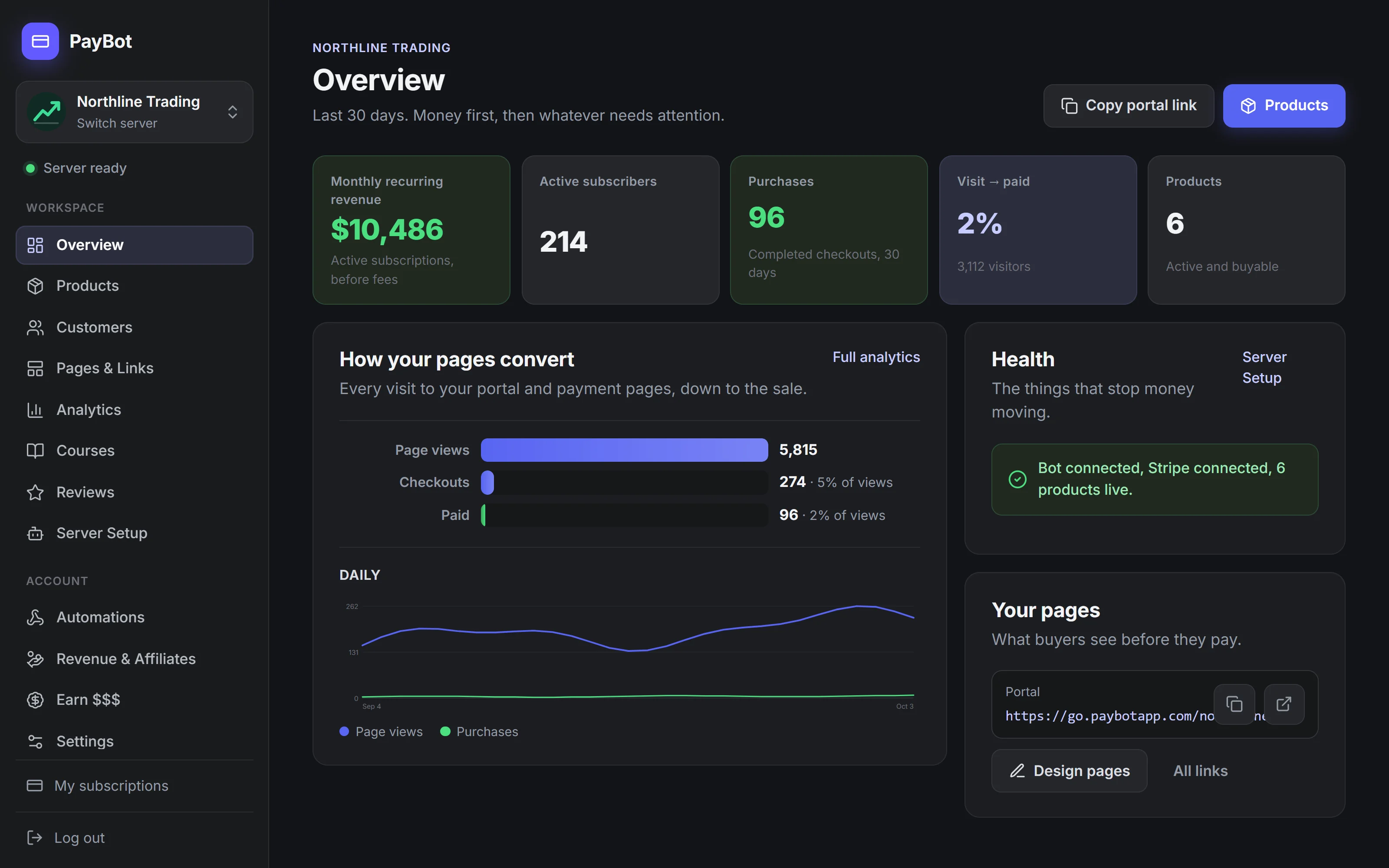
What Your Buyer Goes Through Before the Role Lands
Buying on Whop
One Button, in Your Channel
With Whop
Whop processes the card, the money lands in your Whop balance, and you withdraw it: up to five business days, a fee for anything faster, and a reserve if their risk scoring flags the account.
- Your sales land in Whop's balance, and you go and get them.
- Standard withdrawal takes up to five business days.
- Faster costs money: $2.50 next day, 4% plus $1 instant, $23 for a wire.
- A risk flag can hold all of it for 90 days.
- Your buyer needs a Whop account, a linked Discord, and a Claim Access click.
- The customer list is theirs.
- Courses, affiliates, and analytics are separate apps you assemble.
With PayBot
Our Stripe Discord integration connects your own Stripe account. Every customer, payment, and record lives in your Stripe dashboard, and PayBot never holds a cent of the money. Leave whenever you like and take all of it with you.
- The sale lands in your Stripe as it clears. PayBot never holds it.
- No balance, no withdrawal, no fee, no reserve.
- One tap on Get Access in your channel and the role is on.
- Nothing to build on anyone's turf first.
- Leave any time and the customer list goes with you.
- Courses, affiliates, analytics, payroll: built in.
- Sell seats to a live session in your own voice channel.
- Free to add. We get paid when you do.
The Real Difference
Same goal, paid members in Discord. Two very different deals.
Whop
- To startFree to start. A reserve can hold early sales for 90 days
- PayoutSits in their balance up to 5 business days, or pay to speed it up
- CustomersTheirs
PayBot
- To startFree to start
- You payOnly when your community sells
- PayoutDirect to your own Stripe, the moment a sale clears
- CustomersYours, in your own Stripe
Proof, a Button, and a Room You Can Sell
Each of these puts more paying members through the door, on the server you already run. The fee was never the argument.
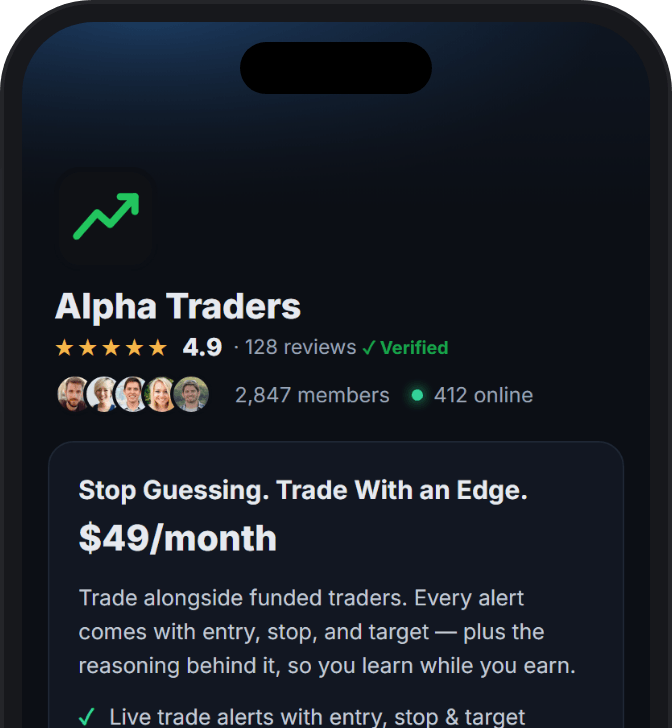
Proof you cannot fake
Reviews only from members PayBot confirmed paid. Live member counts from your server. Demand figures you cannot type or edit.
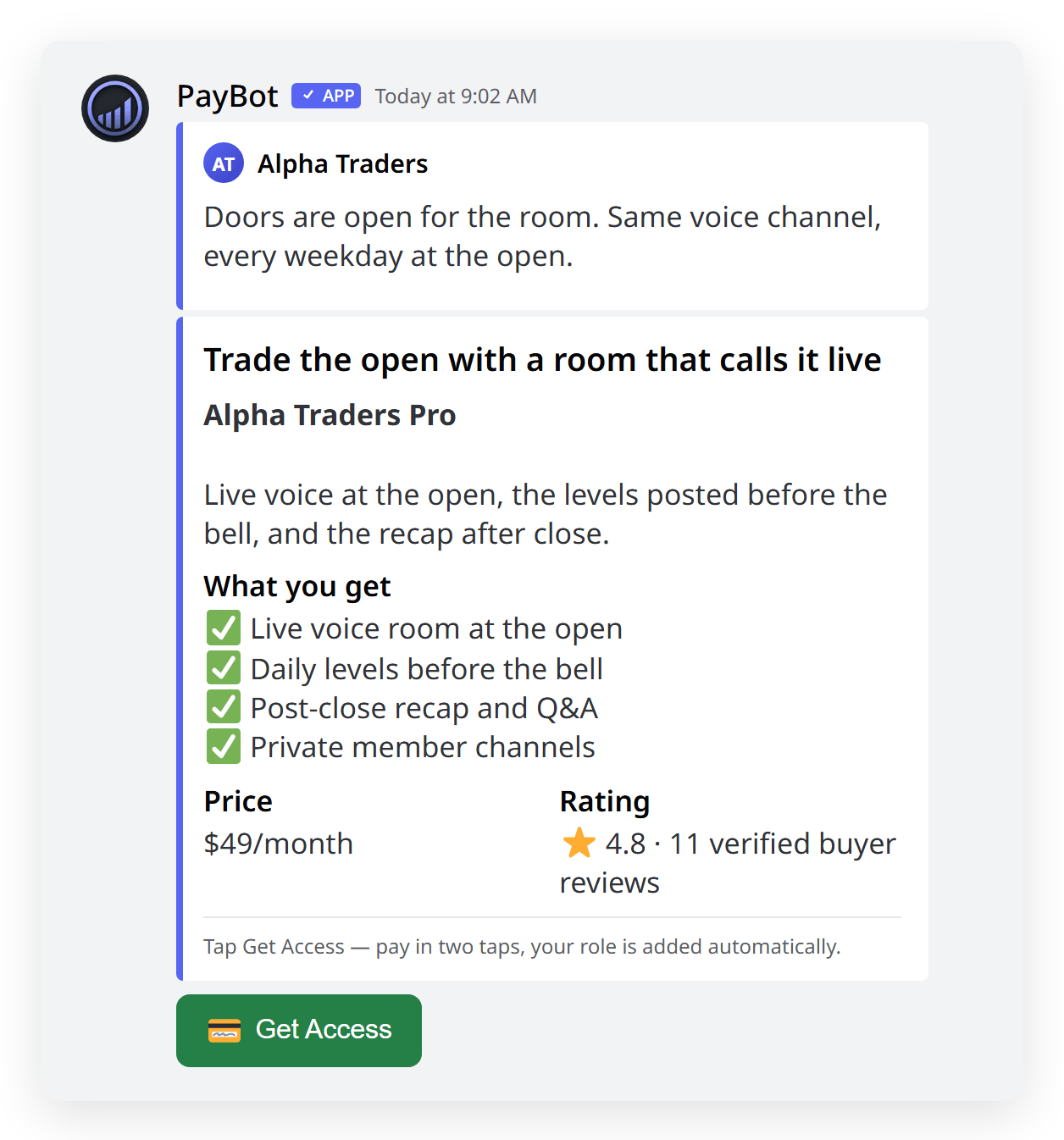
One button in the channel
Get Access sits in your channel. The click already knows who they are, so checkout binds to their Discord and the role lands.
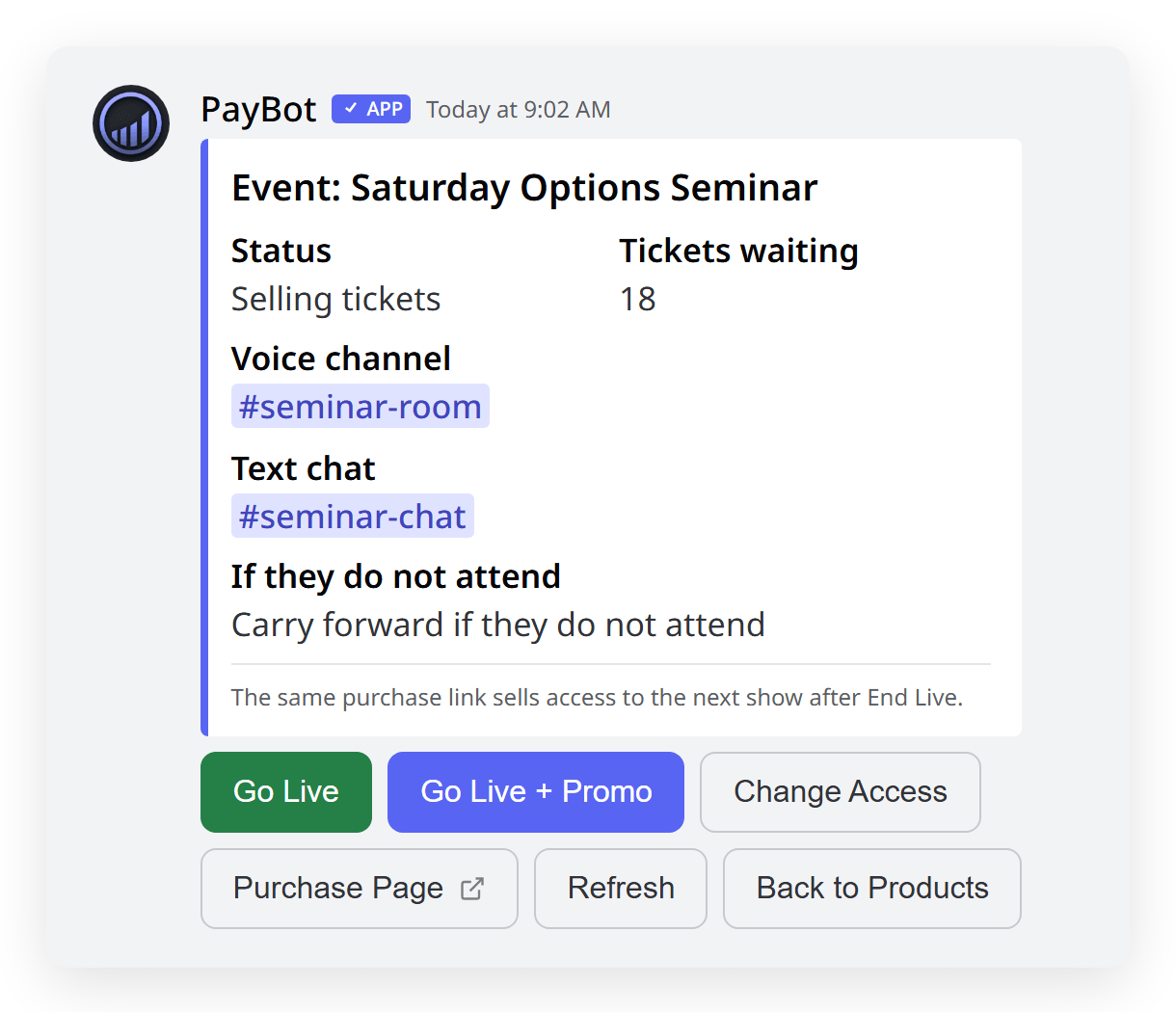
Sell the room, one seat at a time
One permanent link. Each payment buys a seat, and PayBot opens the door at showtime in a voice channel you already own.
Side-by-Side Comparison
| Feature | PayBot | Whop |
|---|---|---|
| Where Your Money Lands | Your own Stripe Yours the moment it clears | Whop's balance Held until you withdraw |
| Time to Get Paid | Your normal Stripe payout Nothing to withdraw | Up to 5 business days Or pay to speed it up |
| Cost to Withdraw | None | $2.50 ACH / 4%+$1 instant / $23 wire |
| New-Account Hold | None | Up to 100% held for 90 days Risk-scored reserves |
| Who Owns the Customer | You In your Stripe | Whop |
| What Your Buyer Needs | A Discord account One tap in the channel | Whop account + linked Discord Then Claim Access |
| Proof You Cannot Fake | Yes Verified reviews, live counts | No |
| One-Button Buying in the Channel | Yes Get Access, role lands | No |
| Paid Live Session in Your Voice Channel | Yes, 99 per room | VoiceChat, 8 per call Runs inside their app |
| Courses, Storefront, Affiliates, Analytics | All built in Included | Separate apps to add Assemble on their platform |
| Retention Tools | Member channels, events, voice alerts | No |
| Marketplace Discovery | No | Yes Their strength |
When Whop Might Be Better
We'll be honest. Choose Whop if:
- You want strangers on Whop's marketplace to find you
- Your business runs on the open web and Discord is a side room
If the server is where the money is made, switch: the customer stays yours, the sale lands in your Stripe as it clears, and you pay nothing until a member does.
Trusted by Discord Communities
"PayBot simplified our entire subscription process. We set it up in minutes and now manage over 200 premium members effortlessly."

"The tier grouping feature has increased our revenue by 40%. Members can easily upgrade their subscriptions without any friction."

"Our members love how easy it is to subscribe. The seamless checkout process has boosted our conversion rate significantly."

Frequently Asked Questions
Which one actually costs more, Whop or PayBot?
Whop, on a plain domestic card with few withdrawals, can come out slightly ahead on rate. PayBot takes 3% on top of your own Stripe processing. What the difference buys is custody: the money is never theirs to hold, delay, or reserve.
How fast do I actually get paid?
Nothing to withdraw with PayBot. The sale settles in your Stripe on its normal payout schedule. On Whop it waits in their balance: up to five business days, $2.50 next day, 4% plus $1 instant, and a reserve if their risk score flags you.
Who owns the customer, me or the platform?
You do. Every buyer sits in your Stripe with their history, and if you ever leave PayBot they come with you. On Whop the customer record lives on their platform, and it stays there when you go.
When does Whop make more sense?
When you want strangers to find you. Whop's public marketplace is real, and PayBot has nothing like it. The tools are a different story: courses, storefront, affiliates, and analytics are built in, where Whop sells them as separate apps.
Run Your Server Like the Business It Already Is
Free to add, nothing to rebuild. Keep the server, the roles, and the members you have. PayBot runs beside whatever is already billing.