
Subscord charges you by the subscriber. PayBot charges you by the sale.
Eleven subscribers, and the $39 invoice lands whether anyone bought this month or not. Payments work. Roles work. Then it stops. With PayBot nothing is owed until a member pays, and it keeps going: proof on the page, a button in the channel, a room to sell.
No monthly fee, no subscriber cap, no tier to climb into. Add the bot, connect your Stripe, and PayBot gets paid when a member does.
Last updated: September 2026
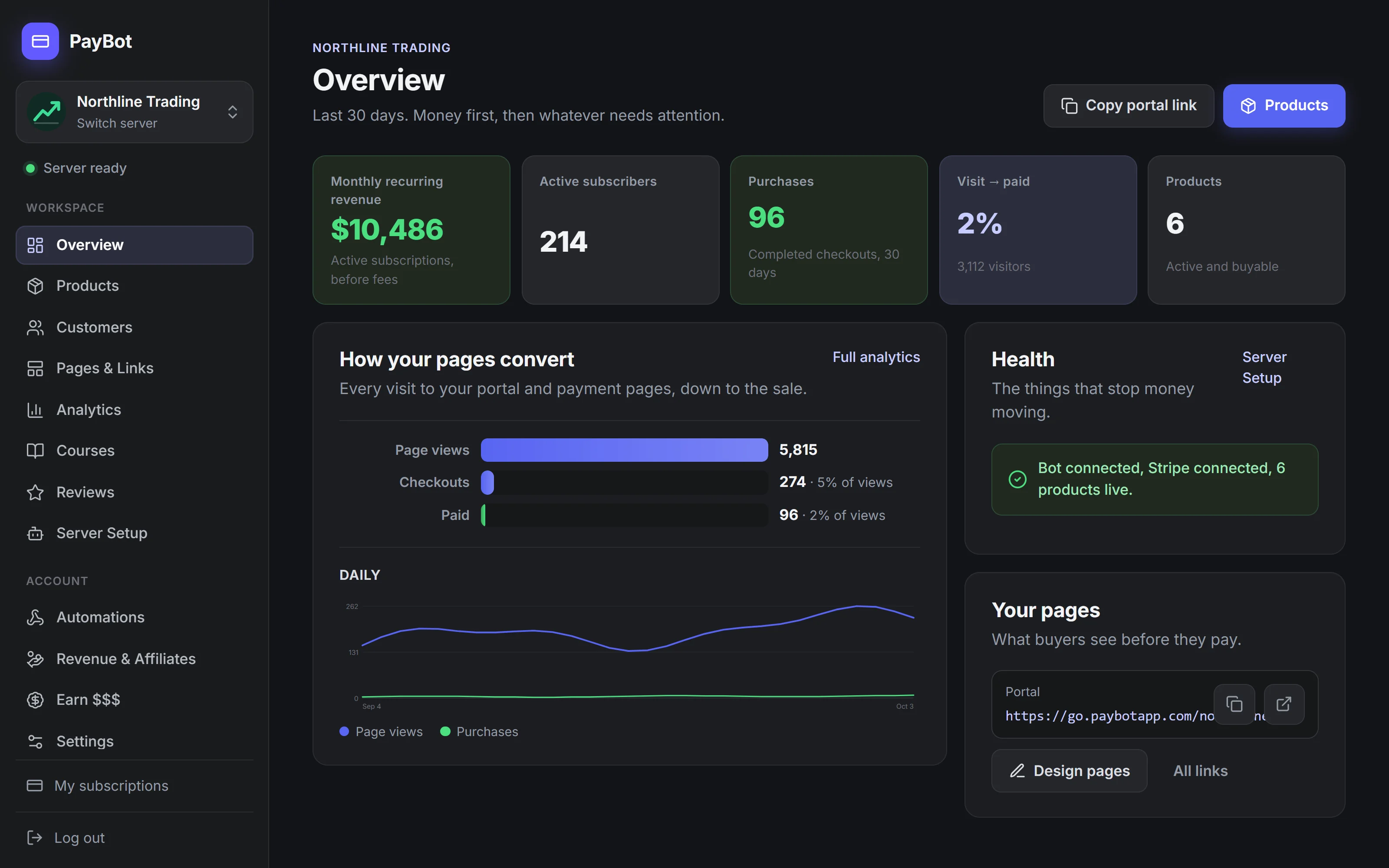
What Your Buyer Goes Through Before the Role Lands
Buying on Subscord
One Button, in Your Channel
With Subscord
You connect your own Stripe and Stripe pays you directly. Subscord bills you separately, $39, $65, or $199 a month depending on your subscriber count, whether or not anyone bought.
- The $39 invoice arrives whether or not anyone bought this month.
- Eleven subscribers is enough to start it.
- Cross 50 and it is $65. Cross 500 and it is $199.
- Affiliates start at $65 a month.
- A store page, and nothing on it a stranger can verify.
- No funnel, so you never see where buyers leave.
- No course to gate a channel, no room to sell seats in.
With PayBot
Our Stripe Discord integration connects your own Stripe account. Every customer, payment, and record lives in your Stripe dashboard, and PayBot never holds a cent of the money. Leave whenever you like and take all of it with you.
- Nothing owed until a member pays you.
- No cap at 10, 50, or 500. Grow without a tier waiting for you.
- Get Access in the channel. The role lands.
- Pages with proof a stranger can check: verified reviews, live counts.
- Courses, team payroll, affiliates: all included.
- Every page reports its own funnel, visits through paid, bots filtered.
- Sell the room. One link, one seat per payment.
- Not in your server yet? They sign in with Discord, pay from the link, and PayBot adds them when the payment clears.
The Real Difference
Same goal, paid members in Discord. Two very different deals.
Subscord
- To startFree to 10 subscribers, then $39 a month, sale or no sale
- PayoutDirect to your own Stripe, same as PayBot
- CustomersYours
PayBot
- To startFree to start
- You payOnly when your community sells
- PayoutDirect to your own Stripe, the moment a sale clears
- CustomersYours, in your own Stripe
Proof, a Button, and a Room You Can Sell
Each of these puts more paying members through the door, on the server you already run. The fee was never the argument.
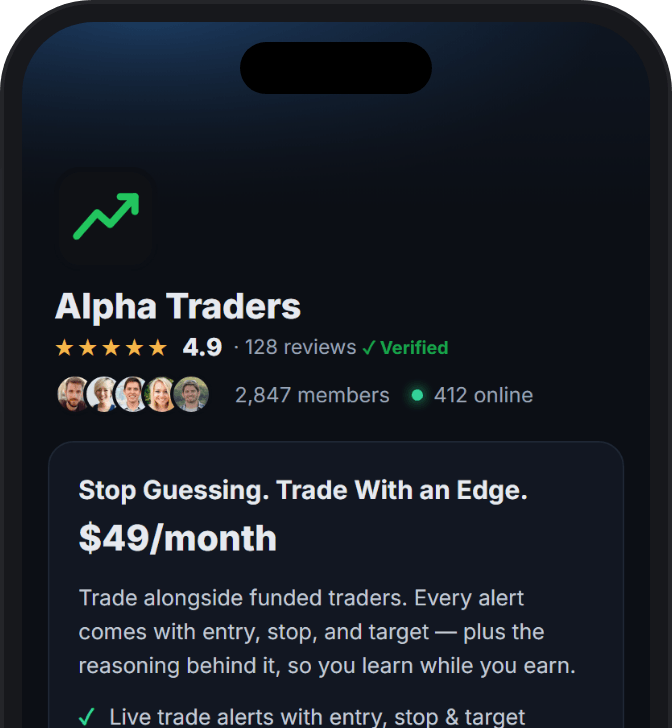
Proof you cannot fake
Reviews only from members PayBot confirmed paid. Live member counts from your server. Demand figures you cannot type or edit.
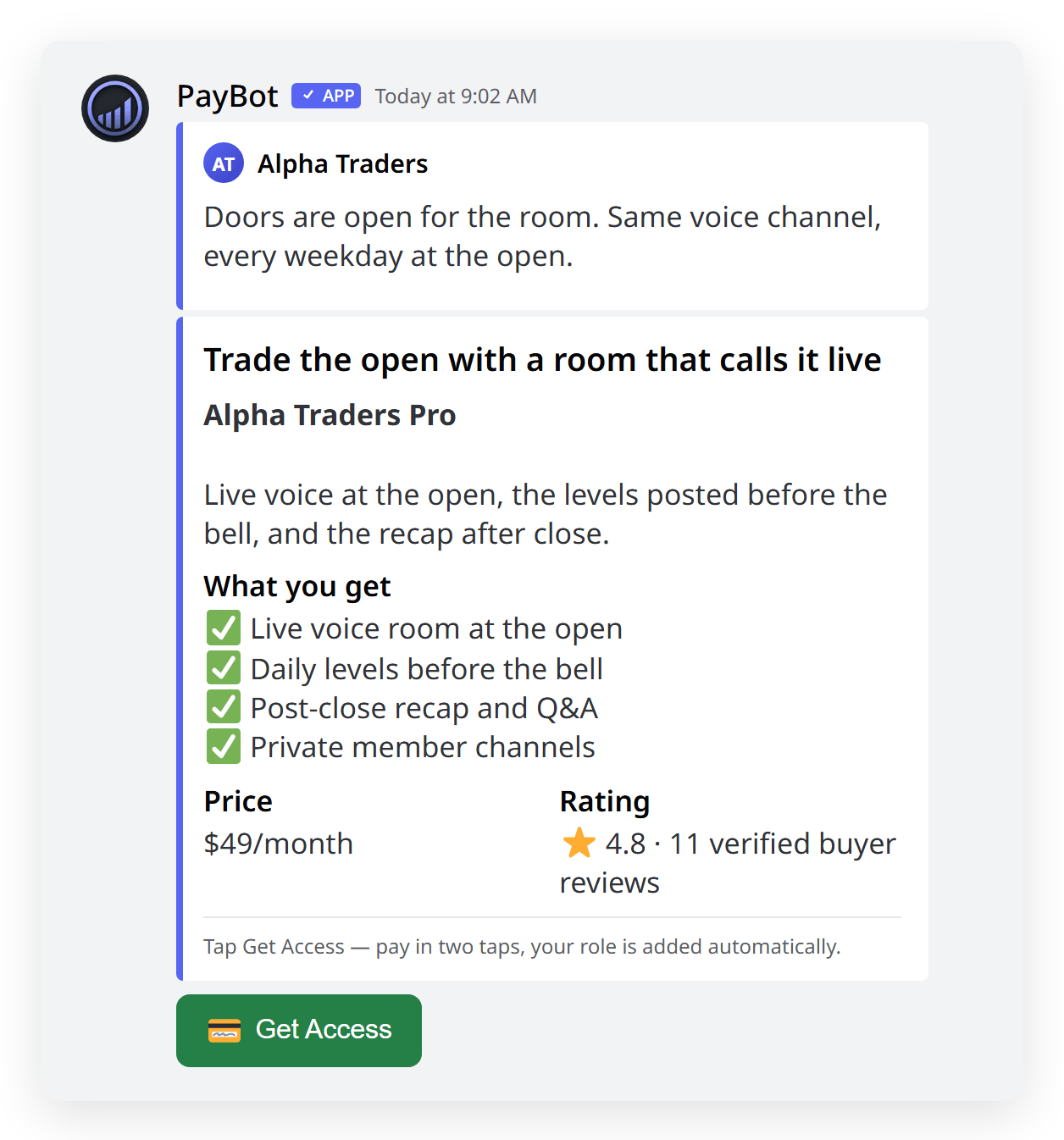
One button in the channel
Get Access sits in your channel. The click already knows who they are, so checkout binds to their Discord and the role lands.
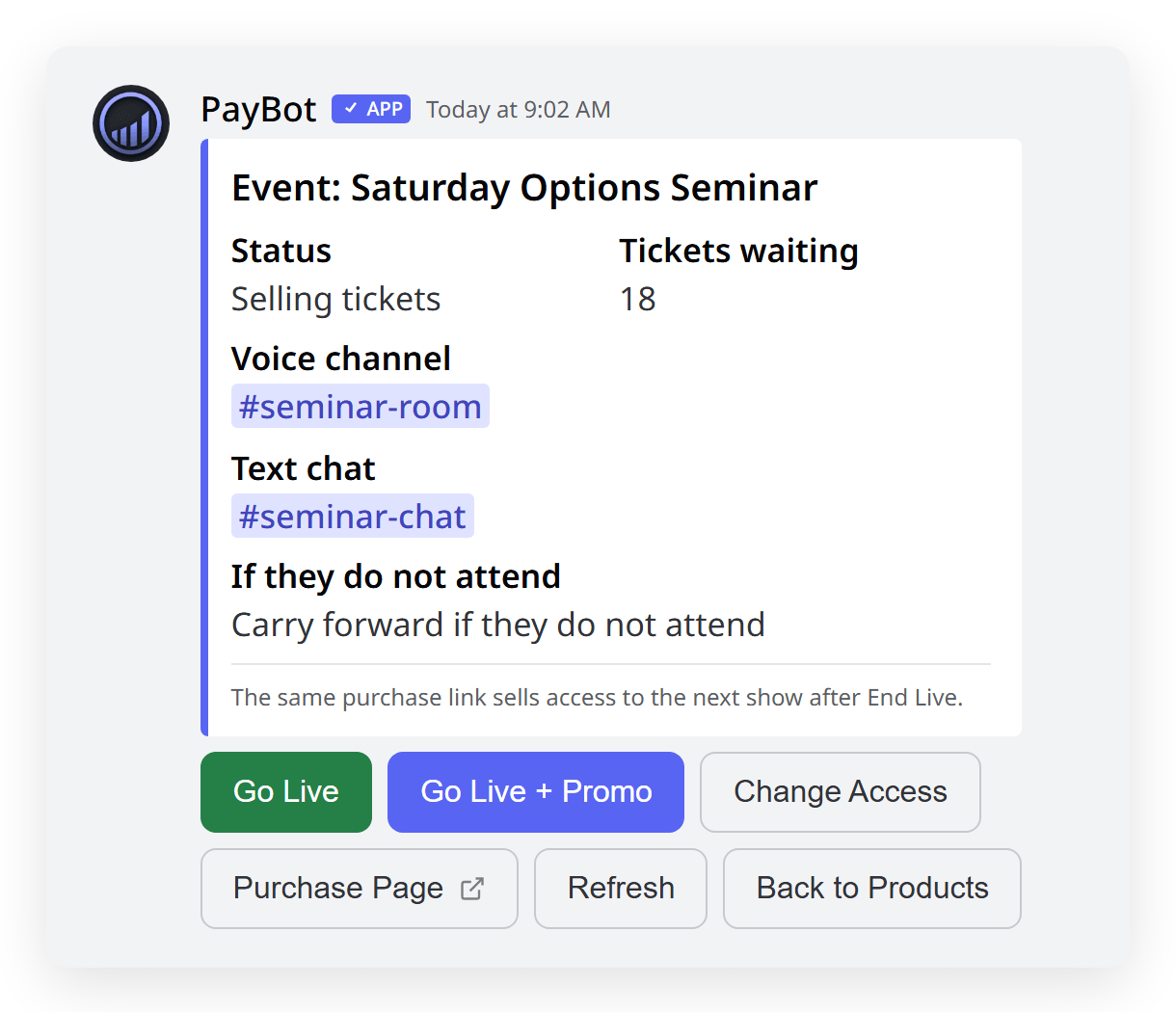
Sell the room, one seat at a time
One permanent link. Each payment buys a seat, and PayBot opens the door at showtime in a voice channel you already own.
Side-by-Side Comparison
| Feature | PayBot | Subscord |
|---|---|---|
| Monthly Fee | None A share of a sale, nothing else | $39 / $65 / $199 per month Charged whether you sell or not |
| Subscriber Cap | None | 10 free / 50 / 500 / unlimited Cross a cap, pay the next tier |
| When You Pay | Only when you sell | Every month, sale or not |
| Whose Stripe | Yours A tie: both pay you direct | Yours |
| Built For | Discord Both Discord-native | Discord |
| Proof You Cannot Fake | Yes Verified reviews, live counts | No |
| One-Button Buying in the Channel | Yes Get Access, role lands | No |
| Paid Live Session in Your Voice Channel | Yes One link, one seat per payment | No |
| Courses That Gate a Channel | Yes Finish, get the role, channel opens | No |
| Funnel Analytics | Yes Visits to paid, bots filtered | No |
| Team Payroll | Yes | No |
| Affiliate System | Yes Included | On $65/mo and up |
| Crypto Payments | No | Yes 100+ tokens at 0.5%, their win |
When Subscord Might Be Better
We'll be honest. Choose Subscord if:
- Your members pay in crypto, where Subscord takes 100+ tokens at a flat 0.5%
- You sell enough each month that a flat fee costs less than a share of sales
- You want the smallest possible feature set
If the server is where the money is made, switch: the customer stays yours, the sale lands in your Stripe as it clears, and you pay nothing until a member does.
Trusted by Discord Communities
"PayBot simplified our entire subscription process. We set it up in minutes and now manage over 200 premium members effortlessly."

"The tier grouping feature has increased our revenue by 40%. Members can easily upgrade their subscriptions without any friction."

"Our members love how easy it is to subscribe. The seamless checkout process has boosted our conversion rate significantly."

Frequently Asked Questions
Subscord takes no cut. Why would I pay PayBot a share?
Because the bill still arrives. Eleven subscribers at $10 a month is $110 in revenue, and Subscord invoices $39 of it, sale or no sale. PayBot takes 3% of a sale, only when a member pays, so the same month costs $3.30 and nothing while you wait.
When does Subscord come out ahead?
Two cases. Your members pay in crypto, where Subscord takes 100+ tokens at 0.5%. Or you sell enough that a fixed fee beats a share of every sale, which on their $65 tier is about $2,200 a month. Below that, PayBot costs less and does more.
What happens when I cross a subscriber cap?
On Subscord, subscriber 11 starts the $39 bill, 51 makes it $65, and 501 makes it $199, and the new rate applies whether the month was good or not. PayBot has no cap. Your cost moves with what you sold and nothing else.
What does PayBot have that Subscord does not?
Pages with proof a stranger can check, a Get Access button in the channel, paid live sessions in your voice channel, courses that gate a channel, funnel analytics, and team payroll. Affiliates, which Subscord sells from $65 a month, come included.
Run Your Server Like the Business It Already Is
Free to add, nothing to rebuild. Keep the server, the roles, and the members you have. PayBot runs beside whatever is already billing.