
Connect Stripe to Discord. Run Everything From Discord.
PayBot connects your existing Stripe account to Discord in one click. You sell, charge, grant roles, and manage subscriptions without ever opening Stripe. Stripe just powers it in the background.
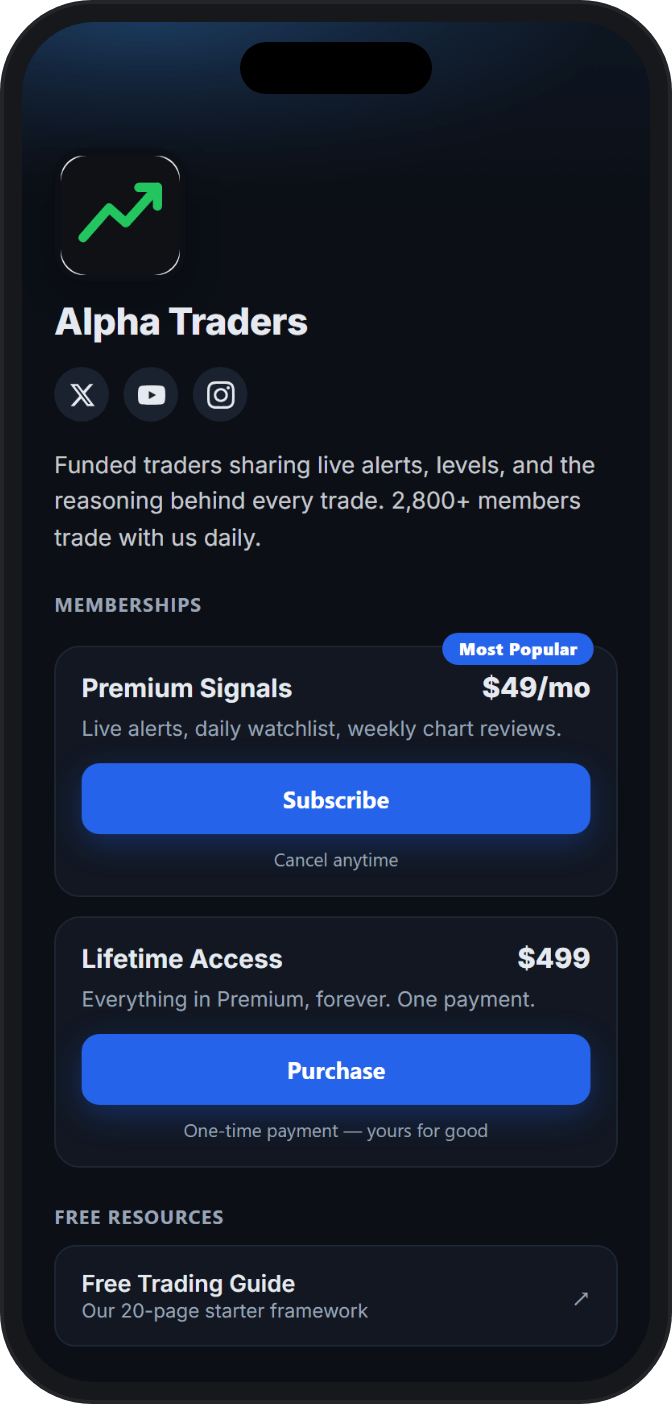
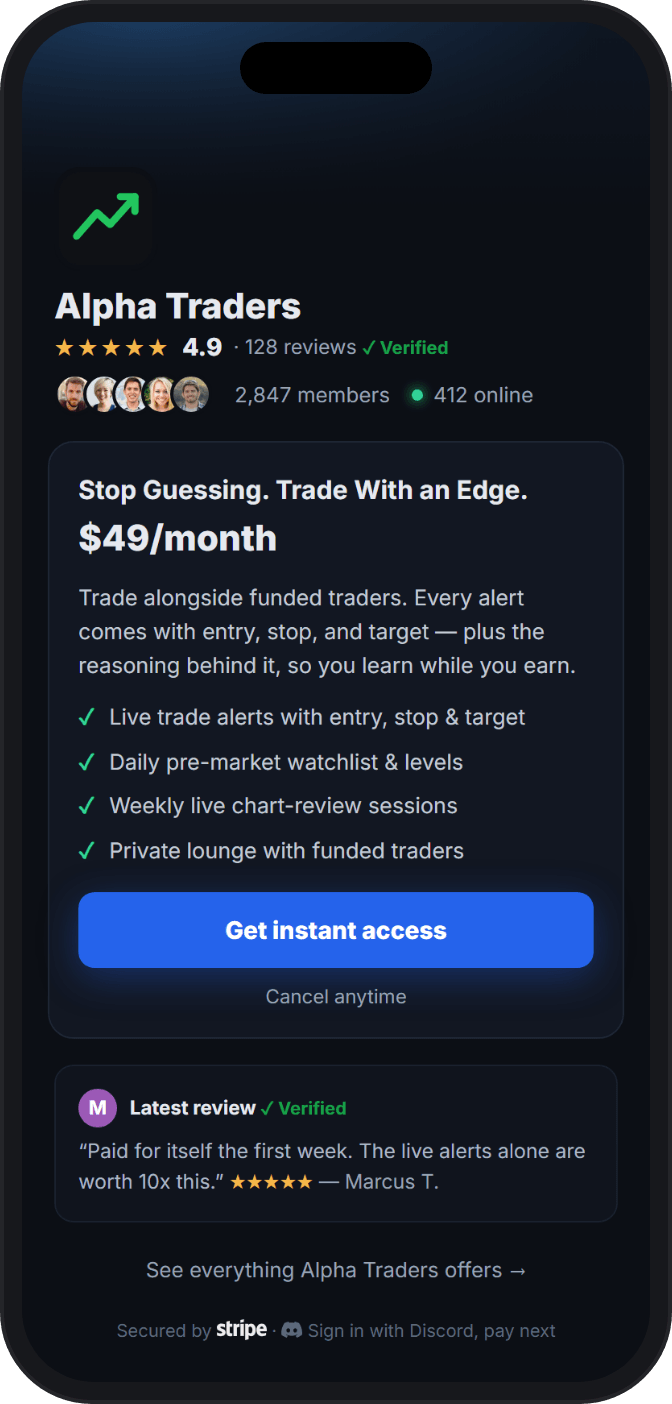
Trusted by Discord Communities
"Setup took maybe five minutes. Stripe connected, tiers created, done. New subscribers get my course materials automatically the second they join, and the payment links let me sell memberships directly from my website and social media."

"We manage onboarding, cancellations, and role assignments for over 150 clients. PayBot completely automates the process and integrates flawlessly with our payment gateway and checkout. Finding this solution was a total success."

"Our members love how easy it is to subscribe. The seamless role assignment and checkout process has boosted our conversion rate significantly."

Stripe Powers It. You Never Leave Discord.
Every step you expect to wrestle in Stripe turns out to be a Discord action.
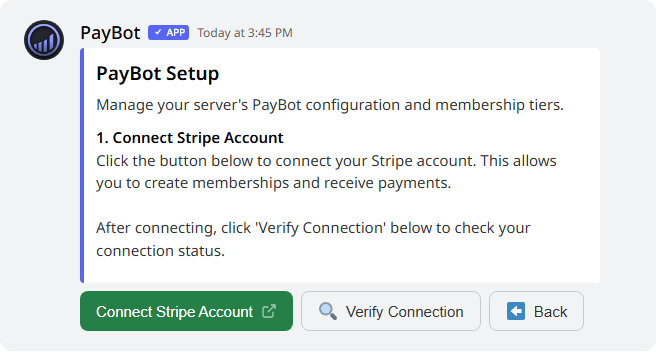
Connect your real Stripe account in one click
It's the Stripe account you already have, not a new one. Click "Agree & Connect Stripe" and you're authorized on Stripe's own site. No API keys to paste, no code, no webhooks to wire.
- Your history, payouts, and customers stay intact
- Your 3D Secure and fraud settings are honored, never overridden
- Money goes straight to your bank on your Stripe payout schedule
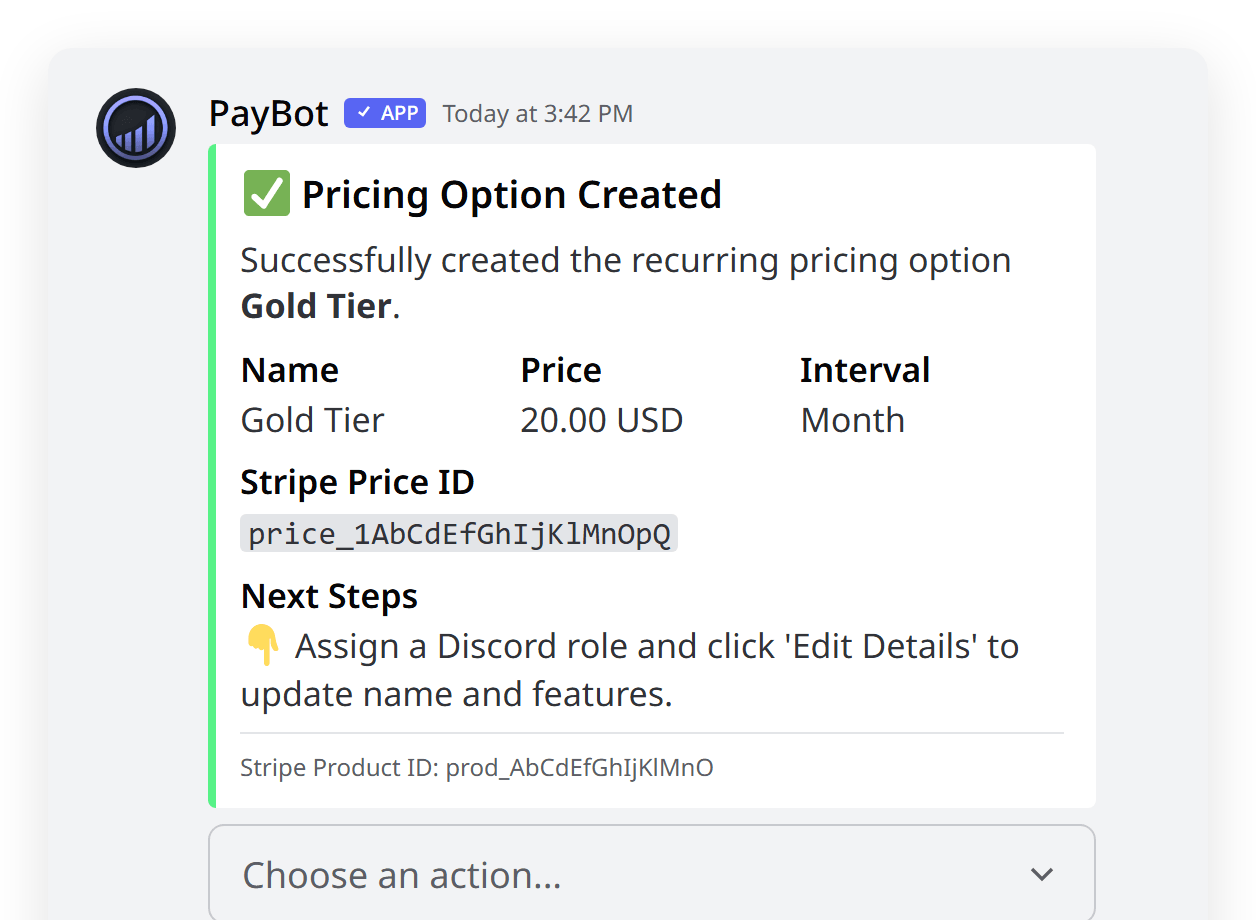
We build your products and payment links for you
No rebuilding anything in Stripe. Name a tier and a price in Discord. PayBot creates the product, the price, and the payment link, then maps it to a Discord role automatically.
- Sell one-time purchases and recurring subscriptions
- Multiple tiers, each mapped to its own role
- Your existing coupons still work, and free trials run automatically
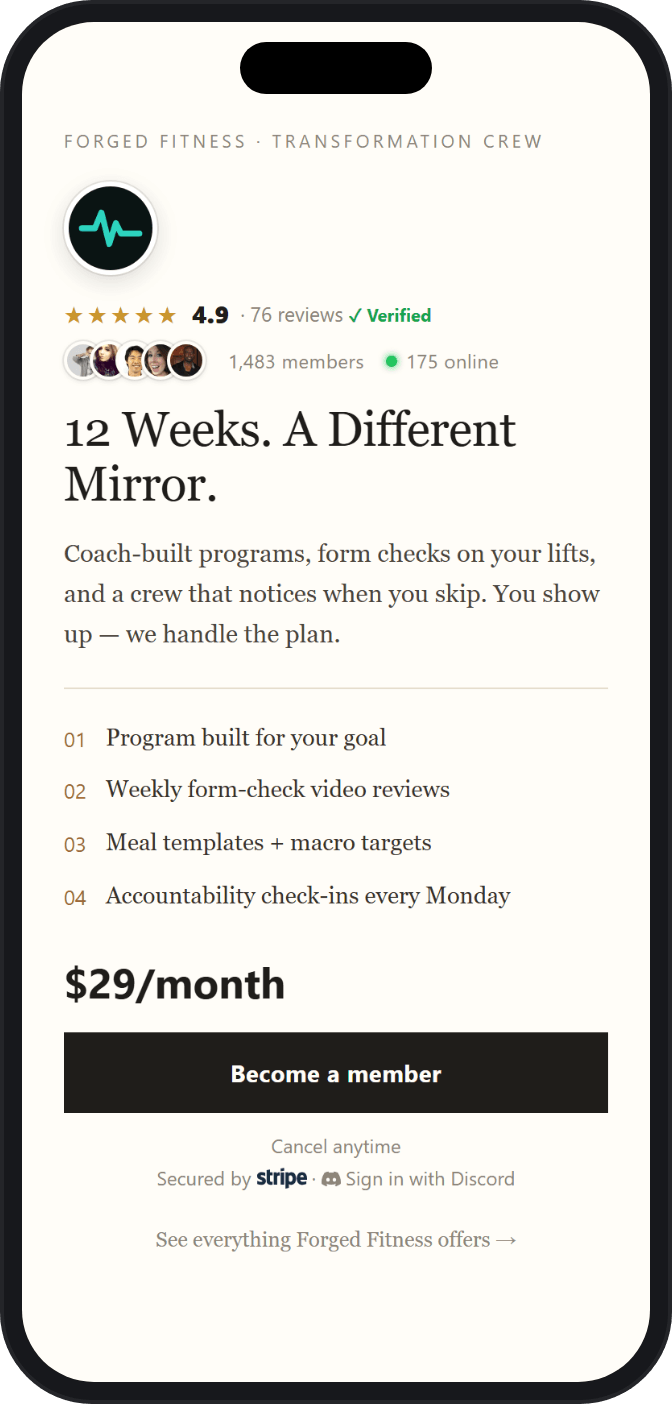
Share a link, your buyer lands in checkout
Drop the payment link on your site, socials, or a DM. Your buyer signs in with Discord, checks out through Stripe, and is added to your server when the payment clears.
- Buyers pay with a card like any Stripe checkout
- No Discord account yet? They create one at sign-in, before they pay
- Your business name is on the charge, because it's your Stripe
They pay, Discord hands them the role automatically
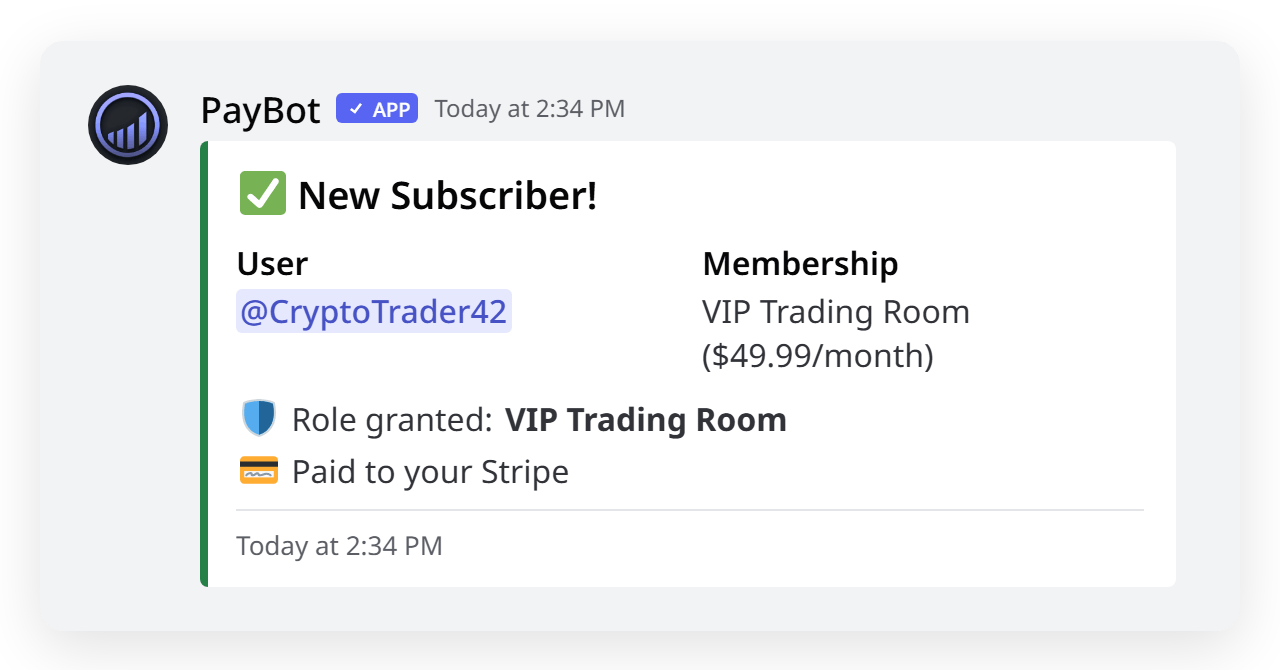
The moment a payment clears, PayBot grants the member their role and unlocks your paid channels. No hunting through a member list, no manual grants at 2am.
- Role assigned the second the payment clears
- Onboarding DM sent automatically, so no "where's my access?" tickets
- Cancel and the role is removed for you, cleanly
Cancellations and billing, handled in Discord
Members manage their own subscription with /subscription. No Stripe login, no support ticket. And a failed card won't cost you the member. Stripe retries automatically while their access holds for the grace period you set.
- Members cancel or update billing right inside Discord
- A failed renewal triggers automatic Stripe retries, and access stays on through your grace period
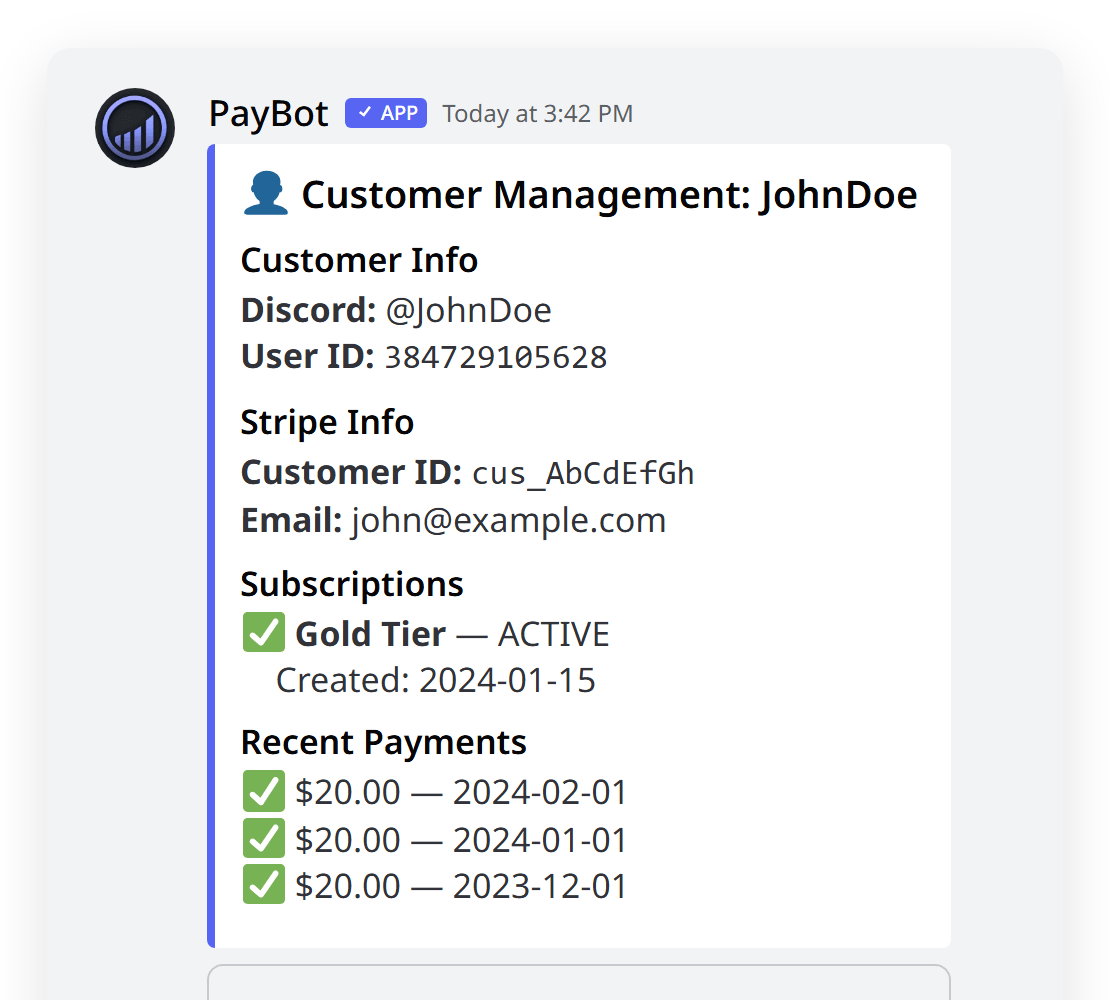
- You can look up any customer's subscription from Discord
See every payment land, right in your server
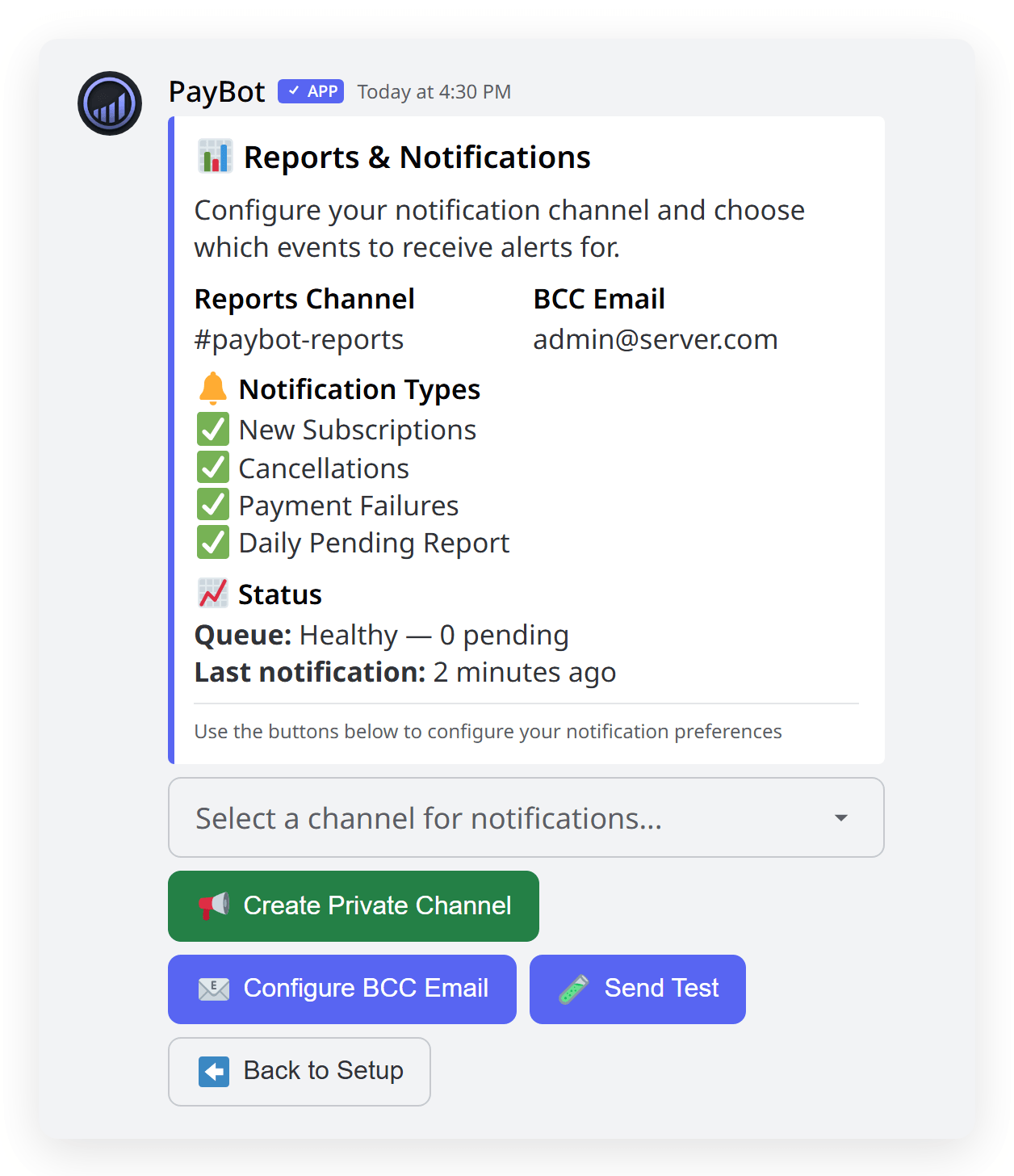
Point PayBot at a channel and every new subscription, cancellation, and payment shows up there. No living in the Stripe dashboard to know how your community is doing.
- New subscriptions, cancellations, and payment alerts in Discord
- Daily pending report and optional BCC email
- Your full revenue picture stays in your own Stripe account too
Run the whole business from one dashboard
Stripe connected, your payment links, your products, your members, all in the PayBot web dashboard, and /setup in Discord covers the core jobs too. Stripe does the work. You never have to open it.
- One dashboard for connect status, products, and members
- Manage products, payment links, and settings in place
- Stripe stays the engine; members get their roles in Discord automatically

Who Connects Stripe to Discord With PayBot
Trading Communities
Charge for signal channels with recurring monthly billing. Members subscribe through Stripe, get instant access to private channels, and lose it automatically if they cancel.
Course Creators
Sell course access as a one-time payment or subscription. Students check out through Stripe and immediately unlock course channels in Discord.
Gaming Servers
Create VIP tiers with exclusive channels and perks. Offer multiple price points so players choose the level of access they want.
Coaching Programs
Run monthly accountability groups with automatic access control. Renew and the role stays; cancel and access is removed cleanly.
Stripe Discord Integration FAQ
How do I connect Stripe to Discord?
Add PayBot to your Discord server. You land in the PayBot dashboard, where "Agree & Connect Stripe" sends you to Stripe's own site to authorize. You can do the same from the /setup command in Discord. The whole thing takes about five minutes.
Is there an official Stripe Discord integration?
Discord has no native Stripe integration. PayBot fills the gap, using Stripe Connect (the same method used by Shopify and other major platforms) to bridge the two securely.
Do I need to write code to integrate Stripe with Discord?
No. PayBot handles the connection, payment processing, and role management automatically. There's nothing to code, deploy, or maintain.
Can I use my existing Stripe account?
Yes. PayBot connects to the Stripe account you already have. Your products, customers, settings, and payment history stay intact. Nothing changes on the Stripe side.
Do my members have to leave Discord to manage their subscription?
No. Members manage and cancel their subscription with the /subscription command right in Discord. No Stripe login required.
What happens if a member's payment fails?
Stripe automatically retries the charge, and the member keeps their access for a grace period you set (7 days by default). A temporary card glitch won't instantly remove a paying member.
Does the Stripe Discord integration work internationally?
Yes. PayBot works with any Stripe account in any Stripe-supported country. Pricing shows in your configured currency, and members can pay with cards issued anywhere.
Connect Stripe to Discord Today
Free to start. Connect in one click. We only earn when you do: 3% of each sale, never before.