
Members pay in Discord, hold the role in seconds, and stay yours.
A member finds you on X. They end up on patreon.com. They pledge, miss the Discord link step, and a week later DM you that they paid and have no access, while Patreon keeps 10% and the member. With PayBot they pay in your server and have the role in seconds.
One account, in your server. The role lands the second the payment clears, billing runs with /subscription, and the money sits in your own Stripe.
Last updated: September 2026
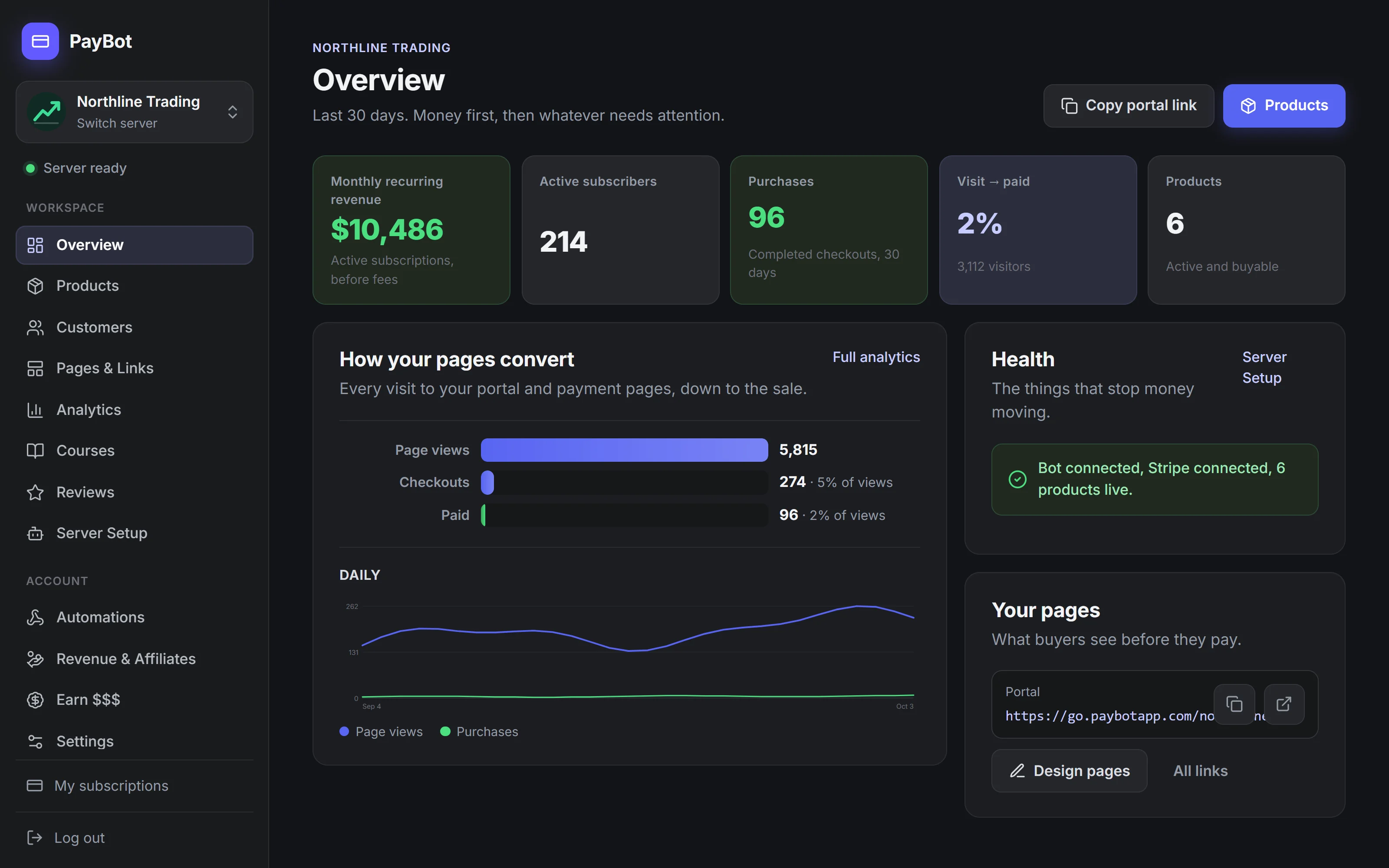
What Your Buyer Goes Through Before the Role Lands
Buying on Patreon
One Button, in Your Channel
With Patreon
Patreon bills the member on patreon.com, takes its 10% plus processing, and pays you out on its schedule, so the member is a Patreon customer and never appears in your Stripe.
- Two accounts before the role: one on Patreon, one on Discord, linked by the member.
- Miss the linking step and the member DMs you a week later asking where their access is.
- 10% of everything on any page published after August 4, 2025, plus processing on top.
- Unpublish a legacy page once and the old 5% or 8% plan is gone for good.
- Billing on patreon.com, so every card update and cancel happens off your server.
- Fund video hosting and podcast tools a Discord business never opens.
- Patreon's customer, on Patreon's list: leave and the member stays behind.
With PayBot
Our Stripe Discord integration connects your own Stripe account. Every customer, payment, and record lives in your Stripe dashboard, and PayBot never holds a cent of the money. Leave whenever you like and take all of it with you.
- One account. The member pays in your server and the role is on in seconds.
- Post a Get Access button in the channel and the click already knows who they are.
- Your own Stripe. Every member, card, and payout is in your account, and leaves with you.
- Let members manage billing with /subscription, right in the server.
- Roles that hold: on when payment clears, off on cancel, kept while Stripe retries a card.
- Sell a seat to a live session in your own voice channel, one link, door opens at showtime.
- Proof you cannot fake: reviews only from confirmed buyers, member counts pulled live.
- Add it free. PayBot earns only when a member pays you.
The Real Difference
Same goal, paid members in Discord. Two very different deals.
Patreon
- To startFree to start, then 10% of every pledge plus processing
- PayoutPatreon collects the pledge and pays you out on its schedule
- CustomersTheirs
PayBot
- To startFree to start
- You payOnly when your community sells
- PayoutDirect to your own Stripe, the moment a sale clears
- CustomersYours, in your own Stripe
Proof, a Button, and a Room You Can Sell
Each of these puts more paying members through the door, on the server you already run. The fee was never the argument.
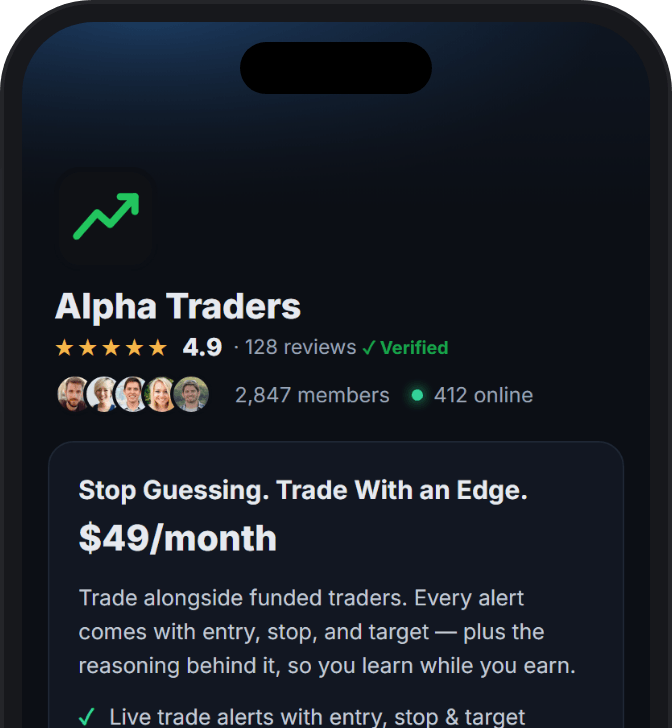
Proof you cannot fake
Reviews only from members PayBot confirmed paid. Live member counts from your server. Demand figures you cannot type or edit.
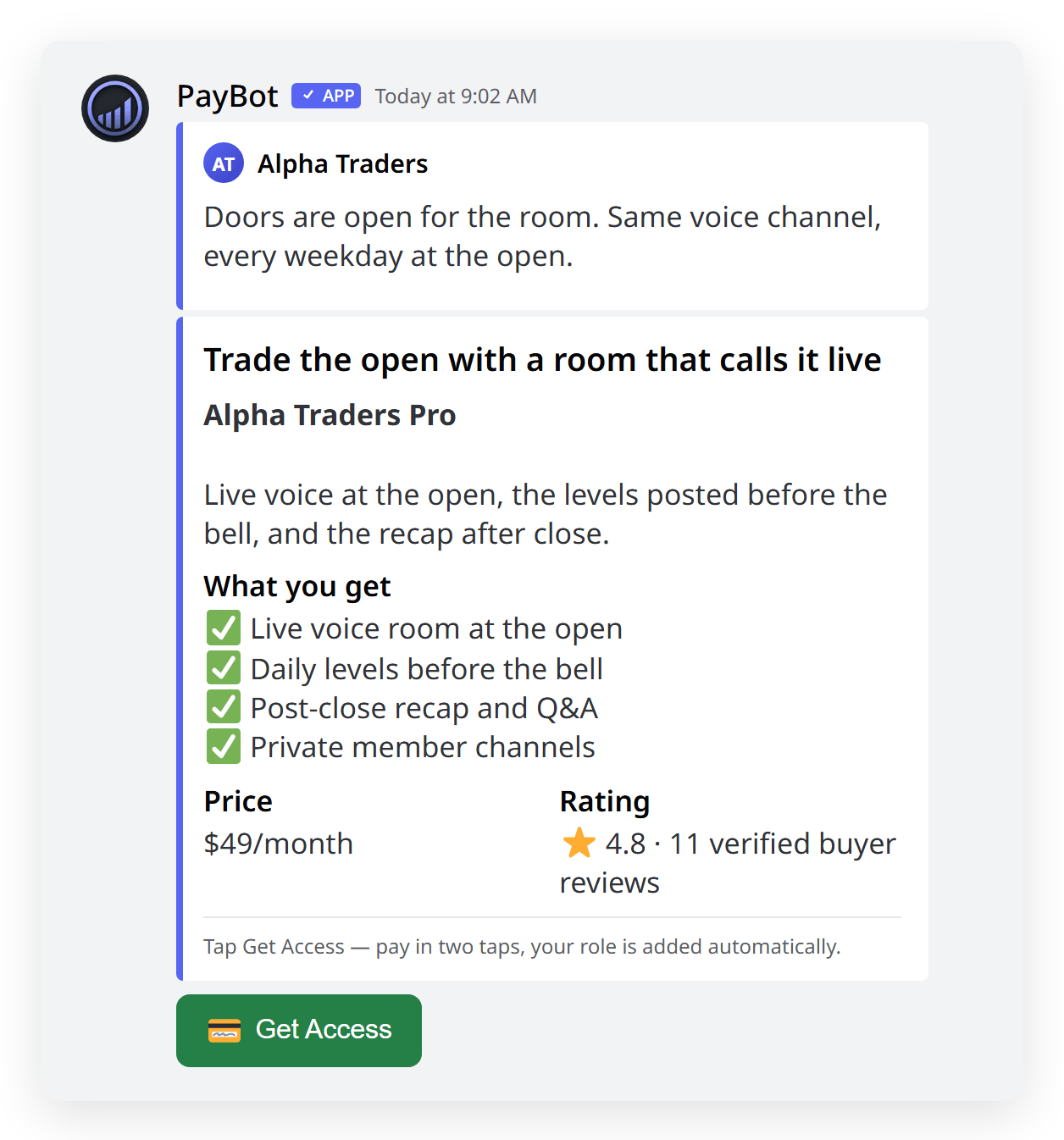
One button in the channel
Get Access sits in your channel. The click already knows who they are, so checkout binds to their Discord and the role lands.
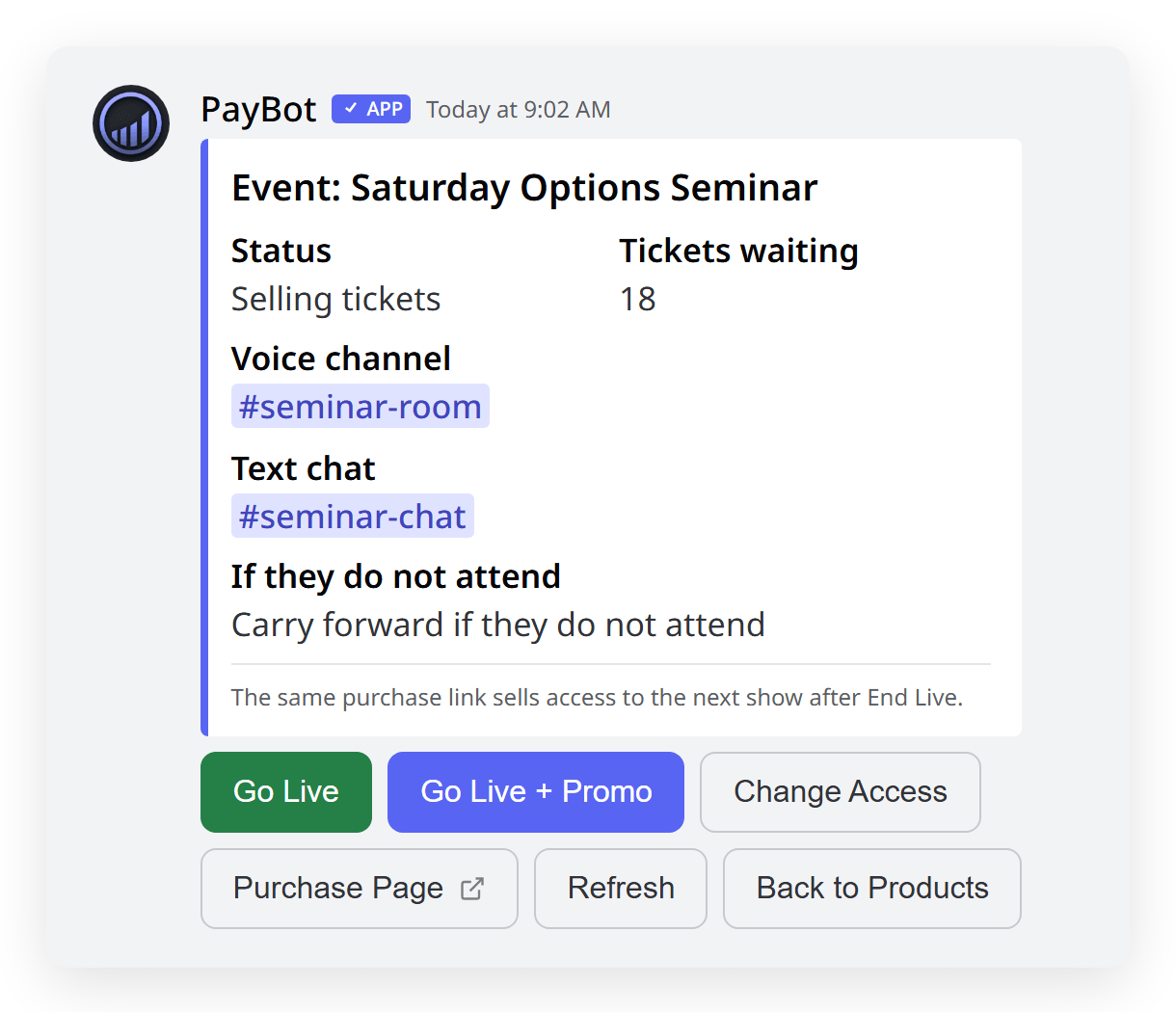
Sell the room, one seat at a time
One permanent link. Each payment buys a seat, and PayBot opens the door at showtime in a voice channel you already own.
Side-by-Side Comparison
| Feature | PayBot | Patreon |
|---|---|---|
| Accounts a Member Needs | 1 (Discord) The one they already have | 2 (Discord + Patreon) Linked by the member, by hand |
| Who Owns the Customer | You In your Stripe | Patreon On Patreon's list |
| Built For | Discord, natively From the first command | Video creators + podcasters Discord added years later |
| Their Cut | 3% of a sale Only when a member pays | 10% of everything Any page published after Aug 4, 2025 |
| Member Flow | /subscription, pay, role In your server, seconds | Patreon account, pledge, link Discord Three steps, two sites |
| Billing Management | In Discord Members type /subscription | patreon.com Card updates and cancels off-server |
| Proof You Cannot Fake | Yes Verified reviews, live counts | No |
| One-Button Buying in the Channel | Yes Get Access, role lands | No |
| Paid Live Voice Session | Yes One link, one seat per payment | No |
| Courses That Gate a Channel | Yes Finish, get the role, channel opens | No |
| Team Payroll + Affiliates | Yes Included | No |
| Video / Podcast Hosting | No | Yes Their core, keep it if you use it |
When Patreon Might Be Better
We'll be honest. Choose Patreon if:
- Your members watch video or listen to podcasts you host on Patreon
- Your audience found you inside Patreon and expects to pay there
- The posts, video, and audio are the product, and Discord is the extra
If the server is where the money is made, switch: the customer stays yours, the sale lands in your Stripe as it clears, and you pay nothing until a member does.
Trusted by Discord Communities
"PayBot simplified our entire subscription process. We set it up in minutes and now manage over 200 premium members effortlessly."

"The tier grouping feature has increased our revenue by 40%. Members can easily upgrade their subscriptions without any friction."

"Our members love how easy it is to subscribe. The seamless checkout process has boosted our conversion rate significantly."

Frequently Asked Questions
How much of every pledge does Patreon take?
10% of everything, for any page published after August 4, 2025, with processing on top. A legacy 5%, 8%, or 12% plan is lost the day the page is unpublished. PayBot takes 3% of a sale, only when a member pays, and the money sits in your own Stripe.
Why does a member need two accounts on Patreon?
Because billing lives on patreon.com. The member makes a Patreon account, pledges, then links Discord for the role, and any missed step ends in a DM to you. With PayBot they pay in your server on the account they already have, role on in seconds.
Can I move my Patreon members to PayBot?
Not automatically. Patreon owns those relationships, so you invite them to subscribe again on your own Stripe. Post a Get Access button in the channel they already sit in, and the role lands the moment they pay.
When is Patreon the better choice?
When the content is the product. If members watch video or listen to podcasts hosted on Patreon, the hosting is what they pay for and the 10% buys something. If the server is the product, the pledge pays for tools nobody in your community opens.
Run Your Server Like the Business It Already Is
Free to add, nothing to rebuild. Keep the server, the roles, and the members you have. PayBot runs beside whatever is already billing.