Monetize Your Gaming Discord Server
Fund your gaming community with subscriptions. Keep 100% of revenue, share profits with your mod team, and manage everything from Discord.
Focus on Gaming, Not Admin
Your gaming Discord has become the go-to hangout for your community. You host game nights, run tournaments, share tips, and keep everyone entertained. But keeping the lights on costs money. Private game servers, giveaway prizes, your own time. PayBot lets you monetize your community without losing any revenue to platform fees. Plus, you can share earnings with the mods who help you run it.
Why Automate with PayBot?
- Stop paying platform fees (save hundreds/mo)
- Instant role assignment 24/7
- Share payment links on socials & website
- Auto-pay your team with revenue sharing
Sound Familiar?
Common challenges gaming Discord communities face
Running private game servers costs money with no way to cover expenses
Tournament prize pools come out of your own pocket
Mods and community managers volunteer their time with no compensation
Platforms like Patreon take 5-12% of the money your community pays
Why Gaming Communities Choose PayBot
Features that actually matter for gaming server monetization
0% Platform Fee
Every dollar your community pays goes to you (minus Stripe processing). No platform taking 5-12% off the top.
Revenue Sharing with Staff
Ultra plan featureFinally compensate your mod team. Set up automatic revenue splits so they get paid when the community pays.
Discord + Web Payments
Members can subscribe through Discord with /subscription or through payment links you share on Twitch, YouTube, or your website.
Stop Paying Platform Fees
See how much you keep with PayBot vs. alternatives
| Platform | Platform Fee | On $10,000/mo |
|---|---|---|
| PayBot | 0% | You keep $10,000 |
| Patreon | 5-12% | Lose $500-1,200 |
| Whop | 3% | Lose $300 |
| LaunchPass | 3-10% | Lose $300-1,000 |
*All platforms also charge Stripe processing (2.9% + 30¢). PayBot is the only one with 0% platform fee.
How Gaming Servers Structure Memberships
Example tiers for gaming communities
Supporter
- Supporter role and badge
- Access to #supporter-chat
- Name color in server
- Priority queue for events
VIP Gamer
- VIP voice channels
- Early access to game nights
- Exclusive giveaway entries
- Private game server access
Lifetime Legend
- Permanent Legend role
- All VIP perks forever
- Name on Hall of Fame
- Exclusive Legend badge
These are examples. Create any tiers and prices that fit your community.
One-time payments available on the Large plan. Perfect for high-ticket offerings.
Pay Your Team Automatically
The Ultra plan includes revenue sharing. Add community managers, moderators, or collaborators and set their percentage. When members pay, your team receives automatic payouts to their own Stripe accounts. No manual invoicing. No spreadsheets.
Simple for You, Seamless for Members
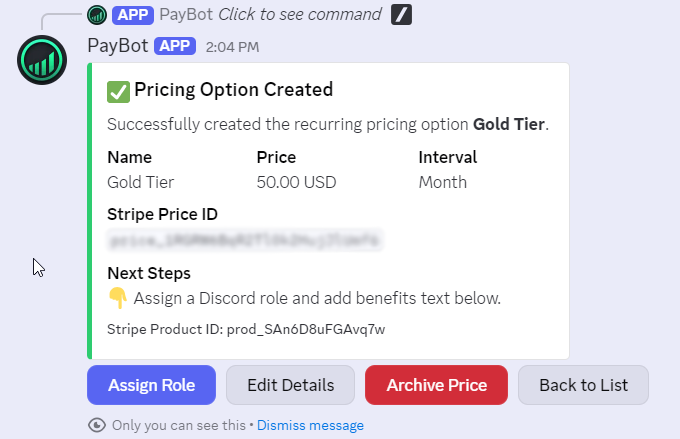
Members type /subscription to see your tiers and pay through Stripe. Roles are assigned instantly.
- Automatic role assignment in seconds
- Seamless tier upgrades with proration
- Direct deposit to your Stripe account
- Members manage subscriptions in Discord
Accept Payments Anywhere, Not Just Discord
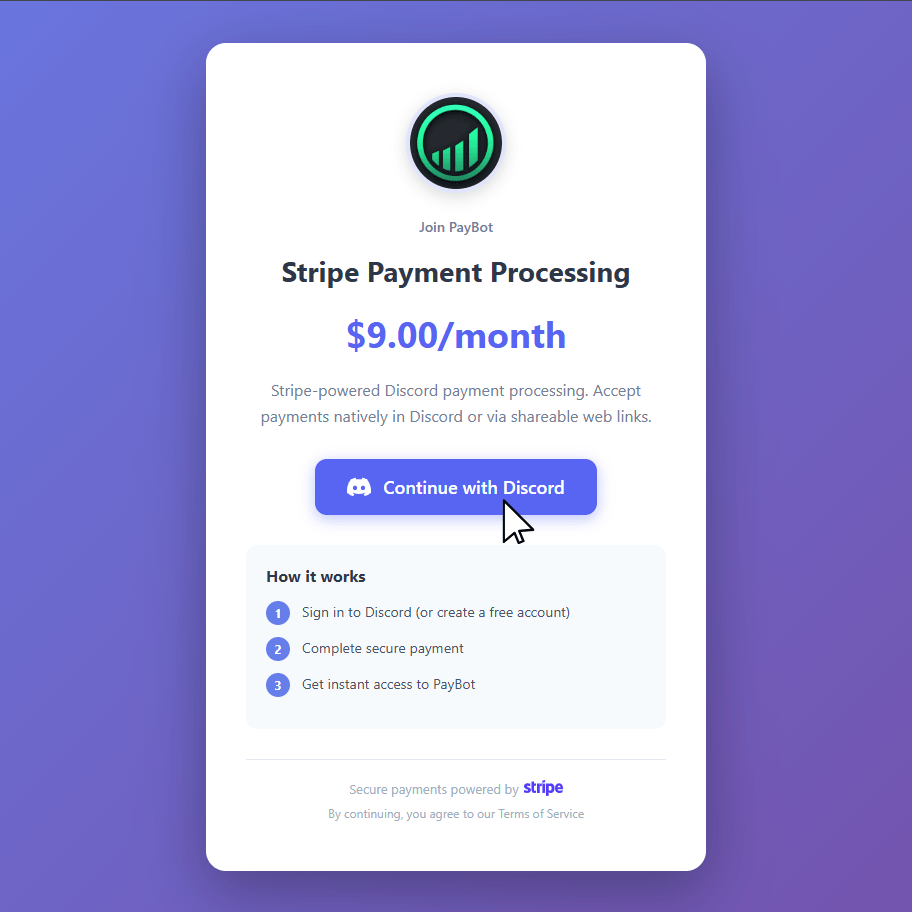
Share payment links on your website, social media, YouTube descriptions, or anywhere your gaming audience is.
- Beautiful branded checkout pages
- One-click Discord login for subscribers
- Automatic role assignment after payment
- Track clicks and conversions per link
Built for Gaming Server Admins
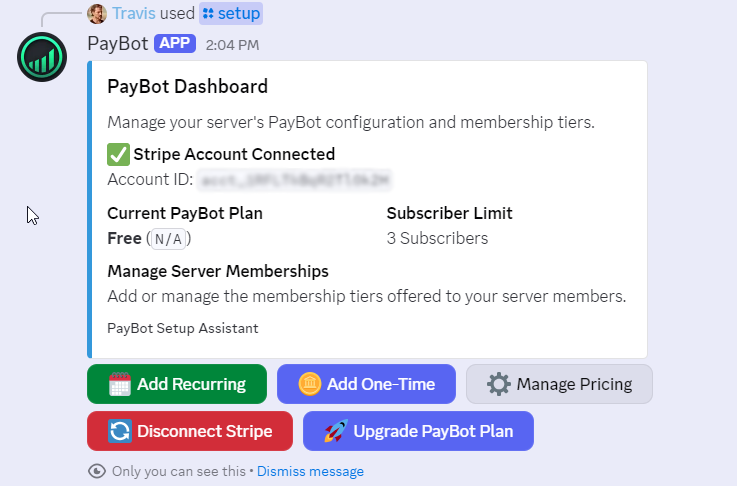
Manage everything with the /setup command
- Connect Stripe in one click
- Create unlimited membership tiers
- Generate payment links for each tier
- View subscriber count and manage access
- Archive or modify memberships anytime
Monetization Ideas for Gaming Discords
Fund private game servers with member subscriptions
Share revenue with moderators who help run the community
Offer lifetime access passes as one-time purchases
Create VIP-only game nights and exclusive events
Trusted by 500+ Discord Servers
"PayBot simplified our entire subscription process. We set it up in minutes and now manage over 200 premium members effortlessly."

"The tier grouping feature has increased our revenue by 40%. Members can easily upgrade their subscriptions without any friction."

"Our members love how easy it is to subscribe. The seamless role assignment and checkout process has boosted our conversion rate significantly."

Get Started in 5 Minutes
Three simple commands to start monetizing your gaming Discord
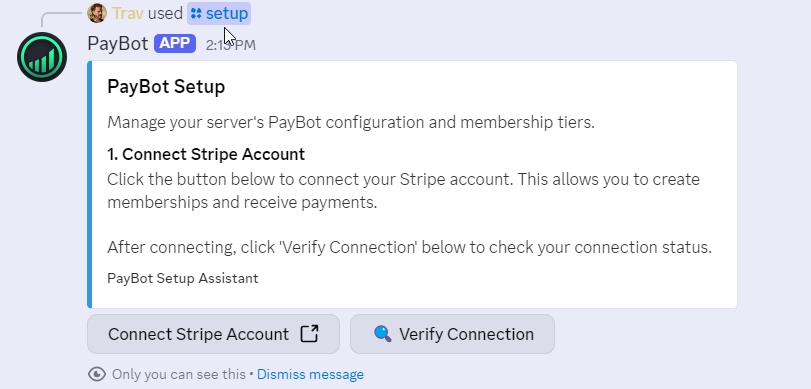
Connect Your Stripe
Use /setup to securely connect your Stripe account with one click.
Create Membership Tiers
Configure subscription levels, prices, and the Discord roles to assign.
Start Earning
Members use /subscription to see options and pay. Roles assigned instantly.
Common Questions About Gaming Discord Monetization
Can I pay my moderators automatically?
Yes. With the Ultra plan, add community managers who receive a percentage of all subscription revenue. They connect their own Stripe accounts and get paid automatically when members subscribe.
How do members subscribe?
Two ways: They can type /subscription in Discord to see all options and pay through Stripe. Or you can share payment links on your stream, YouTube, or social media.
Can I offer lifetime memberships?
Yes. The Large plan supports one-time payments. Perfect for lifetime VIP passes or special supporter packages.
How much does PayBot cost?
Free tier for up to 3 subscribers. Small plan ($9/mo) for up to 50 subscribers with payment links. Large plan ($89/mo) for unlimited subscribers plus one-time payments. Ultra plan ($399/mo) adds revenue sharing.
How do members subscribe?
Two ways: /subscription command in Discord, or payment links you share on your website and social media. Both use Stripe for secure checkout.
Can I use my existing Stripe account?
Yes. Connect your own Stripe account via OAuth. All payment data, customer info, and payout schedule stay exactly the same.
Ready to Monetize Your Gaming Discord?
Free tier available. 0% platform fee. Set up in 5 minutes.