Look designed without a designer
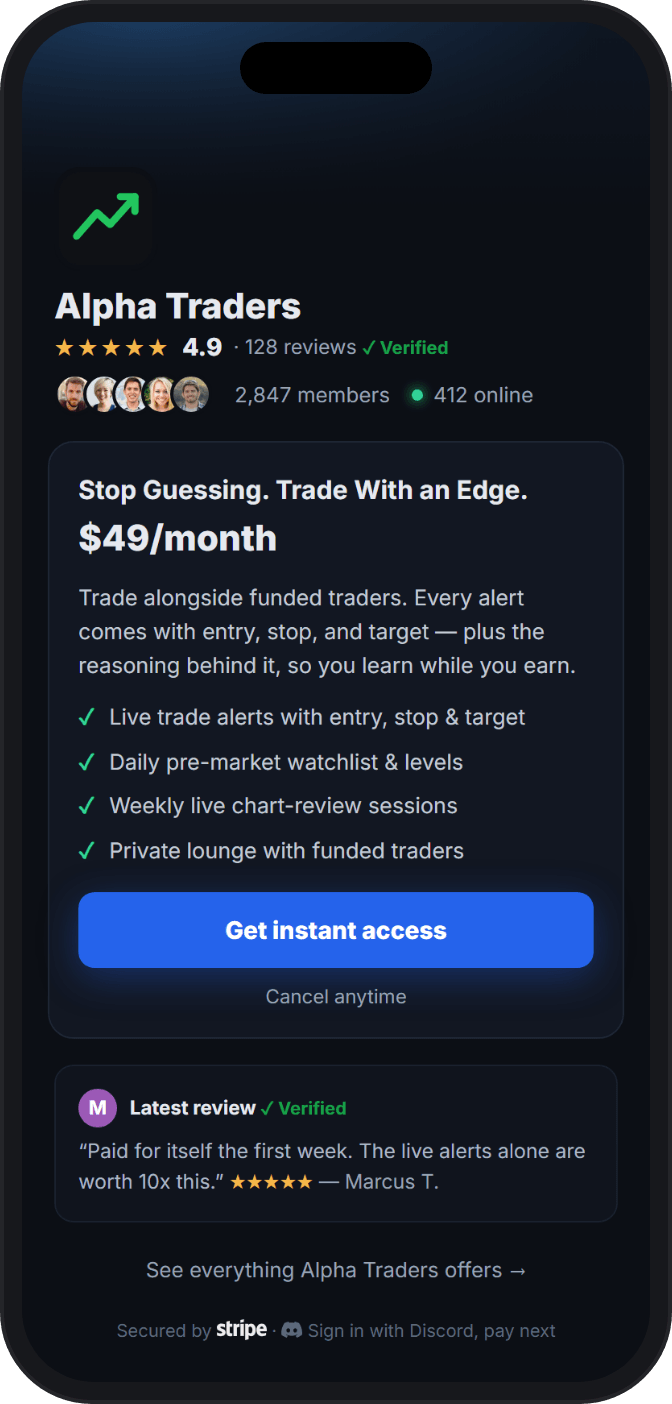
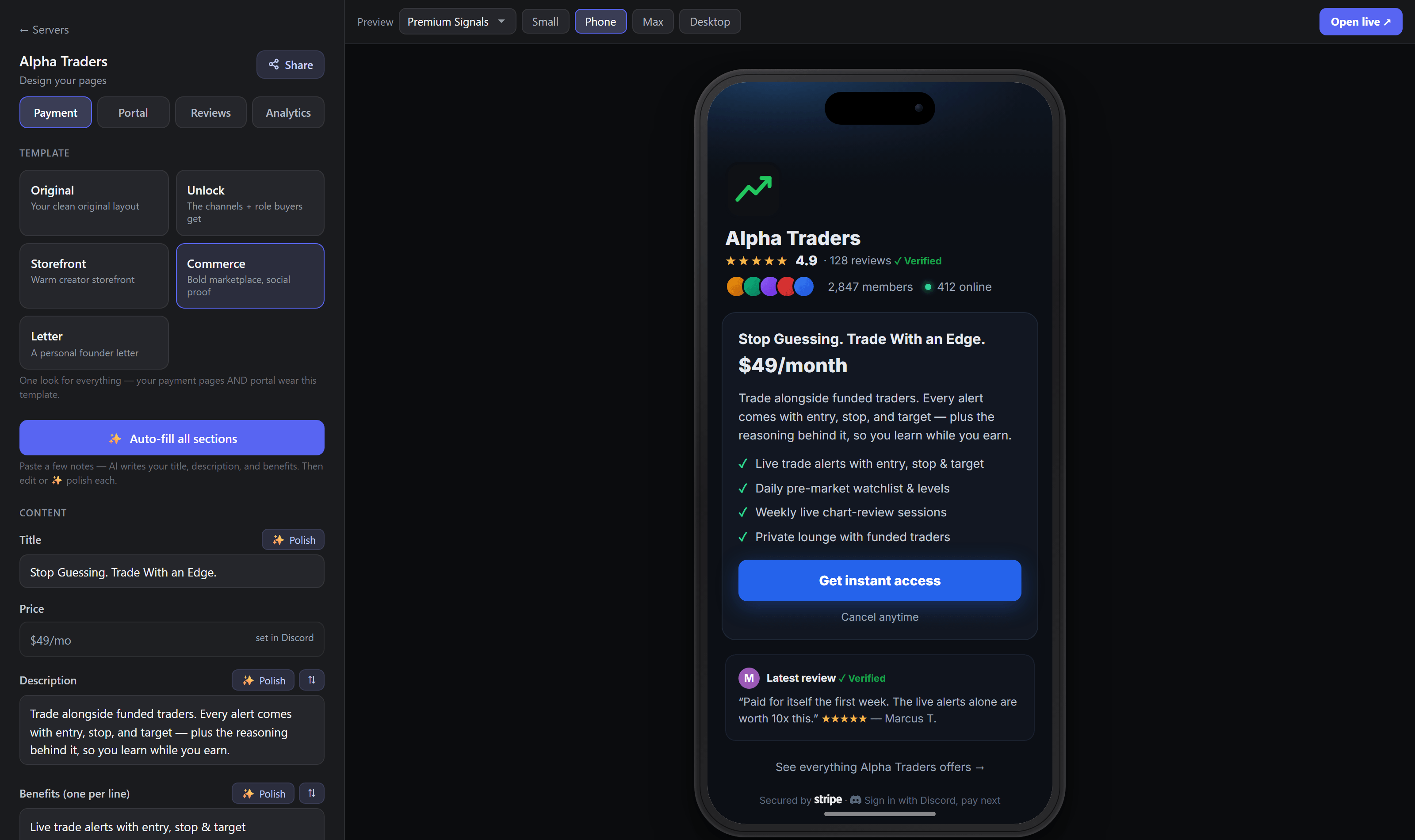
Pick a page style, paste rough notes, and the Studio writes the pitch. Check it on a phone before it goes live.
 PayBot
A LaunchPass alternative built for Discord
Bring the members you already have. Their subscriptions keep billing in your Stripe, PayBot runs Discord access, and there is no monthly fee. We earn when you sell.
The honest comparison
PayBot and LaunchPass both connect your Stripe, pay you direct, sell recurring and one-time access, publish offer pages, and grant Discord roles. They part on cost and depth. LaunchPass charges $29 a month from day 15, sold or not, plus 3.5% of each sale. PayBot costs nothing until a member pays, and its work runs past checkout into the community.
01 · Sell better
A buyer sees your page before your community. Give them a clear offer, proof you did not write yourself, and one button to press.
Pick a page style, paste rough notes, and the Studio writes the pitch. Check it on a phone before it goes live.
Put every membership in one portal so buyers can compare the offers and choose the right fit.
Reviews come only from members PayBot confirmed paid. Member counts pull live from the server. Demand figures cannot be edited.
Every page reports its own funnel, from visits to checkouts to paid members, by traffic source, with bots filtered out.
Post a promo with a Get Access button once, daily, or weekly. The click knows who they are, so the role lands when they pay.
02 · Set up inside Discord
Existing subscriptions keep billing in your Stripe, untouched. PayBot maps each price to a role and sends nothing to anyone until you approve it.
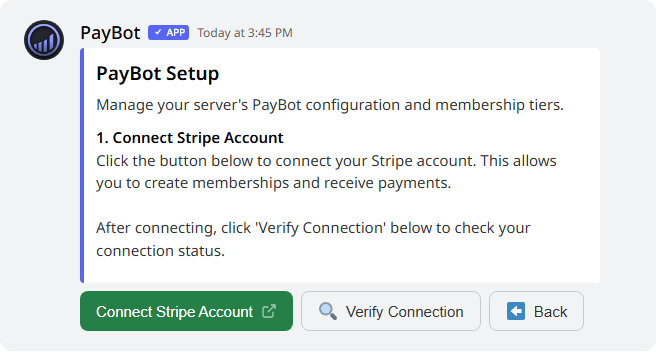
Get the Discord side running before you touch Stripe, so the handoff window stays short.
Take down the old checkout links, cancel the Premium plan, and revoke its Stripe connection.
PayBot shows the account ID, active prices, and subscriber total. Confirm all three before it writes anything.
Pick the Discord role each existing Stripe price grants. Billing does not change.
Send claim emails to a few members you know first. Once those look right, release the rest in the background.
03 · Run the community
Roles that stay right, courses that gate the next channel, members who fix their own billing, and a paid room you open with one command.
Member operations
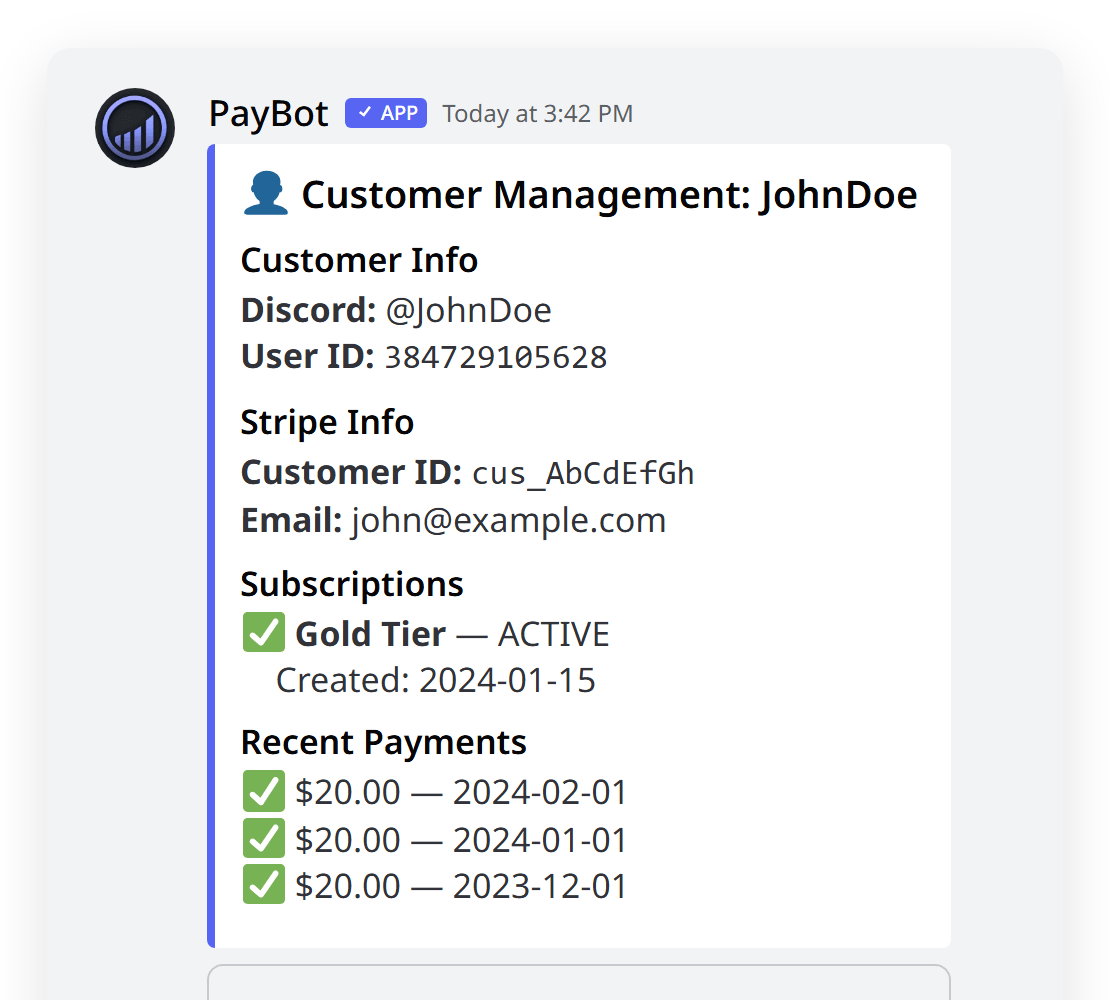
Role when payment clears, gone on cancel, kept while Stripe retries a card. A full refund pulls access. A dispute alerts you.
Courses + unlocks
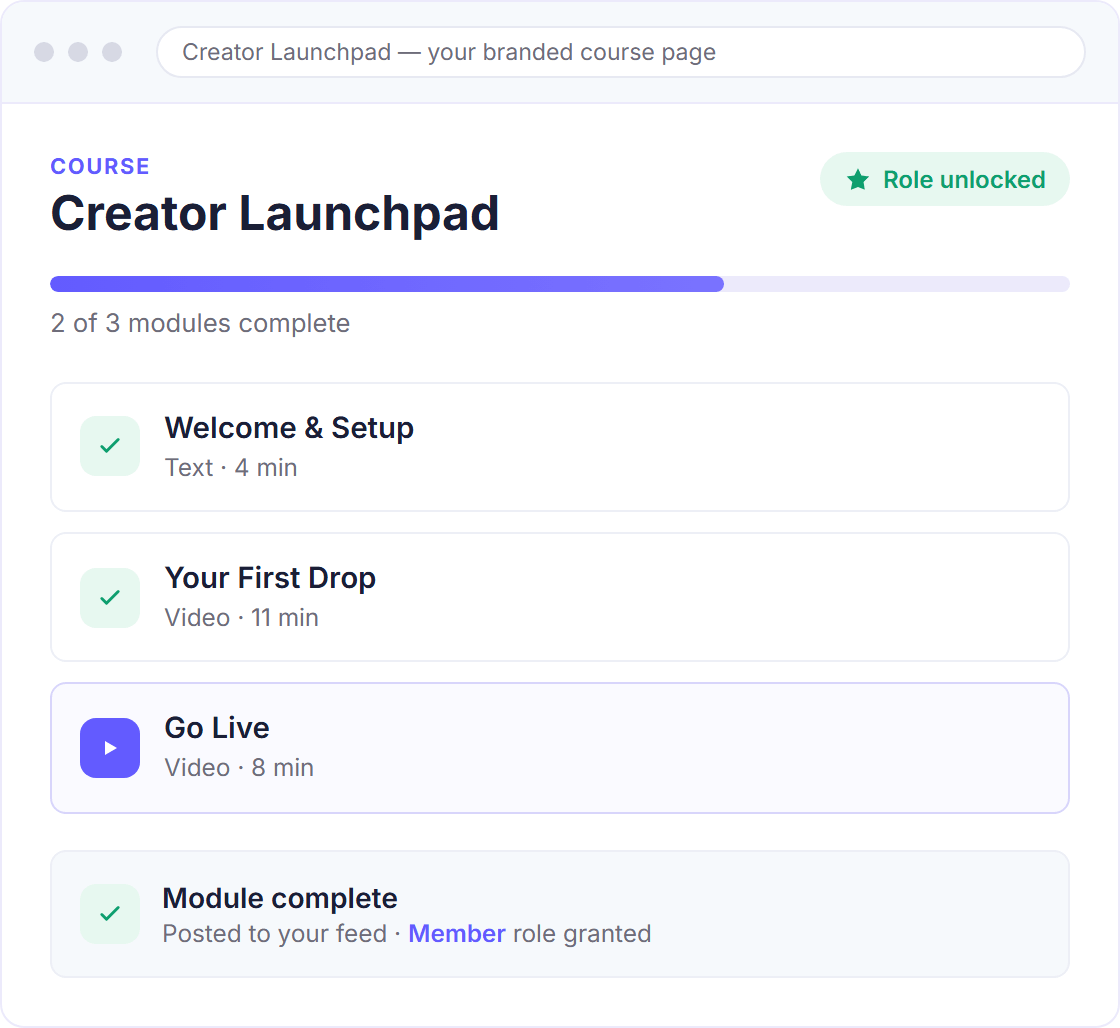
Put a short course in front of the advanced channel. A quiz gate checks completion, and the next role lands when a member passes.
Member self-service
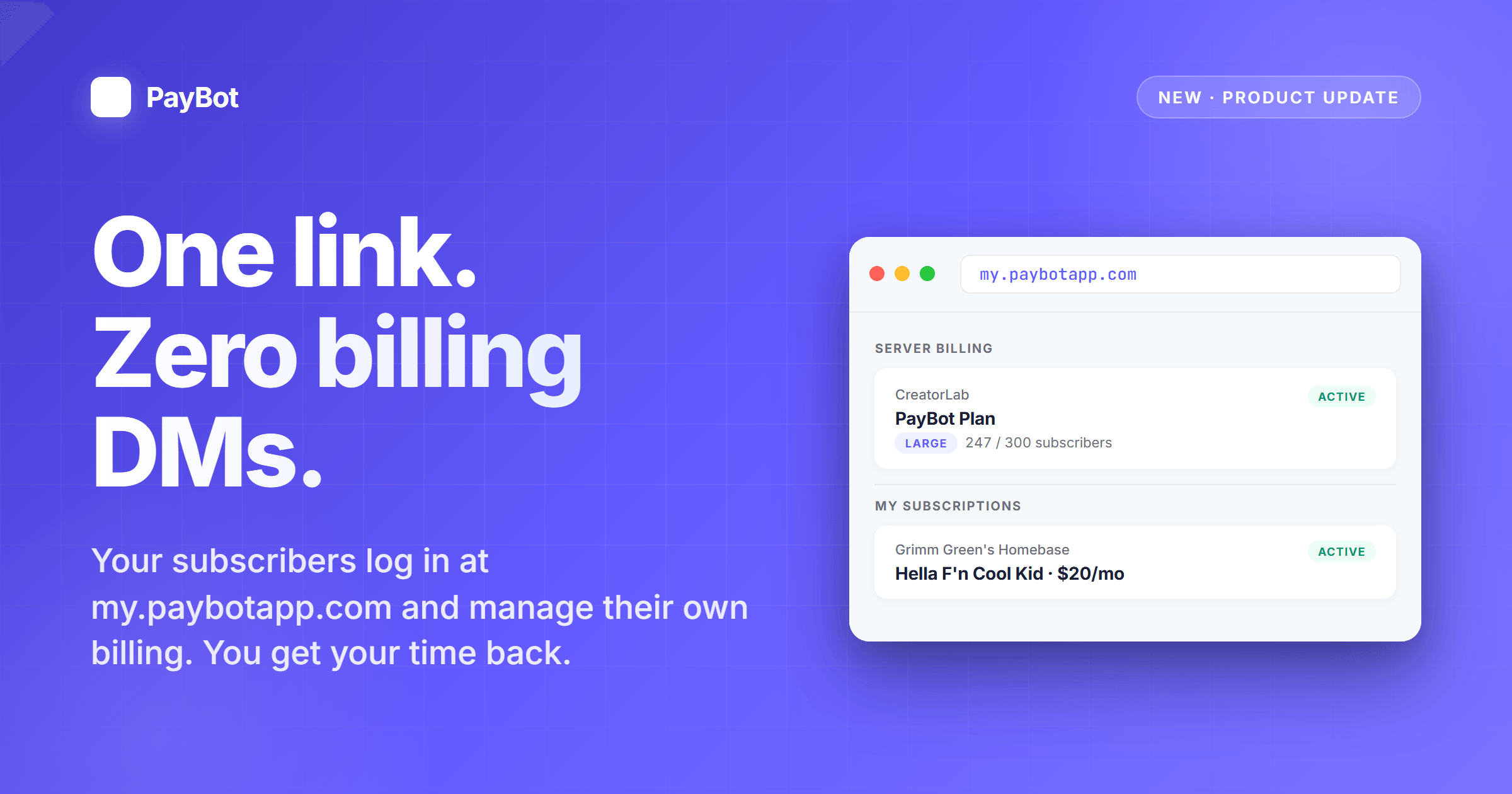
A member updates a card, upgrades, or cancels on their own. None of it waits on you.
Paid live sessions
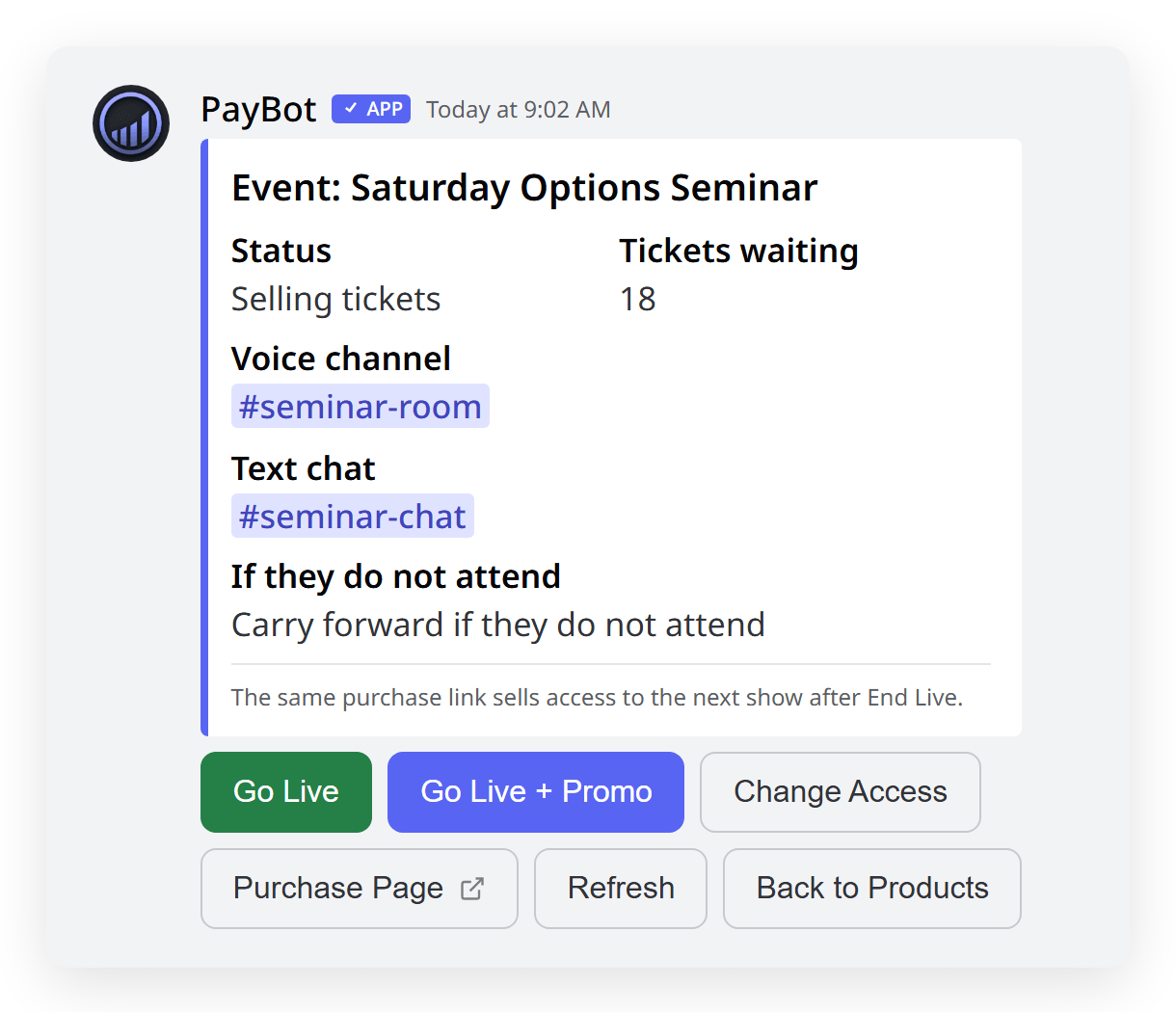
One link. Each payment buys a seat to the next show. PayBot opens the door at showtime and DMs ticket holders the room link.
Side by side
The first three rows are parity. The decision starts below them.
| What matters | PayBot | LaunchPass |
|---|---|---|
| Creator-owned Stripe | Yes | Yes |
| Recurring + one-time sales | Yes | Yes |
| Automatic Discord roles | Yes | Yes |
| Cost to take a payment | Free | $29/mo after a 14-day trial (free plan is free members only) |
| Their cut per sale | 3% | 3.5%, on top of the $29/mo |
| Selling pages | Studio page styles + a multi-offer storefront | No-code offer pages with custom content |
| Where you run it | Web dashboard and Discord | Web dashboard + Discord |
| Courses | Built in, with role unlocks and module locks | No |
| Verified member reviews | On your selling page | No |
| Funnel analytics | Views → checkout → purchase | No |
| Team payroll + affiliates | Included | No |
| After-sale tools | Role lifecycle, self-service billing, member channels, event reminders | Automated roles + member billing portal |
| Platform focus | Discord | Discord, Slack + Telegram |
LaunchPass details checked against its published offer-page guide, Premium guide, and pricing guide on July 18, 2026.
Choose LaunchPass when
LaunchPass is the stronger fit when Slack or Telegram matters alongside Discord, or when a straightforward offer page and access automation cover the whole job.
Choose PayBot when
PayBot fits operators who want the sales page, setup flow, and daily member work built around one paid Discord.
Start Your LaunchPass Switch →Common questions
Yes. PayBot connects to the Stripe account you already have, and every payment lands there. PayBot never holds it. LaunchPass connects to your Stripe too, so this row is a tie.
Cost, then depth. LaunchPass runs $29 a month after the 14-day trial, sold or not, plus 3.5% per sale. PayBot has no monthly fee and takes 3% only when a member pays. Depth means verified reviews, funnel analytics, courses, and paid live sessions.
Yes, without rebilling anyone. Their subscriptions keep running in your Stripe. PayBot maps each active price to a Discord role and stages every subscriber for a claim email, sent only when you approve. PayBot earns only on new sales.
Yes. PayBot is built for one paid Discord and nothing else, so roles, courses, and live rooms all sit where your members already are. If you also run Slack or Telegram, LaunchPass is the better fit.
No. PayBot hosts the selling page and checkout. Share the link from your profile, email, or an existing site, or skip the link and post a Get Access button in the channel.
Your next offer
Your subscribers keep billing in your Stripe. PayBot takes over Discord access, the selling page, and the next sale. It costs nothing until a member pays. Install it in the server you already run.