
How it works
From a free server to a paid one in four steps.
Your dashboard walks you through it, your members buy inside Discord, and every payment goes to your own Stripe account.
Step 01 · Add PayBot, connect Stripe
One click in, and your dashboard takes it from there.
Adding PayBot to your server opens your dashboard with a checklist. Agree and connect Stripe, or create a free Stripe account in the same step.

Step 02 · Create a product
Tell PayBot what to sell.
Choose a subscription, a one-time sale or a live event. Set the price, pick the role it grants and add an offer if you want one. PayBot builds the product, price and checkout in your Stripe account.
Every way to sellSubscription
Monthly or yearly memberships, grouped into tiers members can upgrade between.
One-time product
Lifetime access, a course, or access that expires after a set number of days.
Live event
One payment buys one live session in your voice or Stage channel.
Then an offer
A free trial, lifetime trial, intro offer, setup fee or timed discount.
Step 03 · Share your page
Share a page that does the selling.
Every product gets a payment page in the template you choose. Put the link in your bio, a pinned post, your website or the welcome channel, or post a Get Access button in the server.
See the payment pages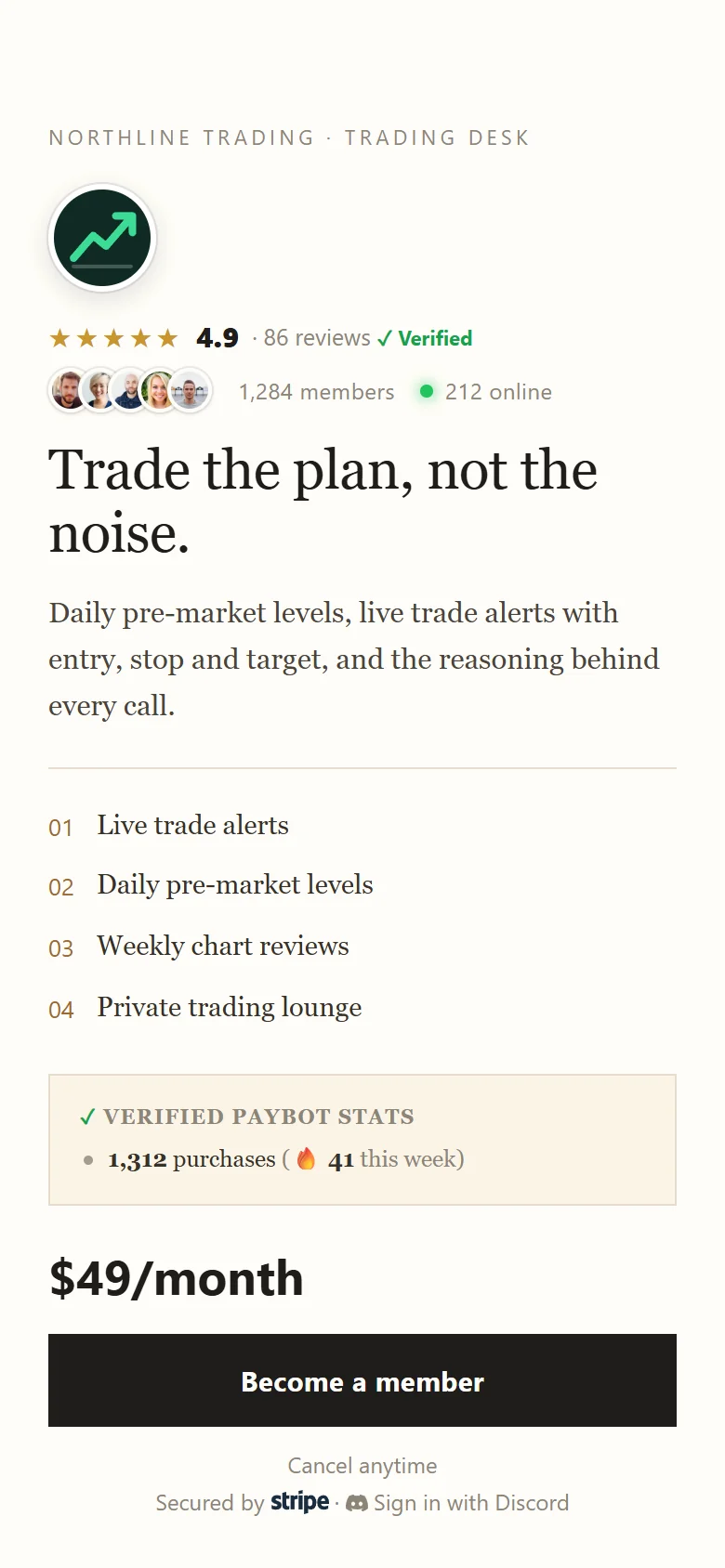
Step 04 · Get paid
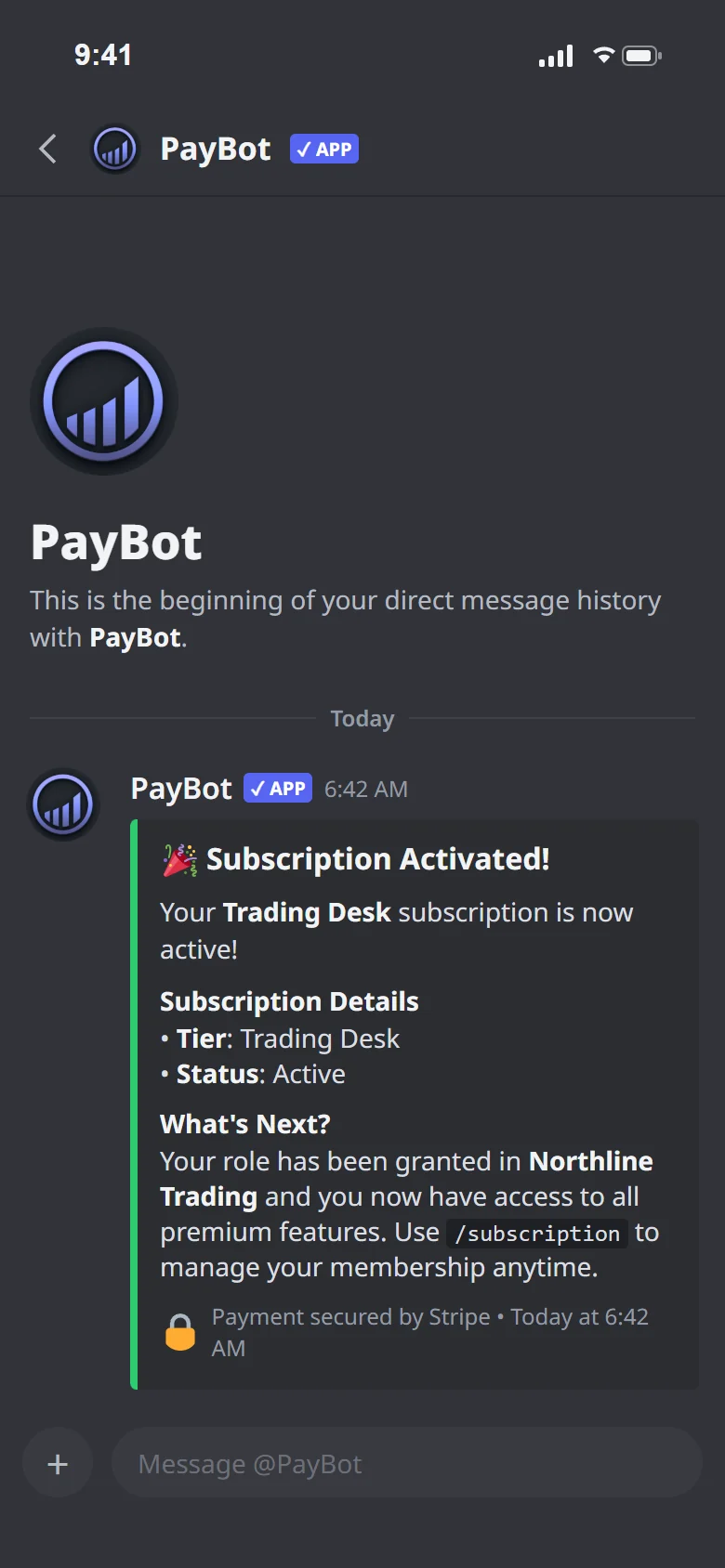
The money lands. The role follows.
The payment clears in your Stripe account, the member gets their role and a welcome DM, and the sale shows up in your dashboard. Cancels and refunds take access back on their own.
Add PayBot to ServerHow long does setup take?
Most servers are selling within a few minutes: add PayBot, connect Stripe from the dashboard and create a product.
Can I set it up from Discord instead?
Yes. Run /setup in your server to connect Stripe and create products without leaving Discord. It opens the web dashboard in one click whenever you want it.
Do I need to know Stripe?
No. PayBot creates the products, prices and checkout in your Stripe account for you. You never configure webhooks or price IDs.
What permissions does PayBot need?
Permission to manage the roles it grants. Its own role has to sit above the roles it hands out.
Can members join from outside Discord?
Yes. Share the payment link anywhere. Buyers sign in with Discord (anyone without an account creates one there), pay, and PayBot adds them to your server when the payment clears.