
Features
Everything a paid community runs on.
Run it from your dashboard, sell it in Discord, and get paid into your own Stripe account.
Dashboard
Your whole business on one screen.
Revenue, members, products, pages and anything that needs attention, in a web dashboard you reach from any browser. Prefer Discord? /setup covers the core jobs too.
Add PayBot to Server
Products
A product for every way you sell.
Each product is a Stripe product, price and checkout PayBot builds in your account, with the Discord roles it grants.

What you sell
- MembershipsBilled daily, weekly, monthly, quarterly or yearly.
- One-time salesPay once, keep access for good.
- Access for a set timeLasts a number of days, or ends on a date so a cohort finishes together.
- Ticketed live showsEach payment buys a seat at the next show in your voice or Stage channel.
- CoursesSold as a one-time product, with completion unlocking the next role.
How you price it
- Free trialsMembers get in now and pay when the trial ends.
- Lifetime trialsCard saved today, one lifetime payment when the trial ends.
- Intro offersA lower first month, then the full price.
- Setup feesA one-time charge on the first payment.
- Timed discountsPercent off, automatic or by code, with a start and end time.
Who buys, and where
- Payment links and your portalOne link per product, or one page with all of them.
- Buy buttons in DiscordA Get Access button or a whole shop posted in a channel.
- Tier upgradesMembers move between plans from /subscription.
- Limited productsSell only to people with the link, or with certain roles.
- Gifted accessGive a product to a member or by email invite, free.
Payments & access
Paid, granted, logged. Automatically.
Every payment goes to your Stripe and every role follows it. New members, refunds and disputes also post to a staff channel in Discord, so your team sees them where they already are.
Add PayBot to Server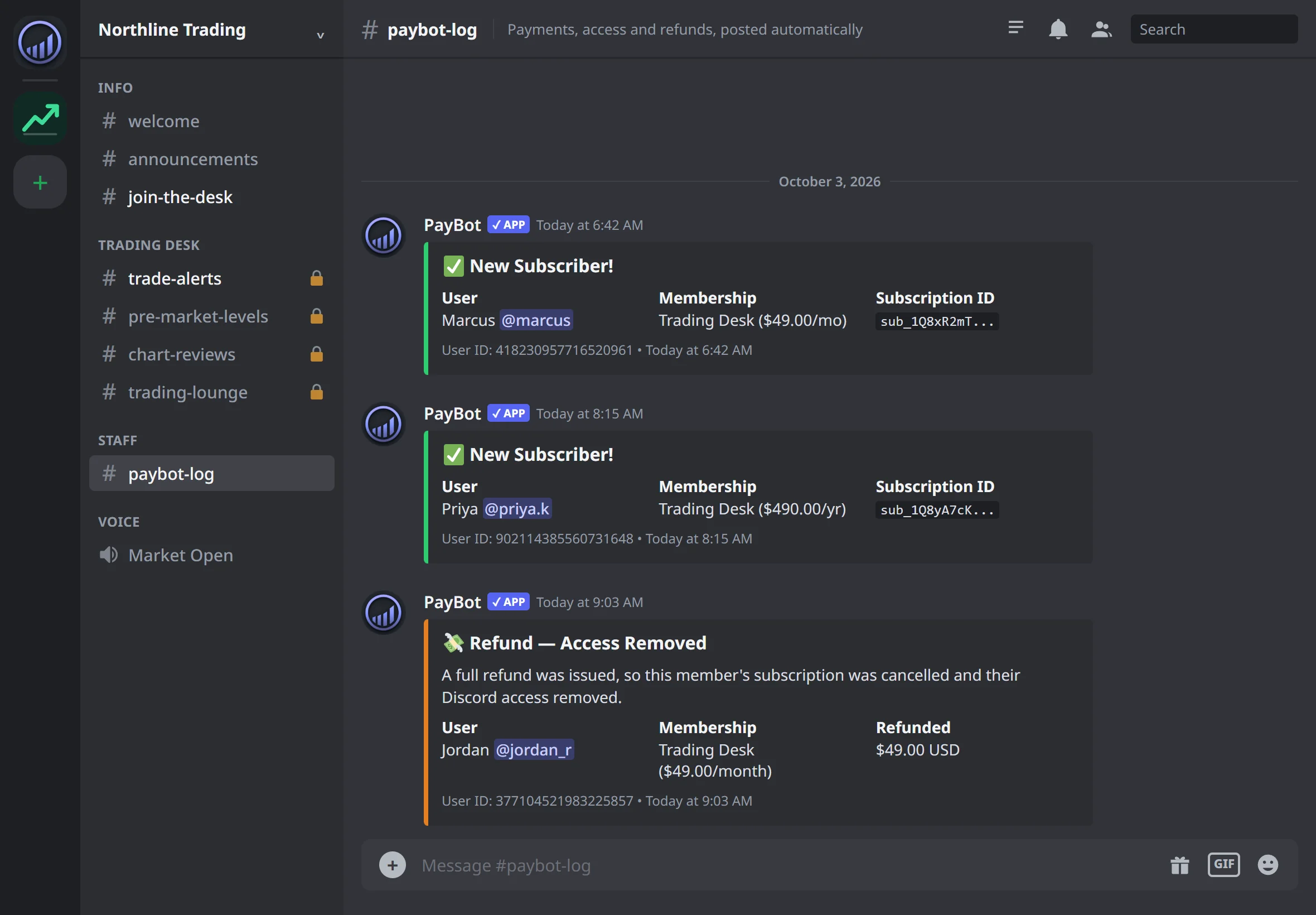
Payment pages
A payment page that sells while you sleep.
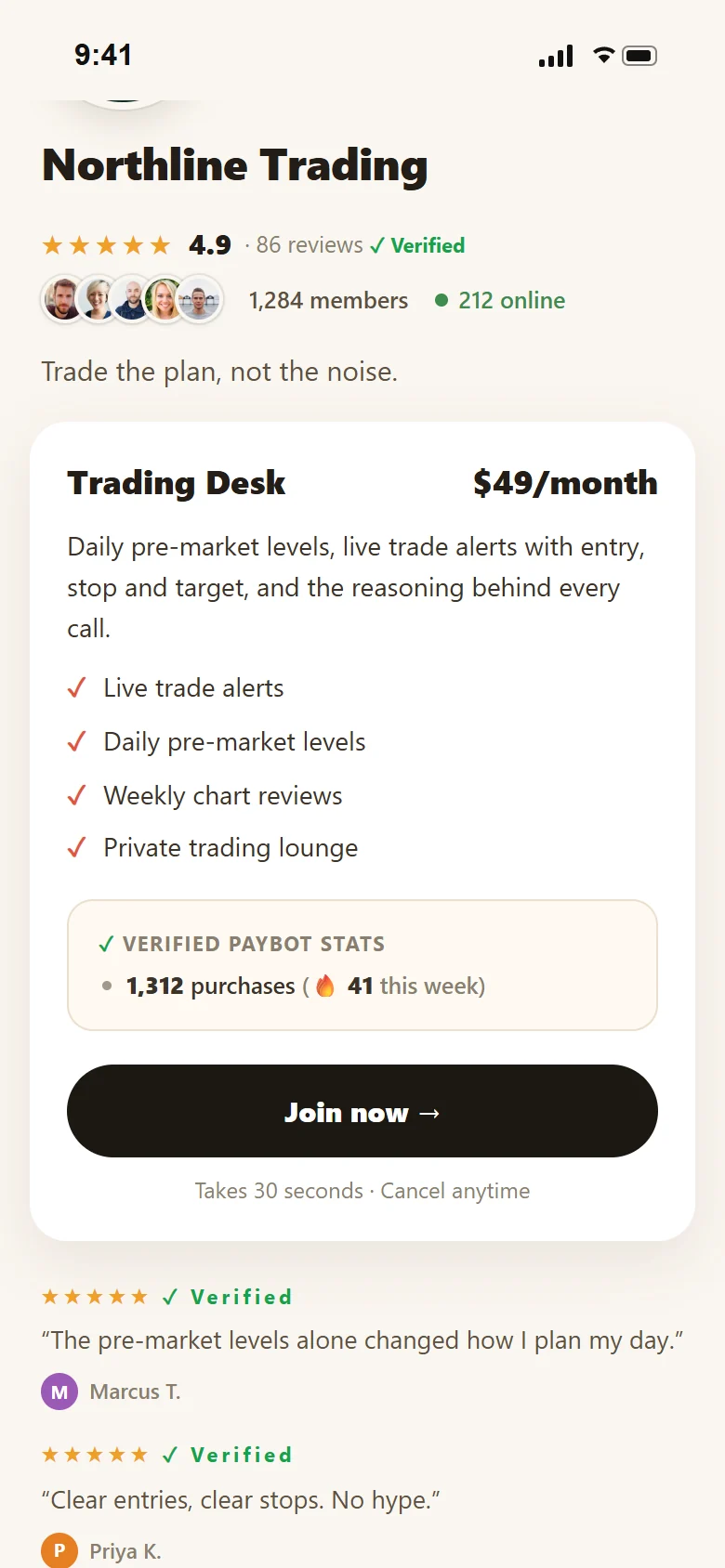
Pick one of four templates and paste your rough notes. AI writes the pitch, and a live phone preview updates as you edit. Ratings, member counts and online numbers come from your server, never typed in.
- Custom links like go.paybotapp.com/yourname
- Verified reviews from people who actually bought
- Purchase stats PayBot calculates and sellers can't edit
- Views, sign-in clicks and paid conversions per page
Selling in Discord
One button. No account linking.
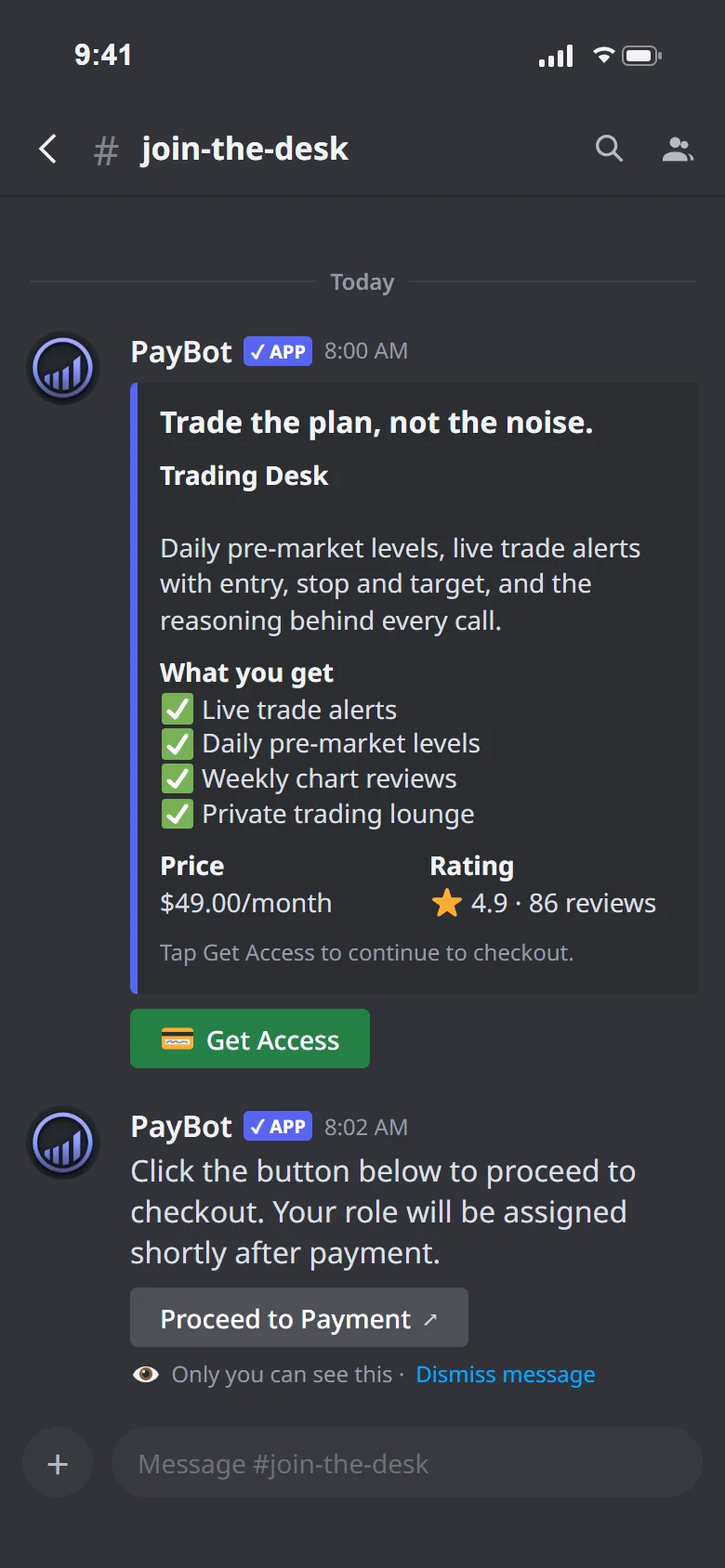
Post a Get Access button in any channel. The click already tells PayBot who is buying, so checkout opens straight away and the role lands when payment clears.
- Buy posts for one product or a whole shop
- Payment links for your bio, site and socials
- Post now, once, daily or weekly
- Subscriptions, one-time sales and timed access
Member self-service
Members sort out their own billing.
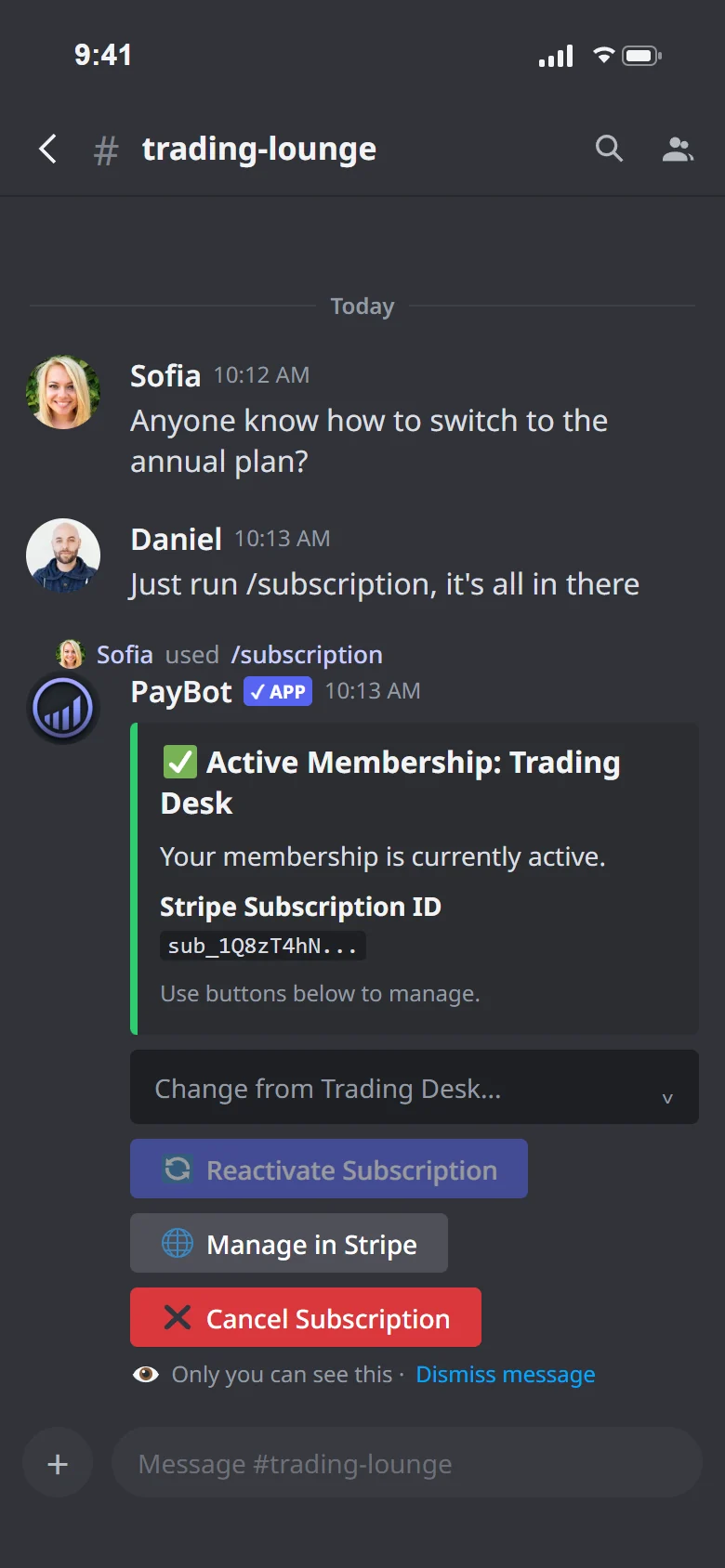
Typing /subscription shows a member their plan, lets them switch tier, open Stripe's billing page or cancel. When a membership ends, the role comes off on its own.
- Change plan or cancel inside Discord
- Welcome DM with what they unlocked
- Upgrades between tiers in one step
- Refund or cancel removes access automatically
Paid live events
Sell a seat in your voice channel.
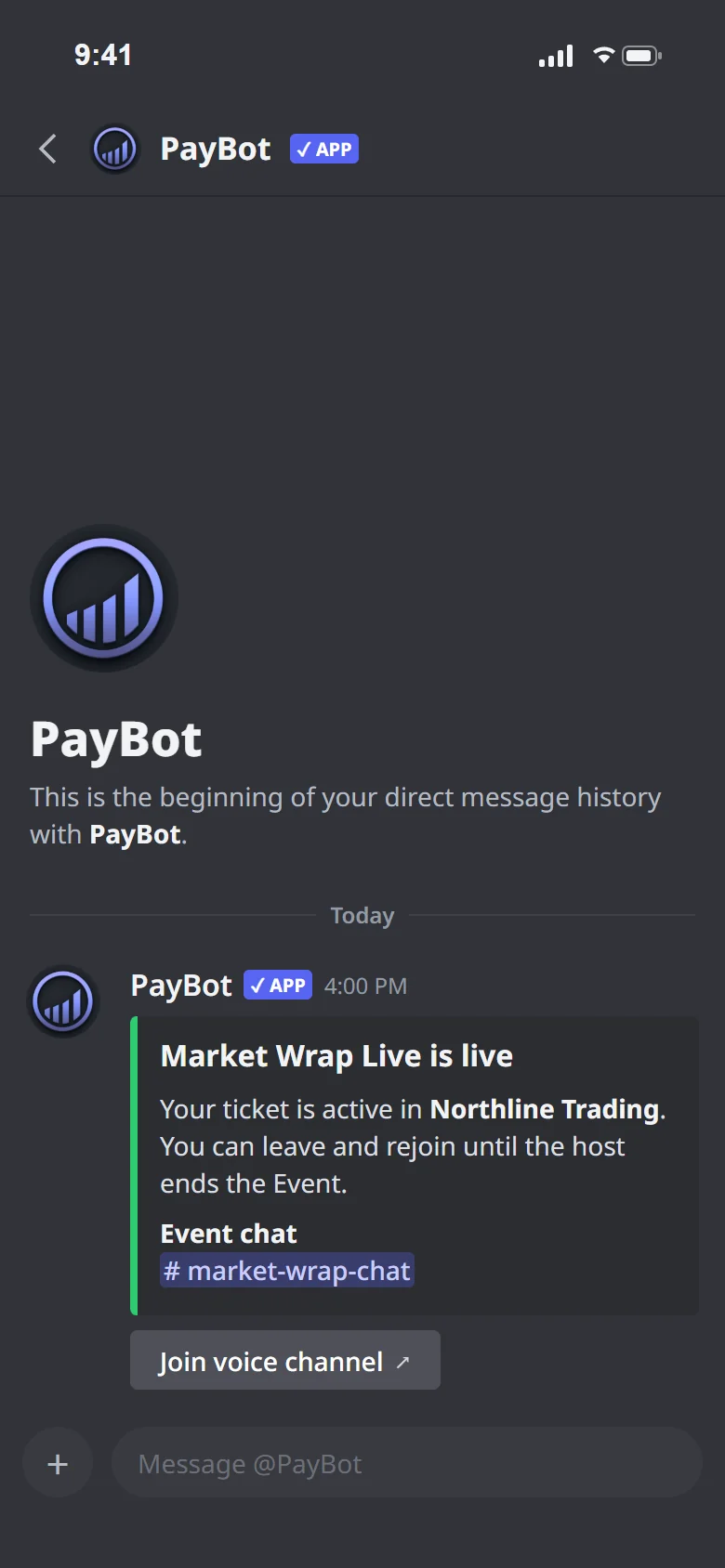
One payment link, one live session. PayBot hands the buyer access to the event channel, DMs them when it starts and takes access back on refund. Each event decides whether a no-show keeps their ticket.
- Hosted in your own voice or Stage channel
- Use /live to run the show from Discord
- Access freezes when the event starts
- Refunds remove access automatically
Analytics
See which pages turn visits into members.
Every view, sign-in, checkout and sale, by payment link and by source, over 7, 30 or 90 days.
- Funnel from page view to purchase
- Daily traffic with sales on the same chart
- Time on page and scroll depth
- Server-side purchase events for Meta and TikTok ads


Courses
Courses that unlock the next room.
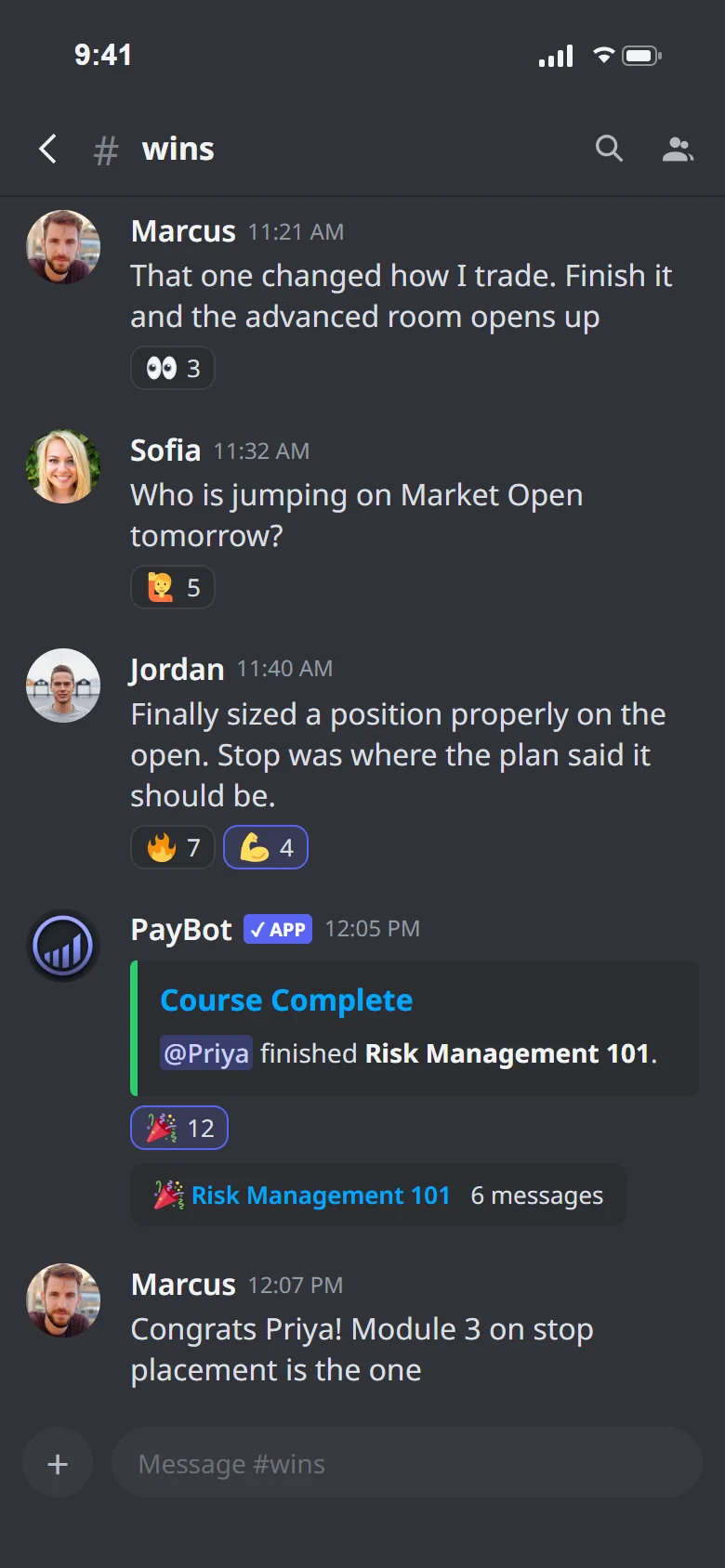
Build lessons in the dashboard or with /courses-admin, linking the videos and docs you already host. Members pass a short quiz, and completion grants a role that opens the next channel.
- Completion checked by a quiz, not an honour system
- Prerequisites and lessons that unlock in order
- Completions post to your feed channel
- Sell a course as a one-time product
Community tools
A quiet server churns. Keep yours busy.
Included with PayBot, and useful even before you sell anything.
Add PayBot to ServerMember-created private channels
Members open their own opt-in interest groups with /groups, with a weekly bulletin that keeps them visible.
Learn more →Automatic event announcements
/events announces your scheduled Discord events a day before, an hour before and at start.
Learn more →Voice channel alerts
/monitor posts a heads-up when the first person joins a voice channel, so rooms fill up.
Learn more →Feature questions
Frequently asked questions
What features come with PayBot?
Subscriptions, intro offers, timed passes, courses, paid live sessions, in-channel buying, automatic roles, pages with verified reviews and live counts, funnel analytics, affiliates, and team payroll. Free to add. We only earn when you do.
How does automatic role management work?
The role is granted the moment Stripe confirms payment and removed when the subscription ends. If a renewal fails, the member keeps access for your server's grace period (7 days by default) while Stripe retries. A refund removes the role, and a dispute alerts you inside the response window.
What payment methods does PayBot support?
PayBot supports all payment methods enabled in your Stripe account, including credit/debit cards, Apple Pay, Google Pay, and more. Stripe handles all payment processing securely.
Can I use PayBot for one-time purchases, not just subscriptions?
Yes. PayBot supports both recurring subscriptions and one-time purchases. You can sell courses, coaching sessions, digital products, or any single-purchase item alongside your subscriptions.
Can I run courses inside my Discord server?
Yes. Build them in the dashboard course editor, members take them on a branded page, and the bot checks completion with a quiz before the role lands, so a short course gates your advanced room.
Does PayBot integrate with tools like Zapier and Make?
Yes. PayBot sends webhook events for subscribes, cancellations, and other actions. You can connect these to Zapier, Make (Integromat), n8n, or any webhook-compatible automation tool.
How do payment pages work?
Each product gets a payment page at a custom link like go.paybotapp.com/yourname. Pick one of four templates in the dashboard, paste your notes and AI writes the pitch. Share the link anywhere and it works on any device.
Can I sell a live event, seminar, or trading session?
Yes. Set up an event at a fixed price in your own private voice channel, and each payment buys one seat to the next show. At showtime one command opens the room, DMs ticket holders the link, and a refund removes the seat.
Can access expire after a set time?
Yes. A one-time tier can end a set number of days after each buyer pays, or on one date for a whole cohort. When the window closes PayBot removes the role, tells the buyer, and frees the seat, with no action from you.
Can I offer a discounted first month?
Yes. Add an intro offer to any monthly product, either an exact first payment or a percentage off, and it renews at full price from month two. Same link, same sales history, and existing subscribers are never repriced.
Can I move my existing subscribers over?
Yes. Your current subscriptions keep billing in your Stripe untouched and PayBot runs beside them from day one. PayBot can also migrate existing Stripe subscribers, with no change to billing.
Can members buy without leaving Discord?
Yes. Post a promo in any channel with a Get Access button, and the click already knows who they are, so checkout binds to their Discord with nothing to link, and the role lands the moment they pay. Post it once, daily, or weekly.
Already selling somewhere else?
Your existing Stripe subscriptions keep billing on the same account while PayBot runs alongside them, and PayBot can migrate existing Stripe subscribers. Nothing to rebuild. Switching from LaunchPass
Free to start
Add it to your server tonight.
Connect Stripe, create a product and share the link. We only earn when you make a sale.
Add PayBot to Server