User Data & Privacy
View your subscription data, connected accounts, and request full data deletion — all from a single Discord command
Table of Contents
Overview
PayBot provides a self-service privacy tool for all Discord users. The /data command lets you see exactly what PayBot stores about you and delete it all with one click.
👁️ Full Transparency
See every piece of data PayBot stores about you — subscriptions, Stripe links, and notification history
🗑️ One-Click Deletion
Delete all your personal data from PayBot's database with a confirmation prompt to prevent accidents
No plan required: The /data command is available to all users in any server running PayBot — no admin permissions or paid plan needed.
Viewing Your Data
Run /data in any server where PayBot is active. The response is ephemeral — only you can see it.
/data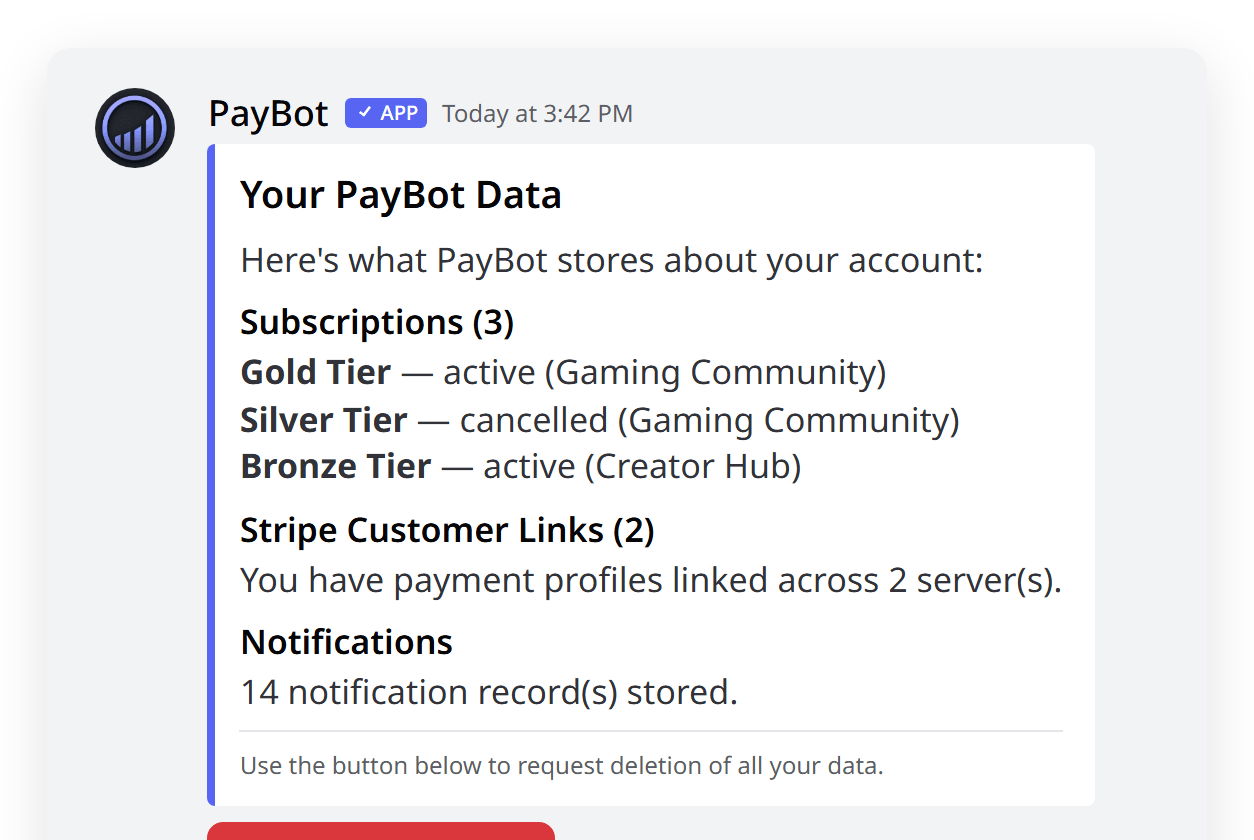
The command shows:
📋 Subscriptions
All your active and past subscriptions across every server using PayBot, including tier names and status.
💳 Stripe Connections
Links to your Stripe customer profiles for each server you've subscribed in.
🔔 Notifications
Records of DM notifications PayBot has sent you (onboarding messages, renewal reminders, etc.).
Privacy first: The entire /data interaction is ephemeral. No one else in the server can see your data — not even server admins.
Deleting Your Data
At the bottom of your data view, you'll see a "Delete My Data" button. This permanently removes all your personal data from PayBot.
Run /data
Open your data view with the /data command.
Click "Delete My Data"
Scroll to the bottom and click the Delete My Data button.
Confirm Deletion
A confirmation modal appears asking you to type CONFIRM. This double-confirmation prevents accidental deletions.
This action is irreversible. Once confirmed, your data is permanently deleted from PayBot's database. You would need to re-subscribe to regain access to any paid tiers.
What Gets Deleted
Data deletion is atomic — everything is removed in a single operation, or nothing is. Here's exactly what gets deleted:
Deleted
- Subscriptions — All your subscription records across all servers
- Stripe customer links — The connection between your Discord and Stripe accounts
- Notification records — History of DMs PayBot has sent you
- Affiliate referrals — Any referral records where you were the referred user
Not Deleted
- Server configuration — If you're a server admin, your server's PayBot setup (tiers, Stripe connection, portal) is not affected
- Stripe data — Your payment history on Stripe is managed by Stripe, not PayBot
- Discord data — Your Discord roles and messages are managed by Discord
What about my Discord roles? When your subscription records are deleted, PayBot will no longer manage your roles. However, roles already assigned to you on Discord are not automatically removed by the deletion process — a server admin may need to remove them manually.
FAQ
Can server admins see my data?
No. The /data command response is ephemeral and only visible to you. Server admins can see that you have a subscription through /manage, but they cannot access your full data view or trigger deletion on your behalf.
Will deleting my data cancel my Stripe subscription?
Deleting your data removes PayBot's records, but your Stripe subscription may continue to bill you. If you have an active subscription, cancel it first through Stripe or by contacting the server admin before deleting your data.
Can I re-subscribe after deleting my data?
Yes. Deleting your data removes your records from PayBot, but you can subscribe again at any time through the server's payment links or portal page.
Does this work in DMs?
The /data command works in any server where PayBot is installed. It shows your data across all servers, not just the one you're currently in.
Is this GDPR compliant?
The /data command provides the core GDPR rights: access to your data (right of access) and the ability to delete it (right to erasure). The deletion is complete and permanent.