
Your Discord Voice Channels Are Empty Because Nobody Wants to Be First
Coworking channels. Cafes. Trading rooms. They sit empty because being the first one in feels weird. The /monitor command posts a single heads-up the moment someone hops in, so the rest of the server sees the room is alive and joins. One alert per cycle. No spam. Free with PayBot.
First-member only. No spam from subsequent joins. Works the moment you add the bot.
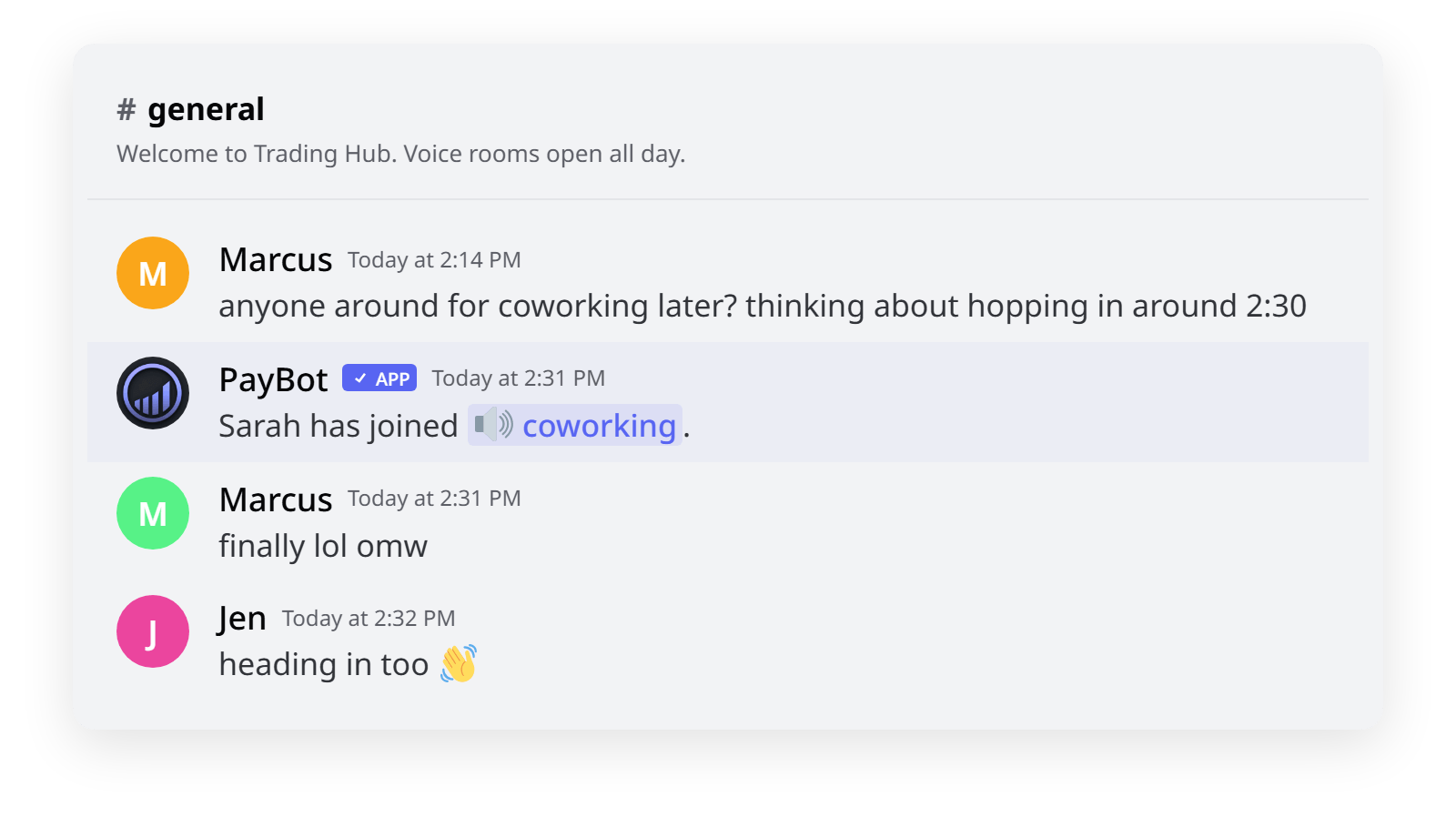
Why Voice Channels Sit Empty
- You created a "Coworking" or "Cafe" voice channel weeks ago. Total participation: zero
- Members would join if they knew someone was there. They don't, because Discord doesn't surface it.
- @mentioning the server every time someone joins feels spammy and gets muted within a week
- Trading rooms, study halls, watch parties. Every "social by default" room needs visibility you don't have
- Voice culture depends on being the second one in, not the first
The /monitor command posts a single heads-up the first time someone joins. Just one. No spam from everyone after them. The room gets noticed; members hop in; voice channels become social by default.
How /monitor Works
One command sets it up. PayBot watches the voice channels you pick and posts to a text channel of your choice when the first person hops in.
Run /monitor as an admin
The dashboard lists your voice channels. Pick the ones worth watching, usually hangout-style rooms like "Coworking", "Cafe", "Trading Room", "Study Hall".
Pick where the heads-up posts
Each monitored voice channel gets routed to a text channel of your choice. General, voice-alerts, even the topic's own channel. Your call.
First member triggers the alert
"Sarah has joined #coworking." Just once. When the channel is empty again later, the next first-join fires another alert. Nobody else's join notifies. No spam.
What Makes /monitor Different
Fires Once, Not Every Join
Only the first member to enter an empty channel triggers an alert. Everyone after stays silent until the channel empties and the cycle resets. Zero notification fatigue.
Per-Voice-Channel Routing
Each monitored voice channel posts to its own chosen text channel. Trading Room → #trading-chat. Cafe → #general. Coworking → wherever fits your server.
Posts Within a Second
Listens directly to Discord's voice state events. No polling, no delay. The alert lands the same second the join happens.
Monitor Every Voice Channel You Want
Add as many as you want: Coworking, Cafe, Trading, Study Hall. Each one gets its own alert channel, and you can edit or remove it anytime in the dashboard.
Permission-Safe
PayBot won't post where it lacks permission. A test button in the dashboard confirms the alert lands before you rely on it.
Free, No Stripe Needed
Run /monitor the moment you add the bot. No subscriber count, no upsell paywall.
Servers That Get the Most Out of It
Coworking & Productivity Servers
What's there: A "Coworking" voice channel where members work alongside each other in mostly-silence. Body doubling, focused work, low chatter.
What PayBot does: Announces the first joiner so others know the room is open. Removes the "first one in" awkwardness. People hop in to be social-adjacent instead of working solo.
Trading & Live Discussion Servers
What's there: A "Trading Room" voice channel during market hours. The first joiner usually means a live discussion is starting.
What PayBot does: Posts the heads-up so members get pulled into live calls they'd otherwise miss. Voice rooms turn into a real-time signal of "something's happening."
Hangout & Casual Servers
What's there: A "Cafe" or "Lounge" voice room for casual hangs. Without alerts it sits empty; with them it becomes the server's living room.
What PayBot does: Surfaces the first arrival so others know the room is alive. One person is enough to attract more. Visibility is the whole game.
Common Questions
Will it ping every time someone joins?
No. Only the very first member to enter an empty channel triggers the alert. After that the channel is "occupied" and additional joiners stay silent until everyone leaves and the cycle resets.
Can I monitor multiple voice channels?
Yes. Add as many as you want in the /monitor dashboard. Each one has its own alert text channel, and you can edit or remove any of them.
Does PayBot join the voice channel?
No. It only listens to Discord's voice state events. PayBot never connects to voice and never records anything.
What does the alert message look like?
A simple line. For example, "Sarah has joined #coworking." (with the actual member name and a clickable channel link). Click the channel name to hop in. No embed clutter, no role tags by default.
What if PayBot can't post in the alert channel?
It skips that alert. Use the Send Test Notification button in the /monitor dashboard to confirm the alert channel works.
Does this require Stripe?
No. /monitor runs without connecting Stripe. Stripe is only needed for PayBot's paid-membership features.
Stop Watching Empty Voice Channels. Run /monitor.
Free forever. No Stripe. One command to set up; the bot handles the rest from then on.