
Your Community. Your Recurring Revenue. On Autopilot.
The Discord subscription bot that puts your monthly recurring revenue on autopilot. PayBot grants roles, recovers failed payments, and renews memberships in the background, so you can focus on what your members joined for, not the billing.
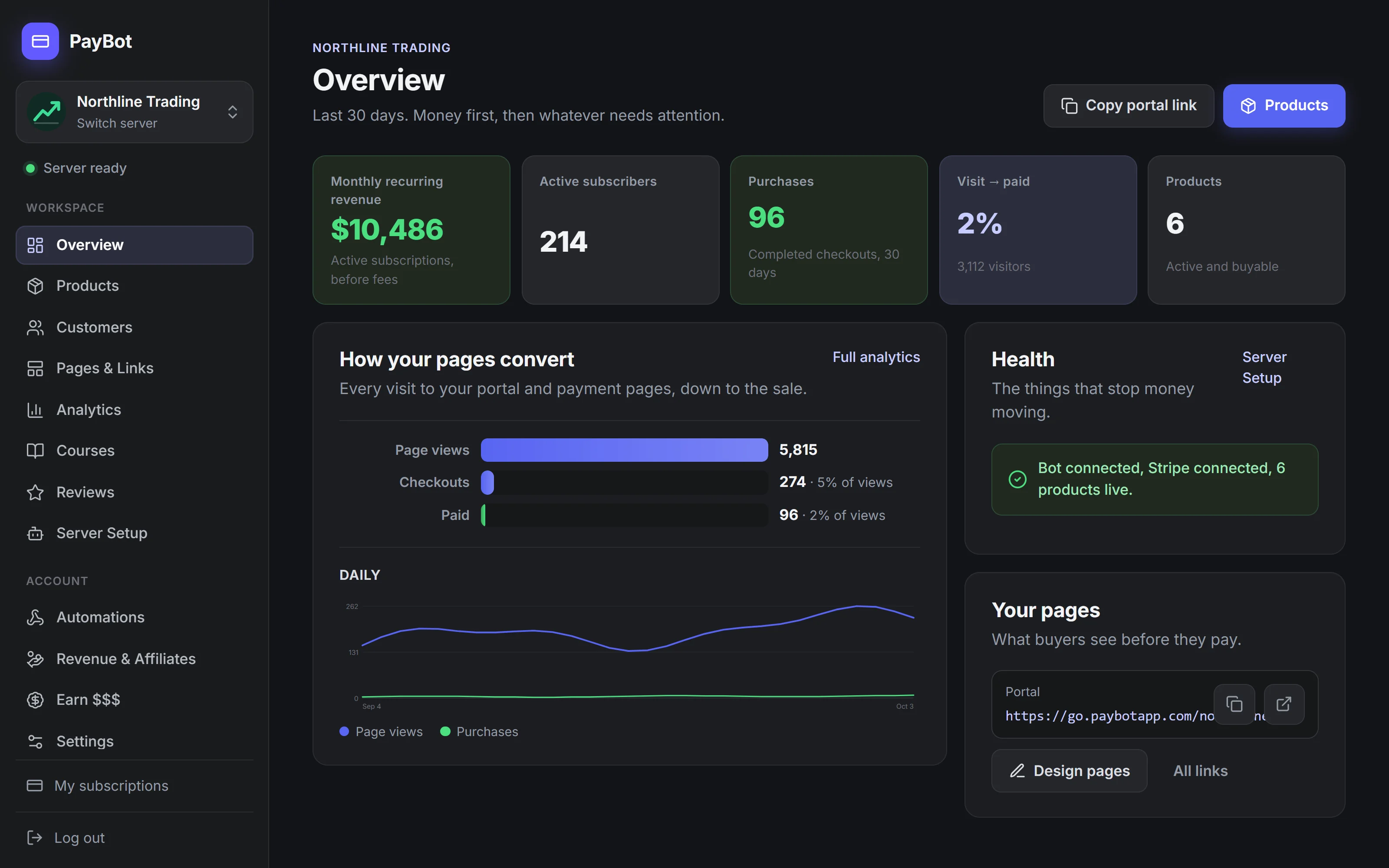
Trusted by Discord Communities
"PayBot simplified our entire subscription process. We set it up in minutes and now manage over 200 premium members effortlessly."

"The tier grouping feature has increased our revenue by 40%. Members can easily upgrade their subscriptions without any friction."

"Our members love how easy it is to subscribe. The seamless role assignment and checkout process has boosted our conversion rate significantly."

Managing Subscriptions Manually Doesn't Scale
- Tracking who paid and when in spreadsheets that are always out of date
- Manually adding and removing Discord roles every time someone subscribes or cancels
- Chasing failed payments through DMs and hoping people respond
- No way to handle mid-cycle upgrades or downgrades without canceling first
- Members DMing you asking "did my payment go through?" because there's no confirmation
- Losing subscribers because your renewal process is confusing or broken
You started a community, not a billing department. Let the bot handle the subscription lifecycle so you can focus on your members.

How Discord Subscriptions Work with PayBot
Connect Stripe, create your tiers, and share a link. PayBot handles recurring billing, role assignments, and the entire subscription lifecycle automatically.
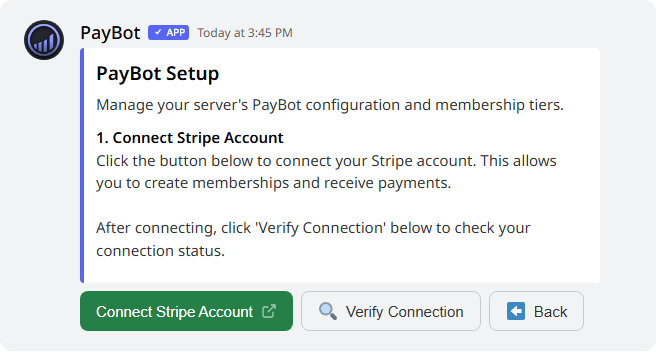
Connect your Stripe
Connect Stripe from the PayBot dashboard you land in after install, or with /setup in Discord. Takes under 2 minutes.
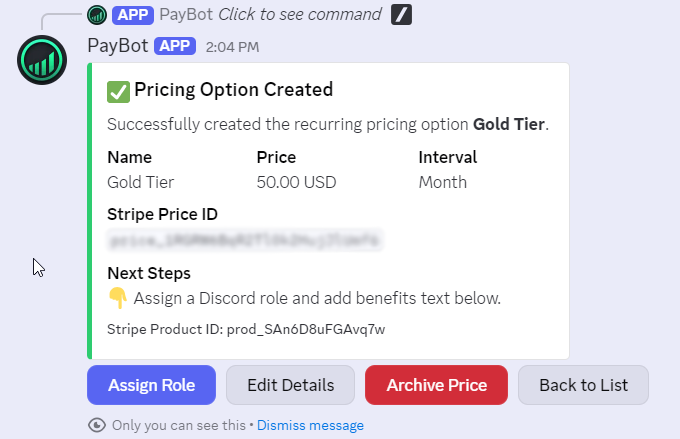
Create subscription tiers
Bill daily, weekly, monthly, quarterly, or yearly. Assign a Discord role to each tier.
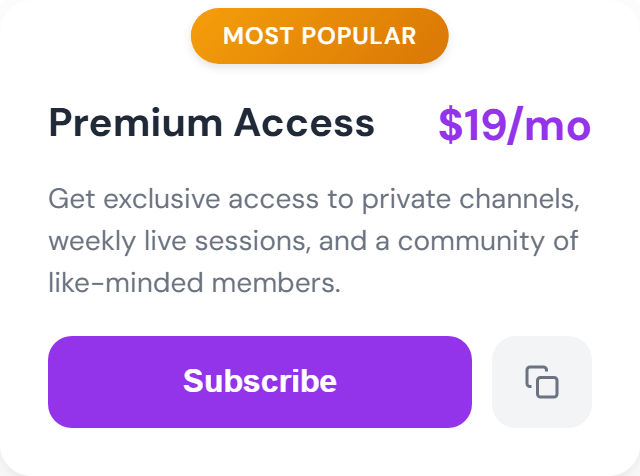
Share your payment link
Members subscribe through Stripe Checkout. Recurring billing starts automatically.
The Full Subscription Lifecycle, Handled Automatically
Subscription Creation
Members pick a tier and pay through Stripe Checkout. Role assigned instantly.
Automatic Renewals
Stripe charges their card on the billing date. Role stays active. No manual renewal.
Failed Payment Recovery
If a card fails, Stripe retries automatically. PayBot keeps the role through the grace period you set, 7 days by default.
Seamless Upgrades
Members switch tiers mid-cycle and pay the prorated difference now or the new price at renewal, as you choose.
Cancellation Handling
When someone cancels, they keep what they paid for until the period ends, then PayBot removes their role. Clean, no lingering access.
Resubscription
If they come back, they just subscribe again. Fresh start, role assigned again.
Your Own Subscription Storefront
Share a branded checkout page anywhere: YouTube descriptions, social media bios, newsletters. Subscribers pick a tier and pay in one click.
- Designer templates, styled in the PayBot Studio
- Custom URLs like
go.paybotapp.com/yourname - Display multiple subscription tiers with pricing
- "Most Popular" badges to guide subscribers
- Works on any device, mobile optimized
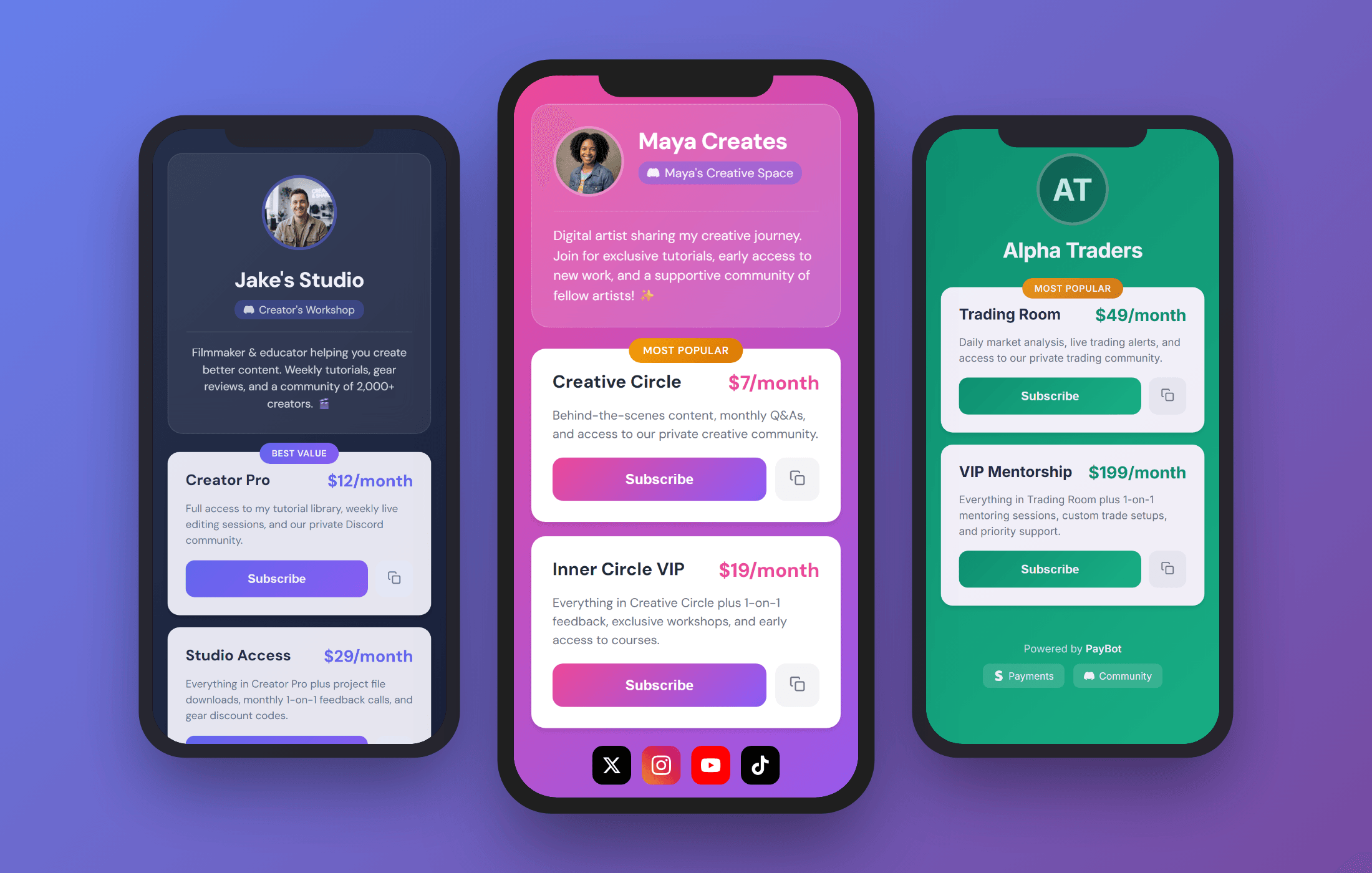
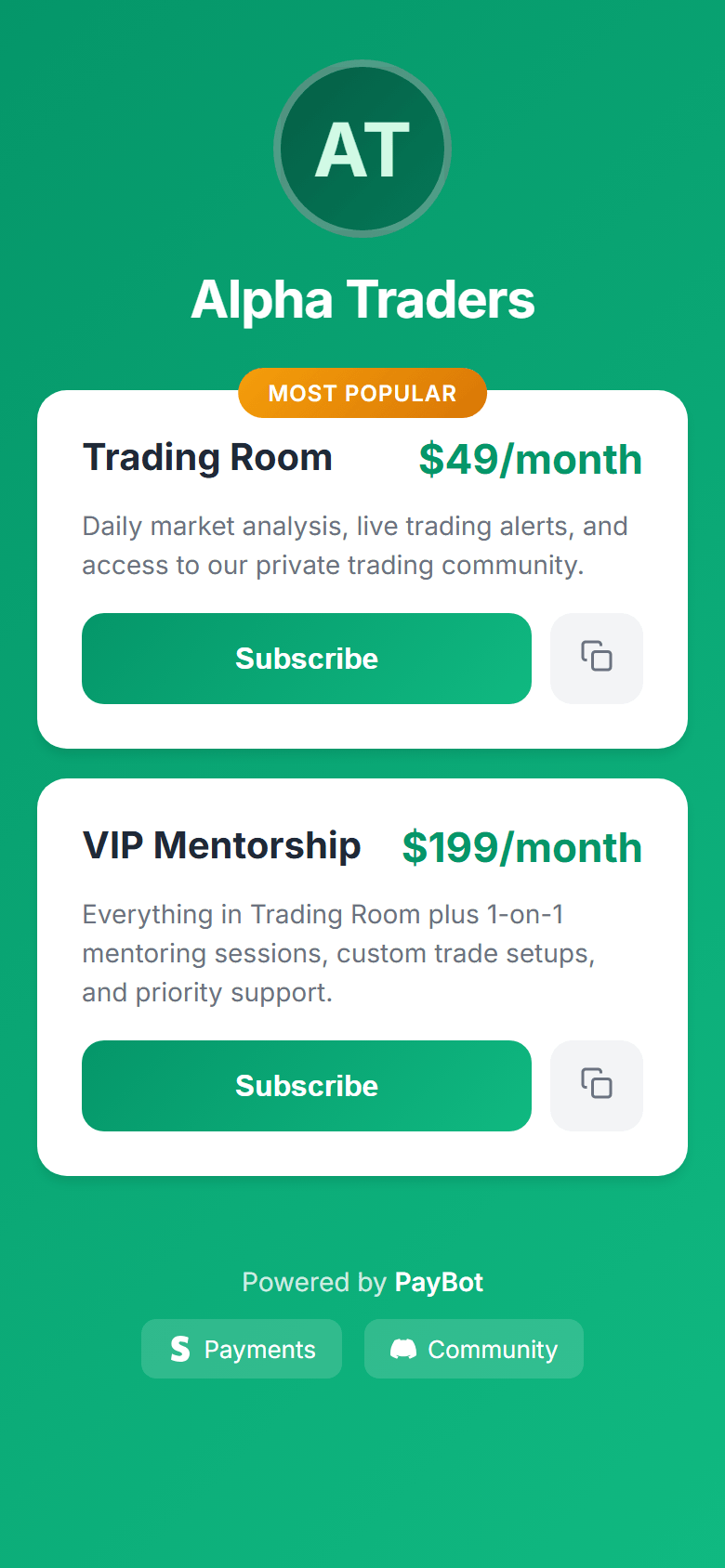 Your Payment Page
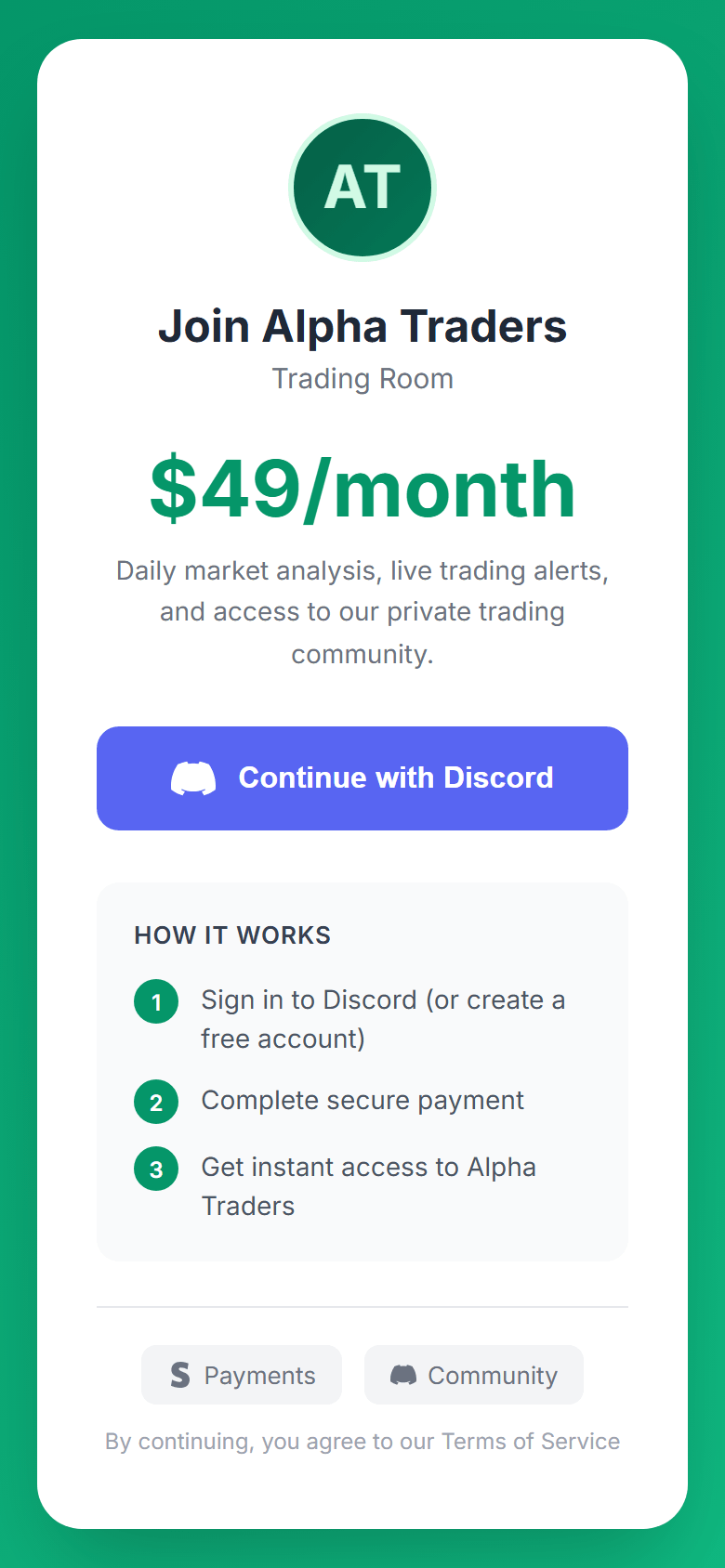 Secure Checkout
Sell Subscriptions to Anyone, Even Non-Discord Users
Your followers don't need an existing Discord account. They create one when they sign in, pay through Stripe, and PayBot adds them to your server with their role as soon as the payment clears.
- No existing Discord account required
- Create a Discord account at sign-in, before checkout
- Added to your server automatically when the payment clears
- Role assigned the moment they're in
Free Until Your Members Pay You
PayBot is free to install and run. Connect your own Stripe, set up your subscriptions, and start selling. We only earn a small share once your members actually pay you, and the money lands straight in your Stripe.
- Free to install and set up. No monthly fee, no trial clock.
- Subscribers pay into your own Stripe account, directly.
- You own your customers, your data, and your payouts.
- We make money only when you do.
Discord Servers Running Subscriptions with PayBot
Trading Discord
Setup: Three subscription tiers ($49/mo, $99/mo, $199/mo) for different signal channels.
What they did: Used tier groups so members can upgrade from Basic to Pro without canceling. Pro members get access to private voice channels for live trading calls.
Result: Members move up a tier without canceling first.
Fitness Coaching Server
Setup: Monthly ($9) and yearly ($90) subscriptions for the same program.
What they did: Gave the annual tier a different role color to make it feel premium. Added a "Yearly Member" badge in the nickname.
Result: Members pick the billing cycle that suits them, and yearly payments arrive upfront.
Course Community
Setup: One-time $199 payment for lifetime access to course channels.
What they did: Enabled one-time purchases. Students get a "Graduate" role after purchase.
Result: Simpler than monthly billing for a cohort-based program.
Start Your Subscription Business
Free to install. Add the bot, connect Stripe, and start selling. You only pay us when your members pay you.
Free to install and run. PayBot only earns when your members pay you, straight from your own Stripe.
Subscription Bot FAQ
What payment methods do subscribers use?
Payment-link checkout offers whatever you've turned on in your own Stripe account: cards, wallets such as Apple Pay and Google Pay, Link, and more. Checkout started inside Discord with /subscription takes cards.
Can I offer monthly AND yearly pricing?
Yes. Create both billing intervals and group them together. Members choose their preferred cycle at checkout.
What happens when a payment fails?
Stripe retries the payment, and the member keeps access for the grace period you choose (7 days by default, or none). If the payment hasn't recovered by then, PayBot removes the Discord role automatically.
Can members upgrade mid-cycle?
Yes, within a product group. You choose whether they pay the prorated difference now or the new price starts at their next renewal.
Do I need a Stripe account?
Yes. PayBot connects to your Stripe account via OAuth. If you don't have one, Stripe account creation takes about 2 minutes.
What does PayBot cost?
PayBot is free to install and use, with no monthly fee and no trial clock. You only pay when your members pay you: PayBot keeps a small 3% share of your sales, on top of Stripe's standard processing rate. Set everything up first and pay only once money is coming in.
Start Accepting Recurring Subscriptions Today
Free to install. Set up in under 5 minutes. You only pay when your members do.