
The Free Discord Bot That Hands Private Channels Over to Your Members
Sub-communities die when admins have to greenlight every private channel. The /groups command flips that. Any member can spin up their own opt-in interest channel in seconds, with rules they pick and a weekly digest that keeps niche groups alive. No Stripe needed.
Any member can create one. Discord-thread native. Works the moment you add the bot.
Why Most Discord Servers Are a Graveyard of Dead Sub-Communities
- Every "can you make a channel for X?" request lands in your DMs, and you forget half of them
- The five people who want to talk about one specific thing never find each other
- Off-topic chat clogs the main channels because there's nowhere else for it to go
- You'd let members create their own channels, but handing out role-creation perms is dangerous
- You're the bottleneck on a community that should be organizing itself
The /groups command takes you out of the loop. Any member spins up a private interest channel in seconds. Rules they pick, members they invite, conversation that finally has a home.
How a Member Spins Up Their Own Private Channel
One slash command. No admin involvement. Discord-thread native, so your members already know how it works.
A member runs /groups
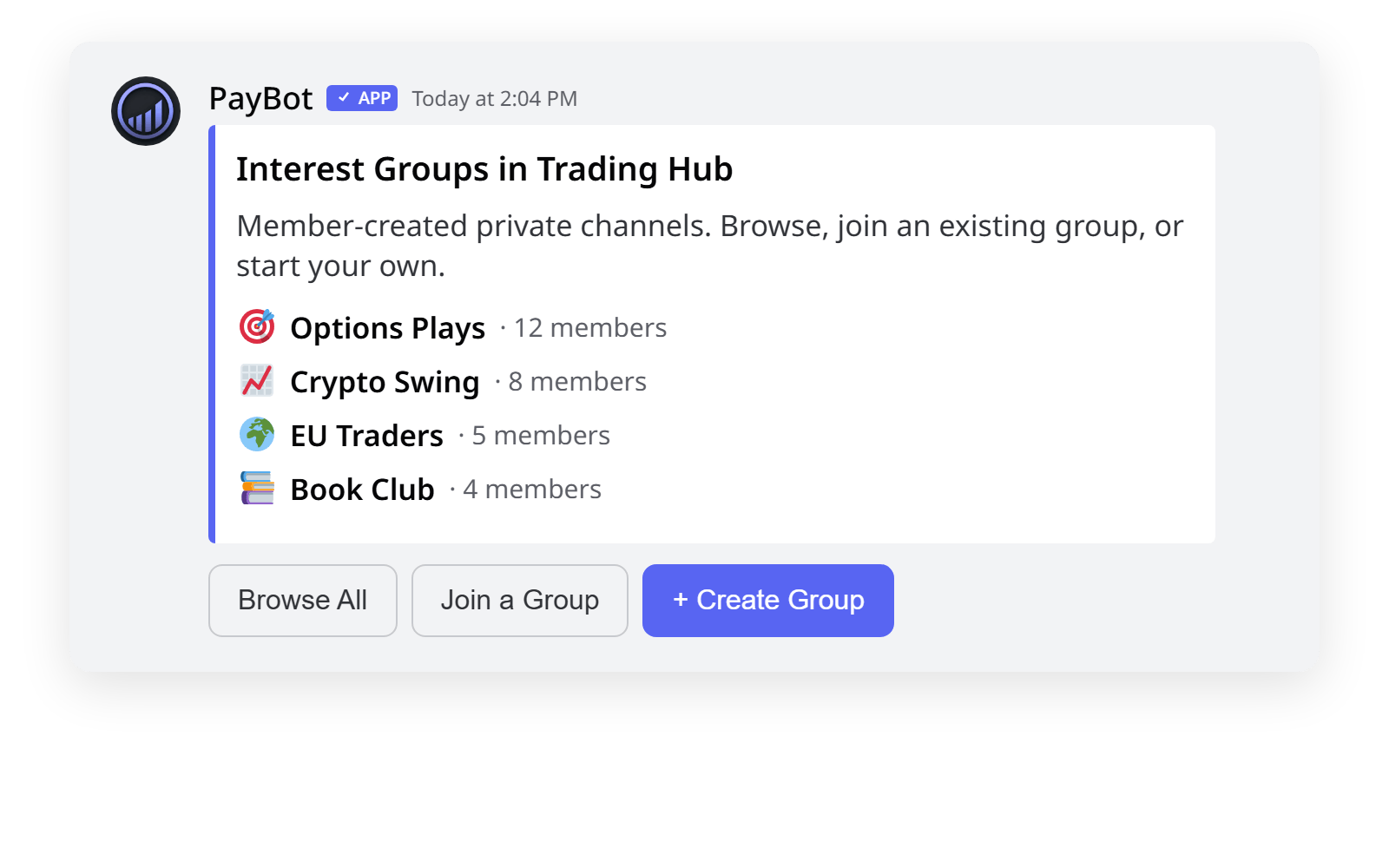
PayBot shows them a private dashboard with every active group in the server. Browse, join one, or hit Create to start a new one.
They create a group with optional rules
Name it. Describe it. Add the rules new joiners have to agree to. The creator becomes the moderator. They decide who's in, who's out, and what the group is about.
Other members find and join
Discoverable through /groups. Private once joined. New members agree to the rules and they're in. Off-topic finally has a home; your main channels stay focused.
What Makes /groups Different
Built by Members, Not Admins
Any member spins up an interest group. No DM bottleneck. No risky role-creation perms. Your community organizes itself while you do other things.
Optional Rules-Gating
Code of conduct, no-spoiler rules, NDAs for cohorts. Set what new joiners must agree to before they're in. Soft enforcement that filters serious participants.
The Creator Runs the Group
Whoever creates it moderates it. They invite, remove, edit rules, archive. You stay out of small-group politics, and out of every member dispute.
Auto Weekly Digest
Once a week PayBot posts a bulletin highlighting every active group, with one in the rotating spotlight. Niche groups get rediscovered instead of dying in obscurity.
Discord Threads, No New App
Each group is a private Discord thread. Members already know how to use it. Nothing new to learn, nothing extra to install.
Free, No Stripe Needed
Run /groups the moment you add the bot. No subscriber count, no upsell paywall.
Servers That Get the Most Out of It
Trading Servers
What members do: Spin up sub-rooms for options, crypto swing, futures scalping. Each with rules like "no shilling tickers" or "post your entry before the exit".
Why it works: Niche traders find each other without the head admin getting pulled into every micro-community. Main signal channels stay clean.
Coaching & Cohort Communities
What cohorts do: Each cohort or accountability pod gets its own private group with NDA-style rules. The coach can join as a member or stay out entirely.
Why it works: Cohort identity gets built. Old cohorts don't crowd new ones. Members own their corner of the server.
Hobby & Niche Servers
What members do: Sub-fandoms, regional chapters, build logs, training splits. Anywhere five people want a quiet corner to talk about one thing.
Why it works: The weekly digest surfaces niche groups so they keep getting joiners. Nothing dies alone in the corner of the server.
Common Questions
Do members need any special role to create a group?
No. By default any member can create one. If you want to restrict it, limit who can use /groups in Server Settings → Integrations. A creator can also require a role to join, such as a paid role.
Are the groups actually private?
Yes. Each group is a private Discord thread. Only invited members can see messages or member list. People who haven't joined don't see the conversations.
How do rules-gated joins work?
The creator writes rules when setting up the group. New joiners see the rules and have to agree before they're added. It's a soft gate, not a legal contract.
What's the weekly bulletin?
Once a week PayBot drops a digest in a channel you choose, listing every active group with one in the rotating spotlight. Lurkers see what's out there; niche groups keep getting new joiners instead of dying in obscurity.
Is there a limit on groups per server?
PayBot doesn't add a limit. Discord's own thread limits apply (1000 active threads per server). Plenty for any community.
Does this require Stripe?
No. /groups runs without connecting Stripe. Stripe is only needed for PayBot's paid-membership features.
Stop Being the Bottleneck. Run /groups.
Free forever. No Stripe. Members start spinning up their own interest channels the second PayBot joins your server.