
Stripe Discord bot with shareable payment links
Generate payment links for your membership tiers. Share on your website, Twitter, Instagram, or anywhere your audience is.
Trusted by Discord Communities
"PayBot simplified our entire subscription process. We set it up in minutes and now manage over 200 premium members effortlessly."

"The tier grouping feature has increased our revenue by 40%. Members can easily upgrade their subscriptions without any friction."

"Our members love how easy it is to subscribe. The seamless role assignment and checkout process has boosted our conversion rate significantly."

Why PayBot's Stripe Discord bot includes payment links
Your audience isn't always on Discord. Share payment links anywhere and let the bot handle the rest. Learn about the development journey →
Limited reach
Requiring Discord commands means missing potential subscribers browsing your website or social media.
Complex onboarding
Users have to join Discord first, find the right channel, then figure out subscription commands.
Missed opportunities
Can't capitalize on traffic from Twitter, YouTube, or your blog with Discord-only subscriptions.
How payment links work
From link click to role assignment in seconds
Generate payment links
Every product gets its own payment link. Copy it from the PayBot dashboard or /setup in Discord.
Share anywhere
Add links to your website, Twitter bio, YouTube description, or anywhere your audience is.
Automatic processing
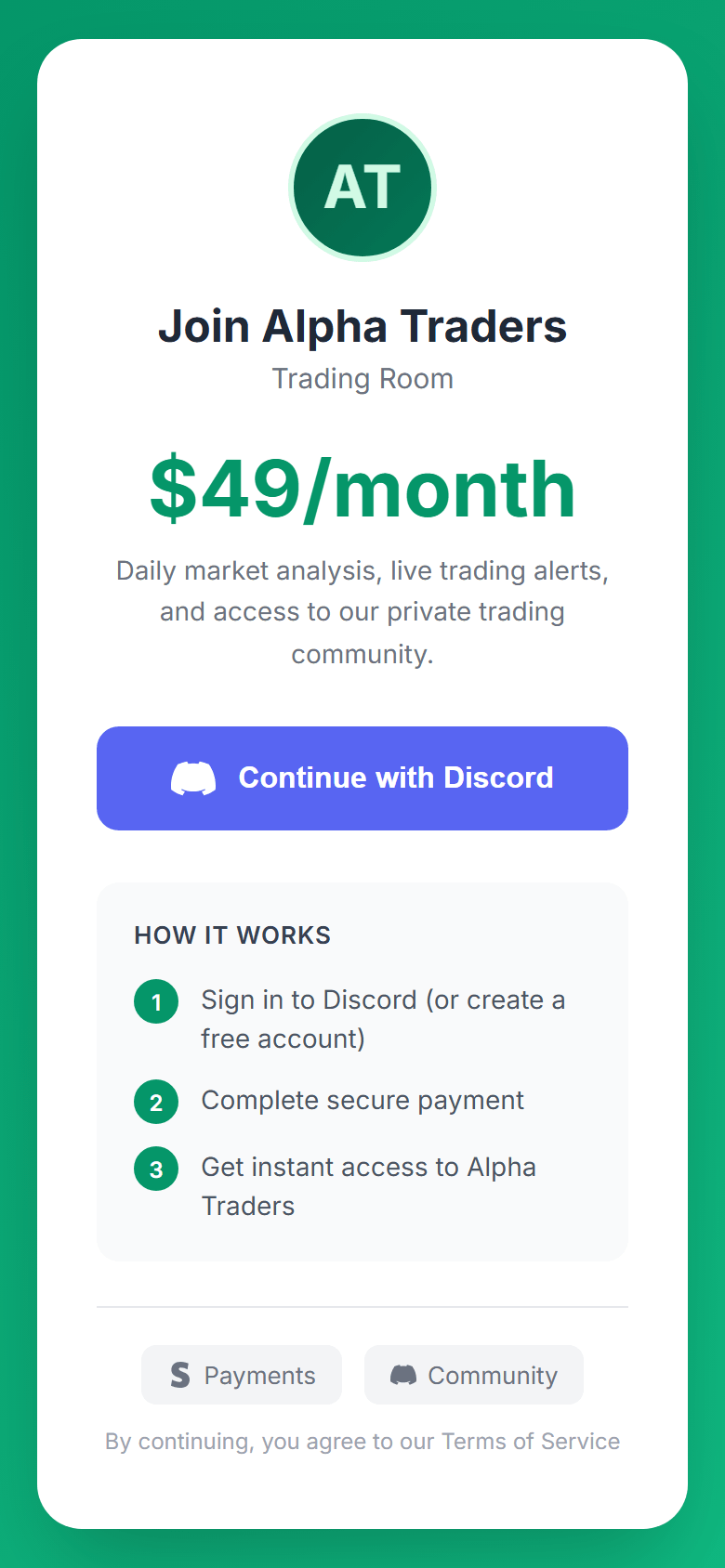
Users click, login with Discord, pay via Stripe, and get roles automatically.
Manage links directly in Discord
Copy links and control portal visibility from the /setup command without leaving Discord, or do the same in the PayBot dashboard, where each link's funnel is tracked.
- One-click link generation
- Portal page management
- Show/hide tiers from portal
- Copy links instantly
Stripe Discord bot features for payment links
Everything you need to monetize your audience everywhere
Shareable links
Generate unique payment links for each tier. Share on websites, social media, email, or anywhere.
Branded checkout
Beautiful checkout pages featuring your Discord server icon, name, and branding.
Discord OAuth
One-click Discord login captures user identity before checkout. No manual verification needed.
Automatic roles
Roles assigned automatically after payment, whether users are already in your server or join later.
Portal pages
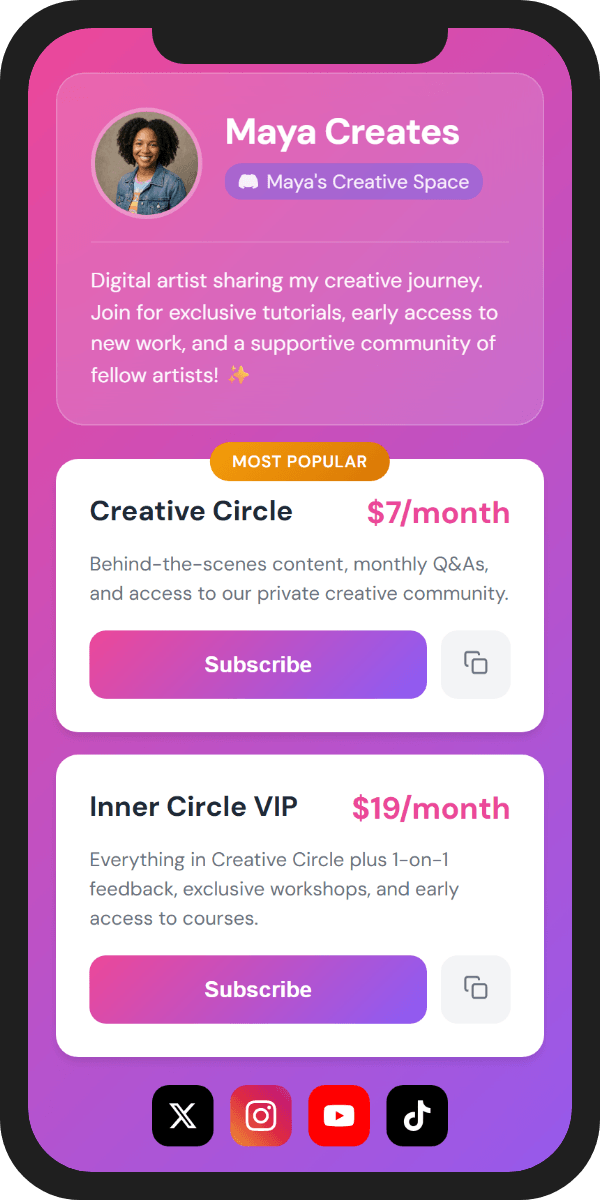
Show all your tiers on one beautiful page. Perfect for link-in-bio tools like Linktree.
Works with existing tiers
Use the same membership tiers you've configured. Payment links work alongside Discord commands.
Where to share payment links
Monetize your audience across every platform
Personal website
Add "Join Premium" buttons on your site that lead directly to Stripe checkout.
Twitter/X profile
Put your payment link in your bio to convert followers into paying members.
YouTube descriptions
Link to exclusive Discord membership from your video descriptions.
Instagram bio
Drive Instagram followers to paid Discord memberships with one click.
Email campaigns
Include payment links in newsletters to convert subscribers.
Link-in-bio tools
Add to Linktree, Beacons, or other bio link services for easy discovery.
Discord-only vs. Payment links
Frequently asked questions
How do I create payment links?
You don't have to. Every product gets its own link when you create it. Copy it from Products in the PayBot dashboard, or from the /setup command in Discord.
Do users need to be in my Discord first?
No. They sign in with Discord on the link (anyone without an account can create one there), pay, and PayBot adds them to your server with their role when the payment clears.
Can I customize the payment page?
Yes. Design it in the PayBot Studio: pick a page style, paste rough notes and it writes the pitch, then check the live phone preview before you share. The page shows only reviews from confirmed buyers, plus live member counts.
Do payment links cost extra?
No. Payment links come free with PayBot. There's no monthly fee and no trial clock. You only pay when your members pay you, and PayBot keeps a small 3% share of that sale.
Can I track link performance?
Yes. Every page reports its own funnel: visits, sign-in clicks, checkouts, and paid, plus time on page, scroll depth, and traffic source, over 7, 30, or 90 days. Bots are filtered out, so the numbers are real people.
Can members buy without leaving Discord?
Yes. PayBot posts your link in a channel with a Get Access button, and the click identifies the member, so checkout ties to their Discord and the role arrives when the payment clears. No account to link, and it reposts daily or weekly.
How do roles get assigned?
Buyers sign in with Discord before paying, so PayBot knows who they are. When the payment clears, PayBot adds them to your server if they aren't in it yet and assigns the role.
Can I have multiple payment links?
Yes. Each membership tier gets its own unique payment link. You can also share a portal page showing all tiers.
What if someone pays but never joins Discord?
It doesn't come up. Buyers sign in with Discord before paying, and PayBot adds them to your server when the payment clears, so there's no separate join step to skip.
Ready to monetize beyond Discord?
Start sharing payment links in minutes.