Paid Live Events in Discord
Sell Seats to Your Live Session in Your Own Voice Room
One permanent link. Each payment buys one seat to the next show. At showtime PayBot opens the room to ticket holders. Money lands in your own Stripe.
The Session Is the Product. The Server Is Where They Come Back.
The live trading session at the open. The weekend seminar. The mastermind call, the Q&A, the office hours where you answer the question they have been sitting on all week. That hour is what people pay for. Being in the room while you work, live, with the chance to ask. The chat between shows is the reason they stay. The room is the reason they buy.
Selling It by Hand Costs You the Morning
It is Saturday at nine, forty people paid for the seminar over the week by DM and PayPal, three paid twice, two are asking where the Zoom link is, one wants a refund, and you are copying names into a spreadsheet while the room should already be open. The link got forwarded. You do not know who paid. The show starts late. Every hour of that morning is an hour you were not teaching or selling.
- Payments trickle in by DM and PayPal, and you match them by hand
- The Zoom link gets forwarded to people who never paid
- Nobody can say for certain who actually paid for this show
- Refunds and no-shows are your problem, one DM at a time
One Link. Every Payment Is a Seat.
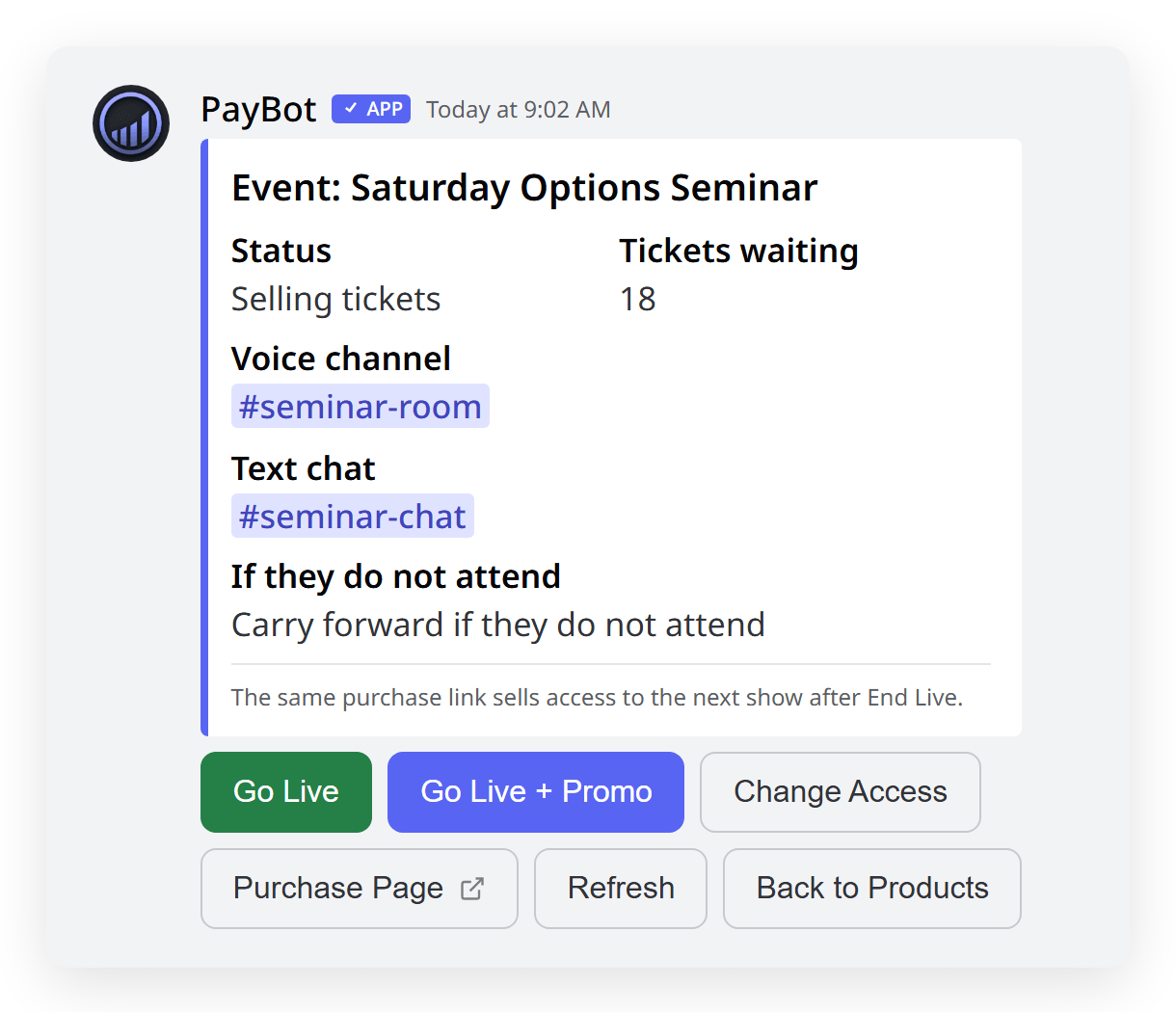
A paid live event in PayBot is a product with a fixed price and one private voice room. The link stays up. Each payment is one seat to the next show.
The link goes up once. It stays up. Every payment that clears in your Stripe is one seat to the next show, PayBot already knows which Discord member bought it, and nothing else in your server changes while the seats fill. Then it is showtime.
What Happens at Showtime, Step by Step
There is no ticket app and no second login. The Event lives in your server as a product. The room is a private voice channel you already have. PayBot handles the door: a hidden role for this show, granted to the people who paid, removed when you end it.
Create the Event in /setup
Set a fixed price, pick the private voice room, and set the no-show rule: a missed ticket is spent or carries to the next show.
Share the Link Everywhere You Sell
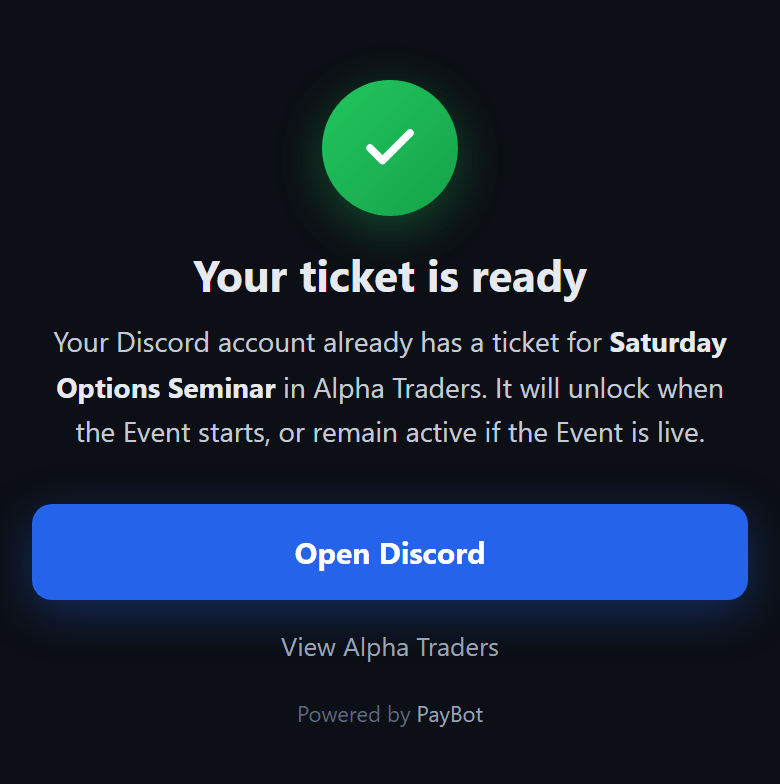
Put it in your bio or a channel, or post a promo card with a button. A ticket holder who taps it again sees "Your ticket is ready".
Go Live with One Command
Type /live. Room opens, ticket holders get the link by DM, unpaid latecomers see a closed door. End live sells the next show.
Built for the Sessions You Already Run
Live Trading Session at the Open
One seat per trader, your private voice room, and a door that shuts when you go live. Voice holds 99, plenty for a real room.
The Paid Weekend Seminar
Sell seats all week from one link. Move it to a Stage channel when the crowd outgrows a voice room. Every buyer gets the DM.
Mastermind or Live Q&A
A room where a seat is a turn to speak. Every question comes from someone who paid to be there. A refund takes the seat back.
Paid Office Hours, Weekly
Same link every week. A no-show keeps the ticket for next time if you set carry-forward. Open the room, answer, end live.
Common Questions
What if someone buys during the show?
They get in. A payment that clears while you are live gets the hidden role and the room link by DM right away, same as a buyer from earlier in the week. The door only stays shut for people who did not pay.
What if a ticket holder never shows up?
You decide per Event. Either the missed ticket is used up, or it carries forward to the next show. Attendance counts from their first join to the voice room, so PayBot knows who came.
Can I refund a seat after someone buys?
Yes, from your own Stripe. A full refund removes the seat, so the ticket holder loses access to that show. The money was in your Stripe from the moment it cleared, and PayBot never held any of it.
How many people fit in the room?
A Discord voice channel holds 99 people. A Stage channel holds 10 speakers and thousands of listeners. Pick the room that fits the show when you create the Event, or swap it for one show from /live.
Does the buyer need to be in my server already?
Yes for the seat DM, since PayBot sends the room link to a Discord member. A buyer who finds the link outside Discord creates the account at checkout and gets your server invite by email. Then the seat works like any other.
Put the Link Up. Open the Room on Saturday.
Free to add, no monthly fee. Your link is live in minutes. We get paid when a seat sells, and the money lands in your Stripe.