
Turn Your Discord Server Into a Paid Membership Community
Create membership tiers with role-gated channel access, share your branded storefront, and let PayBot handle payments and access control automatically. Free to start, and you only pay when your members do.
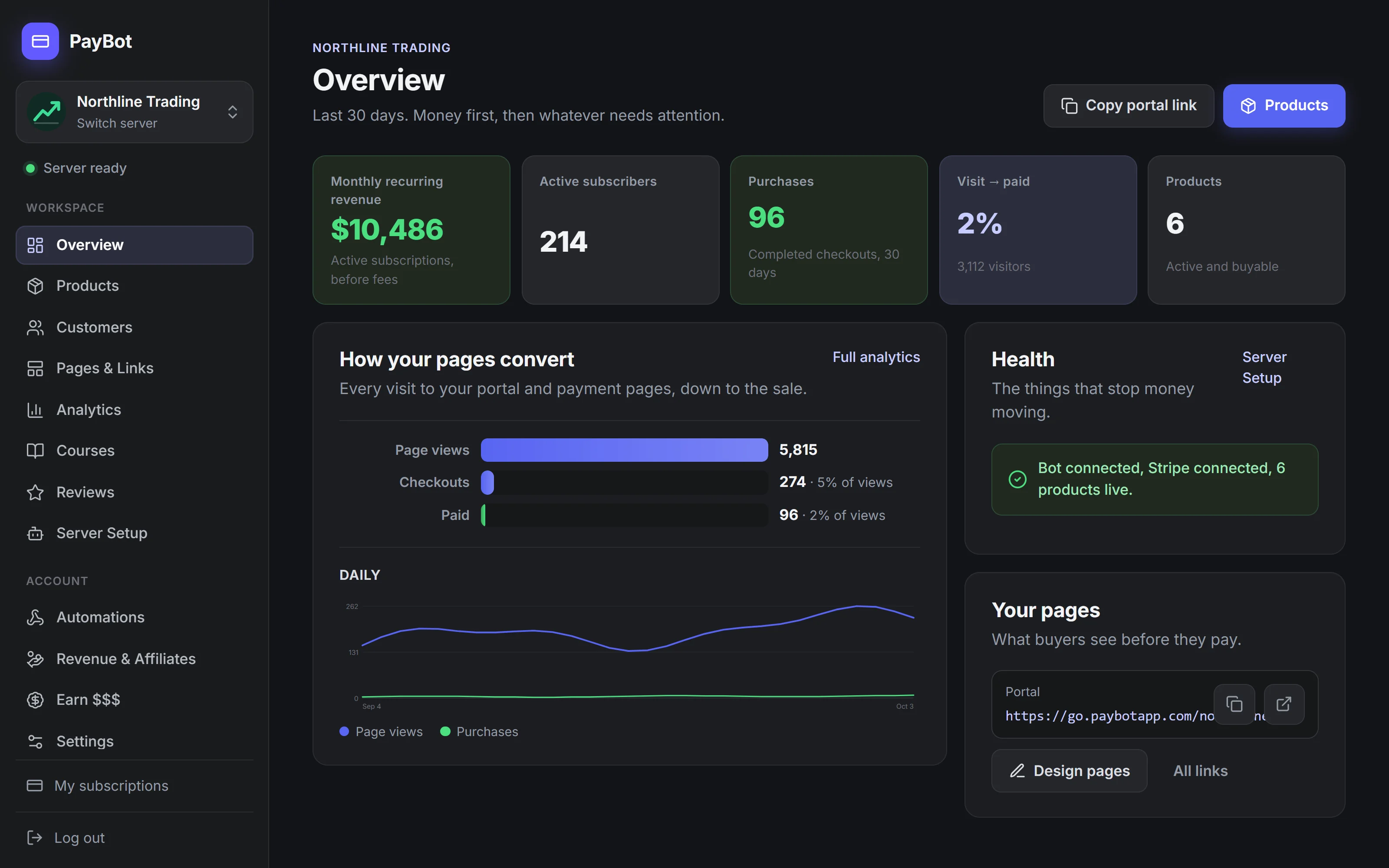
Trusted by Discord Communities
"PayBot simplified our entire subscription process. We set it up in minutes and now manage over 200 premium members effortlessly."

"The tier grouping feature has increased our revenue by 40%. Members can easily upgrade their subscriptions without any friction."

"Our members love how easy it is to subscribe. The seamless role assignment and checkout process has boosted our conversion rate significantly."

Building a Paid Community Shouldn't Be This Hard
- You want to gate premium channels but Discord has no built-in paywall
- Managing who has access to what is a nightmare at scale
- Free members keep asking how to join the paid tier
- No branded page to showcase your membership tiers
- You're losing potential members because the signup process is confusing
You built a community worth paying for. Let the bot handle access control so you can focus on creating value for your members.

How Paid Memberships Work with PayBot
Connect Stripe, create your membership tiers, and share your storefront. PayBot handles payments, role assignments, and access control automatically.
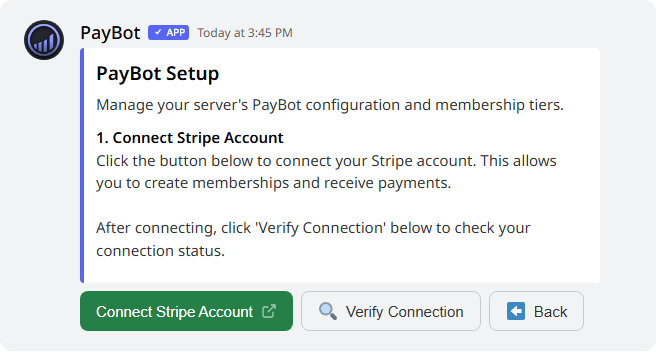
Connect your Stripe
Connect Stripe from the PayBot dashboard you land in after install, or with /setup in Discord. Takes under 2 minutes.
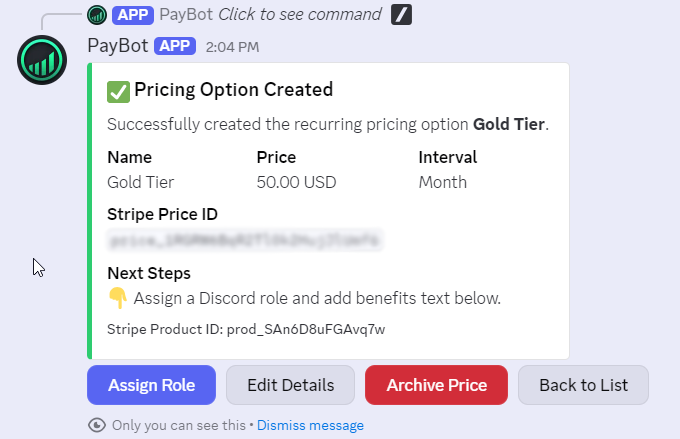
Create membership tiers
Each tier gets a Discord role that unlocks specific channels. Bronze, Silver, Gold, or whatever fits your community.
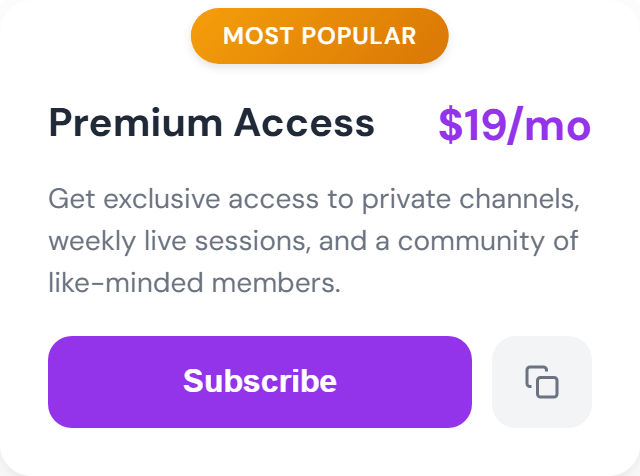
Share your storefront
Members pick a tier, pay through Stripe, and get instant access to their gated channels.
Everything You Need to Run a Paid Community
Tiered Access Levels
Create Bronze, Silver, Gold, each with its own Discord role and channel access. Members see exactly what they get.
Role-Gated Channels
Paid roles unlock private channels automatically. No manual permission management.
Branded Storefront
A beautiful link-in-bio style page with all your tiers, bio, and social links. Share it anywhere.
Sell to Non-Discord Users
Buyers don't need an existing Discord account. They create one at sign-in, and PayBot adds them to your server when the payment clears.
Tier Upgrades
Members switch from Basic to Pro without canceling. They pay the prorated difference now or the new price at renewal, as you choose.
Onboarding DMs
New members get a welcome DM you write for each product the moment their access starts. First impressions matter.
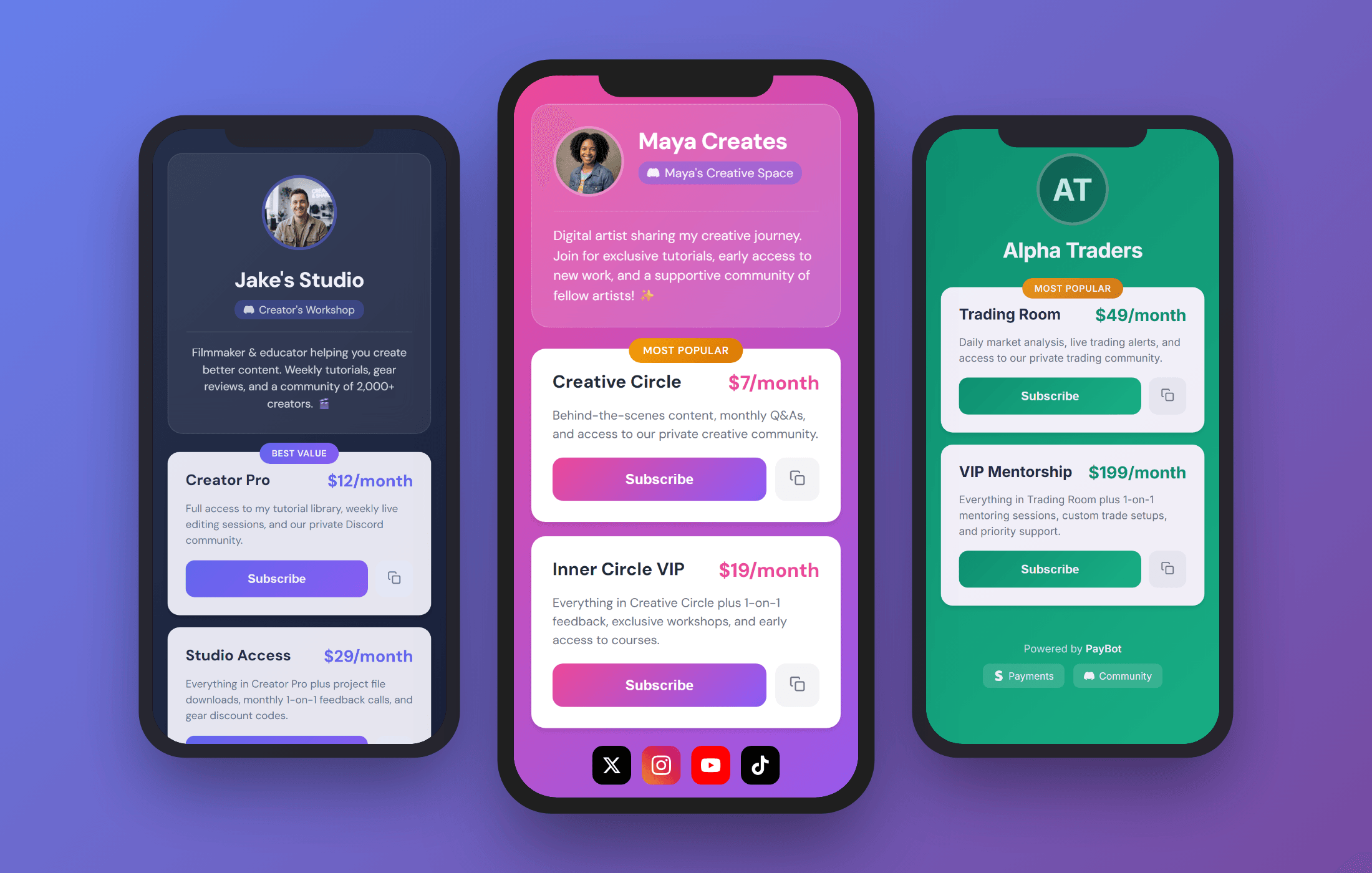
Your Membership Has Its Own Storefront
A branded page where potential members can browse your tiers, see what each level includes, and join in one click. Share it in your YouTube descriptions, social bios, newsletters, or anywhere else.
- Designer templates, styled in the PayBot Studio
- Custom URLs like
go.paybotapp.com/yourname - "Most Popular" badges to guide buyers toward your best tier
- Display all membership levels with pricing and descriptions
- Works on any device, mobile optimized
Build a Community Members Stay For
Members open their own private channels, your events fill up, and quiet voice rooms come alive. The daily pull that keeps members from canceling.
Member-Created Private Groups
Let members create their own opt-in interest groups as private threads via /groups, perfect for cohorts and sub-communities inside your paid membership.
Auto Event Announcements
/events auto-announces your coaching calls, AMAs, and member events at intervals you set so attendance actually happens.
Voice Channel First-Member Alerts
/monitor tells the room when the first member hops into a voice channel, so your premium "members lounge" actually gets used.
Free Until Your Members Pay You
PayBot is free to install and run. Connect your own Stripe, create your tiers, and start selling. We only earn a small share once your members actually pay you, and the money lands straight in your Stripe.
- Free to install and set up. No monthly fee, no trial clock.
- Members pay into your own Stripe account, directly.
- You own your customers, your data, and your payouts.
- We make money only when you do.
Communities Running Paid Memberships with PayBot
Trading Discord
Setup: Three membership tiers ($49/mo, $99/mo, $199/mo) for different signal channels.
What they did: Each tier unlocks progressively more channels: Basic gets daily alerts, Pro gets live trading rooms, Elite gets 1-on-1 mentorship channels.
Result: Members move up a tier without canceling first.
Fitness Coaching Server
Setup: Monthly ($9) and yearly ($90) memberships for the same community access.
What they did: Gave annual members a premium role color and exclusive "Yearly Member" badge. The visual distinction drives upgrades.
Result: Members pick the billing cycle that suits them, and yearly payments arrive upfront.
Course Community
Setup: One-time $199 payment for lifetime membership to course channels.
What they did: Enabled one-time purchases. Students get a "Graduate" role that unlocks alumni channels, resources, and networking.
Result: Simpler than monthly billing for a cohort-based program.
Start Your Membership Community
Free to install. Add the bot, connect Stripe, and start selling. You only pay us when your members pay you.
Free to install and run. PayBot only earns when your members pay you, straight from your own Stripe.
Membership Bot FAQ
How do members join my paid community?
They visit your storefront or use /subscription in Discord, pick a membership tier, pay via Stripe, and get their role instantly. Access to gated channels is immediate.
Can I have multiple membership levels?
Yes, unlimited tiers. Each tier maps to a Discord role with different channel access. Bronze sees general paid channels, Gold sees everything.
Do members need a Discord account to join?
They sign in with Discord before paying, and anyone without an account can create one right there. Once the payment clears, PayBot adds them to your server with their role.
What happens when someone cancels?
They keep access until the end of the period they paid for, then PayBot removes their role and they lose the gated channels. Clean and automatic, no manual cleanup.
Can I offer monthly and yearly memberships?
Yes. Create both pricing options and group them together. Members choose their preferred billing cycle at checkout.
What does PayBot cost?
PayBot is free to install and use, with no monthly fee and no trial clock. You only pay when your members pay you: PayBot keeps a small 3% share of your sales, on top of Stripe's standard processing rate. Set everything up first and pay only once money is coming in.
Launch Your Paid Membership Community Today
Free to install. Set up in under 5 minutes. You only pay when your members do.