
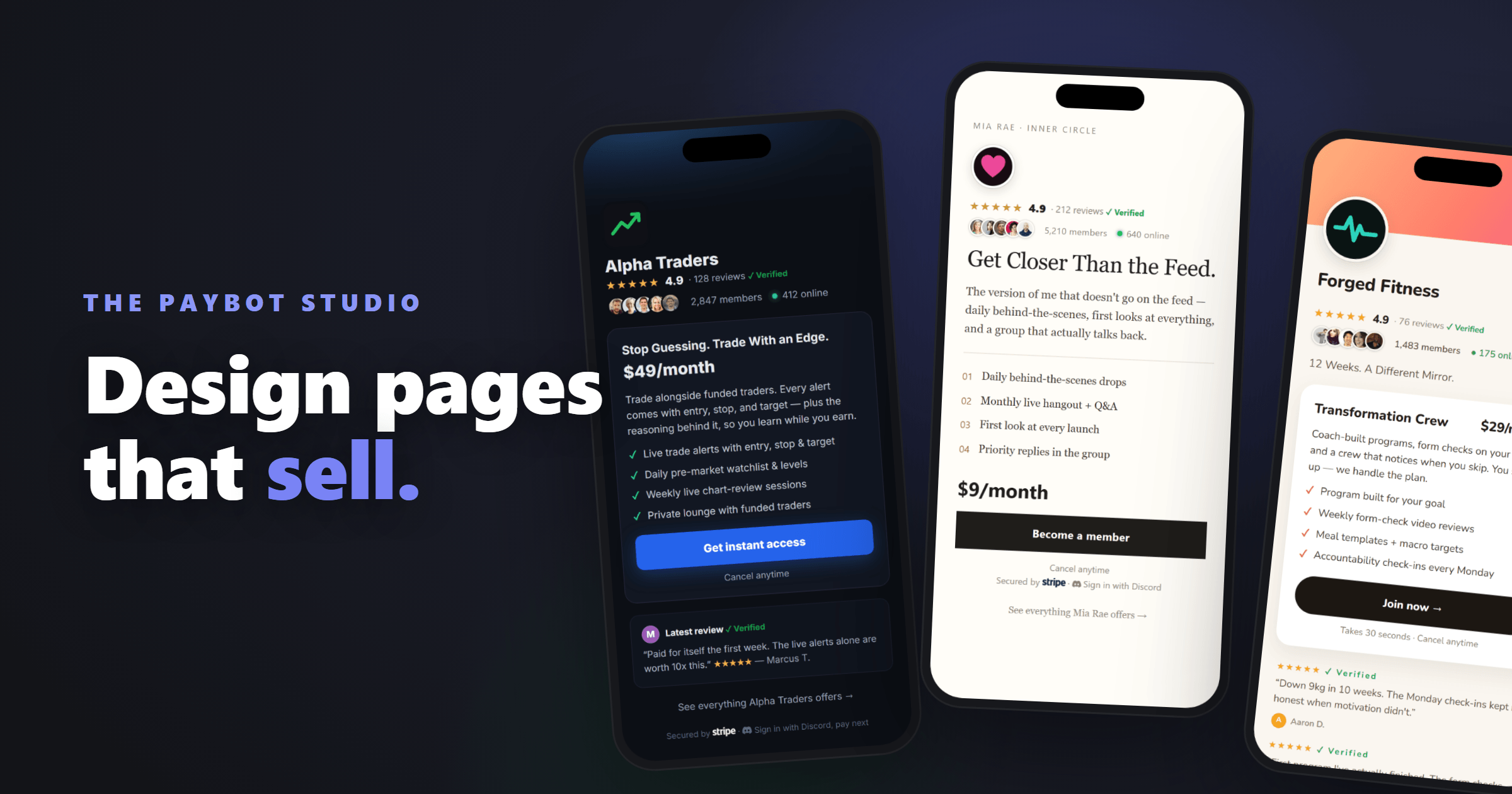
The page a buyer lands on decides whether they pay. You grind for months to earn one click, a YouTube video that finally lands, a thread that runs, a bio link someone taps. Then that buyer arrives at a bare checkout and leaves. Most Discord sellers lose the sale right at the door. Trading rooms feel it daily. So do coaching groups and creator communities. If you run a paid Discord server, the distance between “clicked your link” and “paid you” is exactly one page. Almost nobody designs that page. So we built the PayBot Studio: payment pages designed to convert, live today.
Design in the browser, run it from Discord
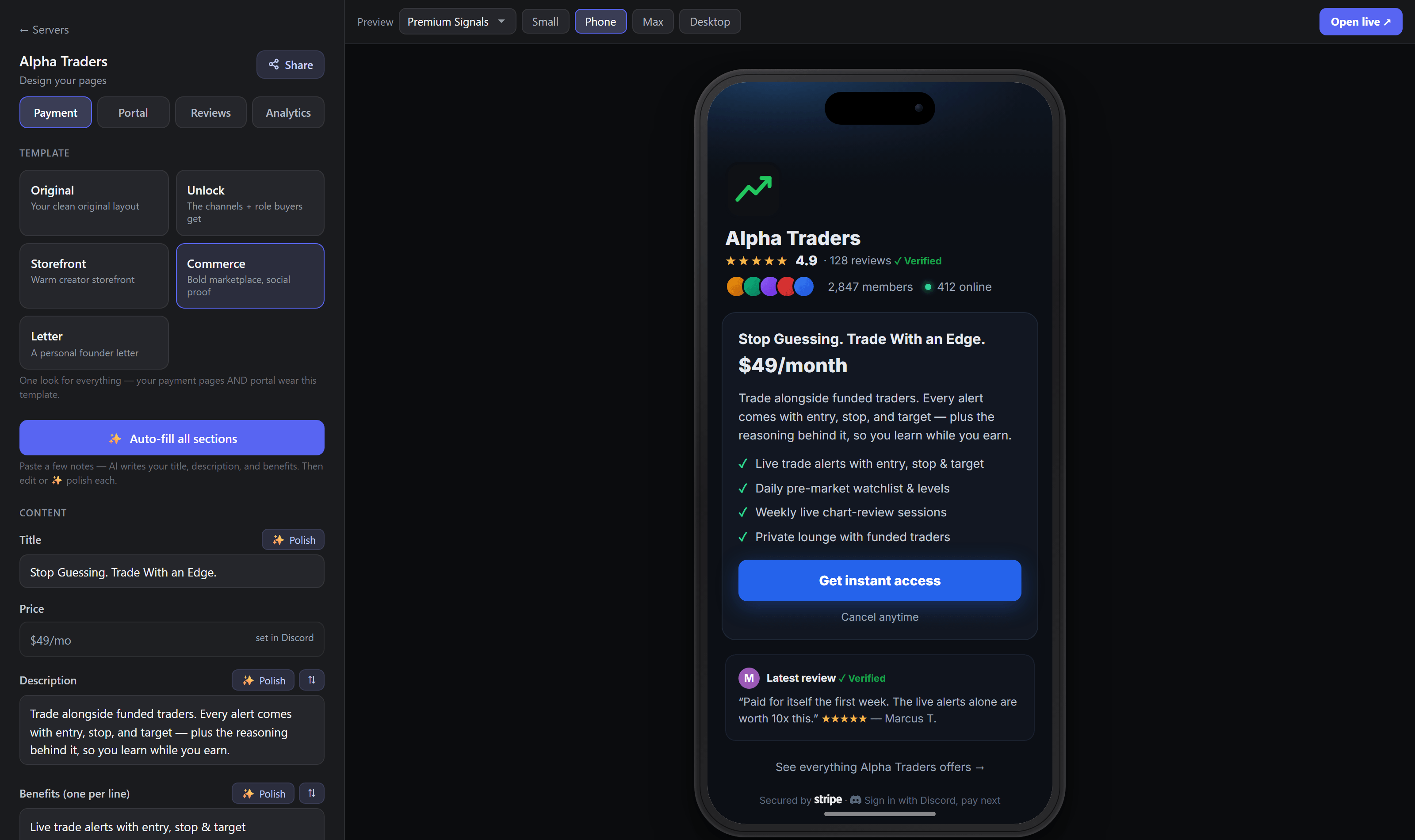
The PayBot Studio is a payment page designer that runs in the browser. Sign in to your PayBot dashboard with Discord, pick your server, and open the page designer from Pages & Links. Edit your pitch, and a live phone preview updates beside you as you type. Every product gets its own page. One look carries across all of your payment pages and your portal, the link-in-bio page, so a buyer moving between them sees one brand instead of a patchwork. Products and roles get created in your dashboard, or in Discord with /setup. Design lives on the web, where it belongs. Pages are mobile-first, since that is where your traffic arrives, and the preview checks four device sizes: Small, Phone, Max, and Desktop. If you want the mechanics, the step-by-step walkthrough covers every screen.
Four templates, four ways to sell
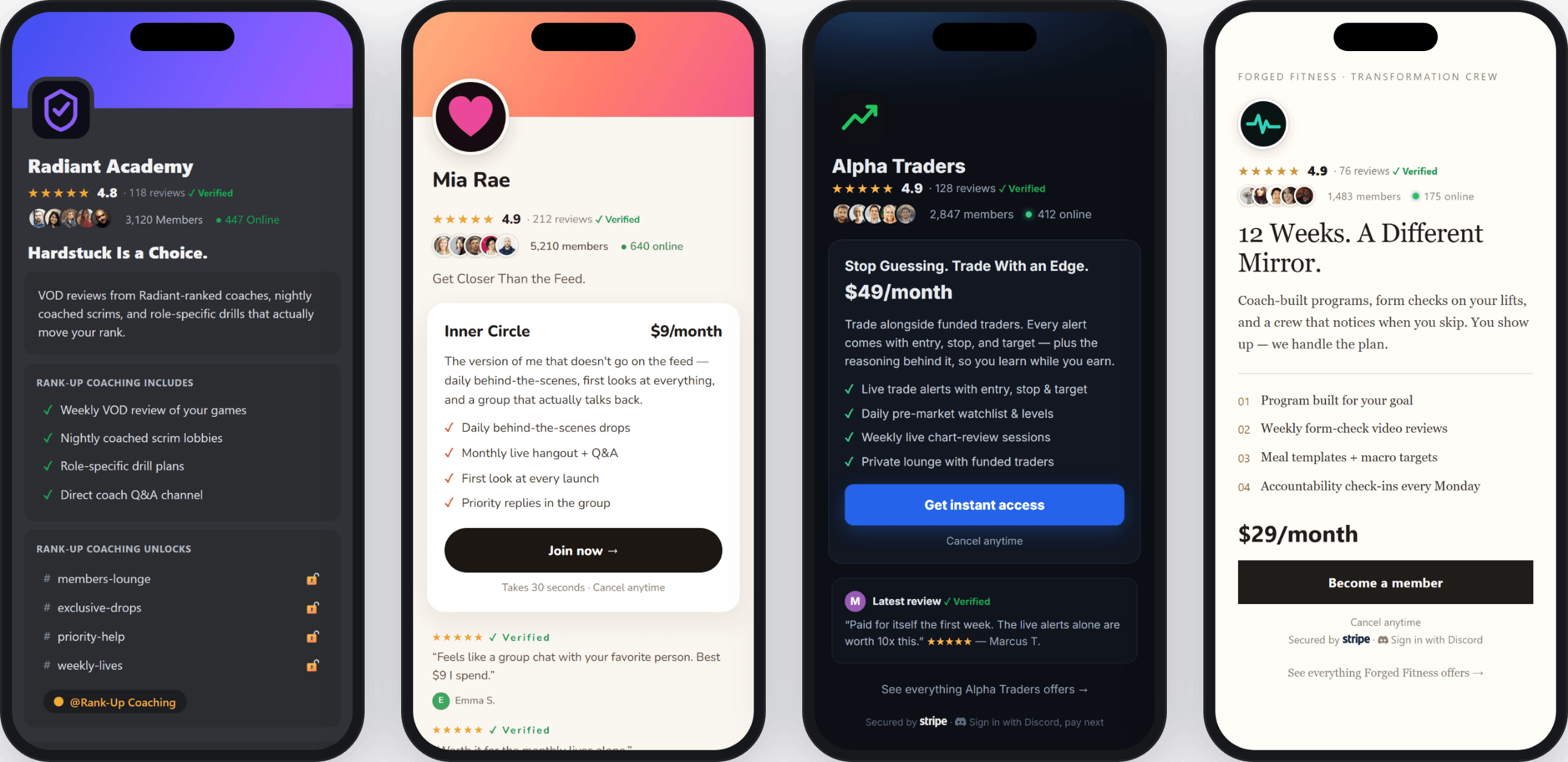
How you sell is a choice, and the page should match it. The Studio ships four templates, and each one sells differently. Unlock, the default, is Discord-native and shows buyers the exact locked channels they are paying to open. Curiosity does the closing. Storefront is a warm creator storefront for communities built around a person. Commerce is bold marketplace energy with social proof stacked at the top. Letter reads like a personal note from the founder, with the offer arriving at the end, the way a good pitch lands in conversation. Pick the one that matches how your community sells. A trading room and a book club should not share a sales page.
Live proof, an AI copywriter, and verified reviews
Buyers learned a hard rule from a decade of internet shopping: discount any number the seller can type. So the Studio doesn’t let you type them. Member counts, online-now numbers, and star ratings render on the page pulled live from Discord and your verified reviews. None of it can be edited by hand. That is the point. A number you cannot fake is the only number a stranger will believe.
The words get help too. Most people who run great communities are bad at describing them, which is normal, since the two skills are unrelated. Paste your rough notes into the Studio and it writes your title, your description, and your benefits list. Each field has its own polish button. You stay the editor. The machine drafts, you decide what ships.
Then let your buyers do the talking. One tap invites everyone who has purchased to leave a review, by email or Discord DM. Reviews from confirmed buyers carry a Verified badge, and you can feature the best ones right on the page. You can reply to any review as the owner. A stranger trusts a stranger who paid before they will ever trust you. Put that trust where the buying decision happens.
Watch what converts, fix what does not
Every page reports its own funnel: visits, sign-in clicks, checkouts, and paid conversions, plus time on page and scroll depth. No setup. You see which page sells and you fix the one that does not. Guessing is what you did before. Small improvements to a page every single buyer passes through compound faster than almost anything else you could work on this month.
If PayBot is already in your server, you are done reading. Open Pages & Links in your dashboard and your pages are sitting there waiting for you. If not, add PayBot to your server — it’s free and takes a few minutes. Payments go straight to your own Stripe account, PayBot takes 3% per sale, and there is no monthly fee. The whole stack comes with it: payments, roles, the portal, courses, and now the Studio. You already did the hard part. You built something worth paying for, and you earned the click. Give it a page that closes.