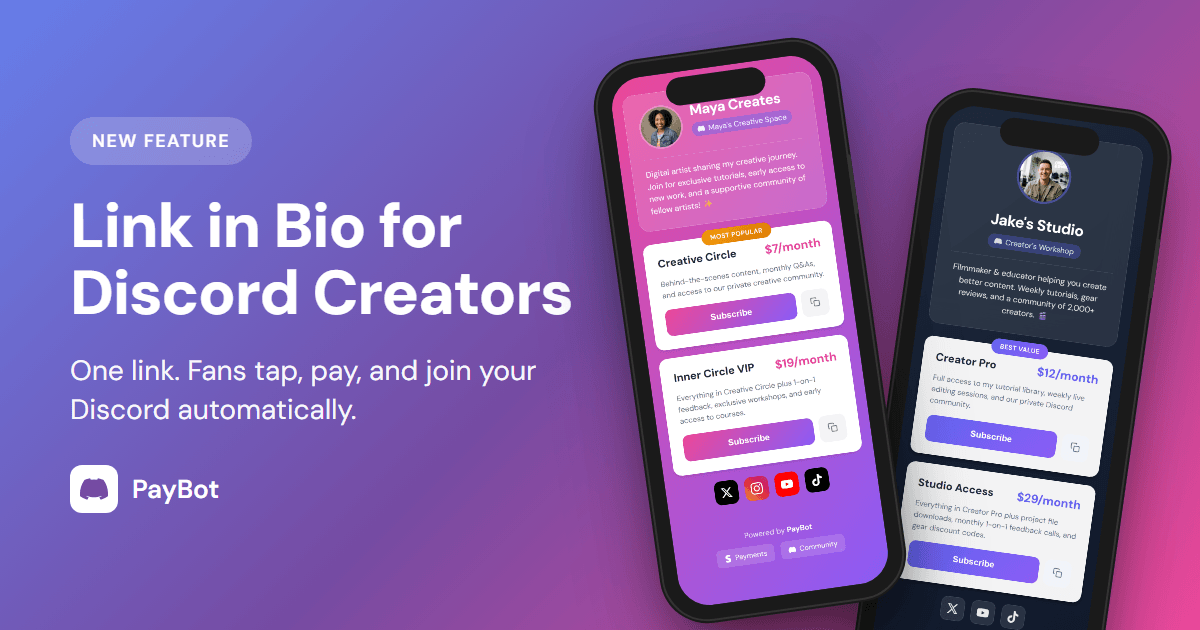
Your audience is on TikTok, Instagram, and Twitter. Your paid community is on Discord. How do they find you?
Link in Bio solves this with one shareable link that bridges the gap.
The Problem
You’re building an audience on social media, but converting those followers into paying Discord members is friction-filled:
- No direct path: Fans see your content but don’t know how to support you
- Lost in translation: “Join my Discord and run /subscription” doesn’t fit in a bio
- Missed opportunities: Every profile view could be a subscriber—but isn’t
The Solution
One link. Put pybt.me/yourname in your bio, and fans can:
- See your payment page instantly
- Pick a membership tier
- Pay with Stripe
- Join your Discord automatically with the right role
No friction. No confusion. Just a direct path from “I like your content” to “I’m a paying member.”
What Your Page Looks Like
Your Link in Bio page is fully customizable. Choose how you want to present yourself:
Header Styles
Server Default - Shows your Discord server icon and name. Great for community-focused servers where the group identity is front and center.
Creator Compact - Your profile picture on the left, name and bio on the right. Modern, clean look that puts YOU at the forefront.
Creator Centered - Large centered profile picture with your name and bio below. Premium feel for personal brands.
See It In Action
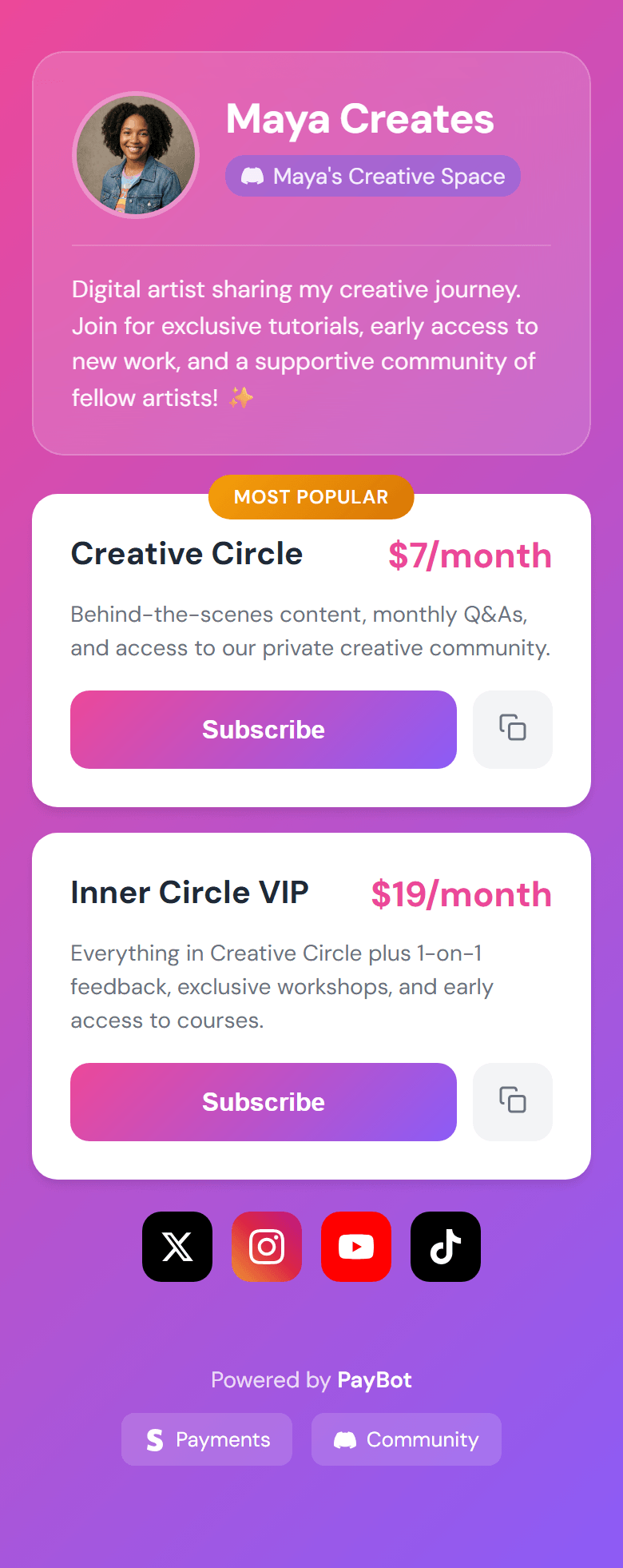
Light theme, Creator Compact
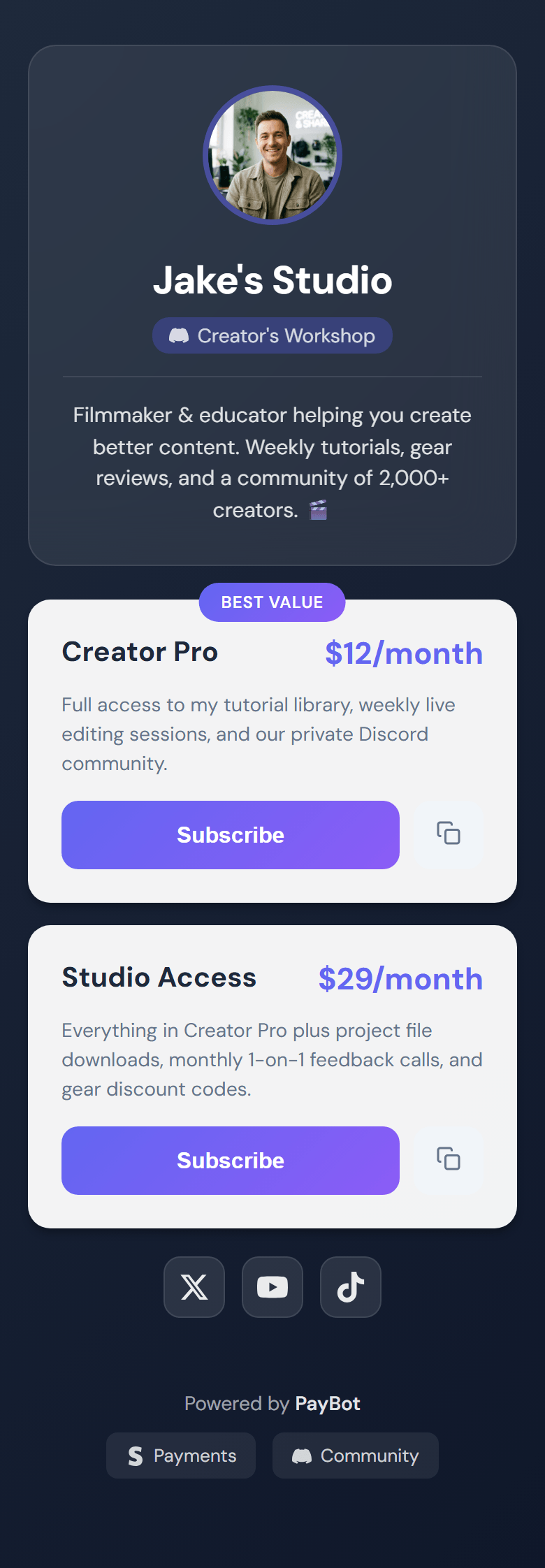
Dark theme, Creator Centered
Make It Yours
- Your branding: Choose from 8 color themes or match your aesthetic
- Your photo: Pull your profile picture from X (Twitter) or Instagram—fans recognize you instantly
- Your words: Add a bio, customize tier descriptions, highlight your best option with a badge
More Than Just Pricing
Your Link in Bio page isn’t limited to membership tiers. Build a complete landing page with:
- Section Headers - Organize your page with clear sections (“My Courses”, “Membership Options”, “Connect With Me”)
- Paragraphs - Add context, tell your story, explain what subscribers get
- Links - Point to your courses, merch store, booking page, or anything else
- Social Icons - One-tap access to your X, TikTok, Instagram, YouTube, Twitch, and Discord
Think of it as Linktree meets Patreon—but your fans end up in your Discord with the right role, automatically.
Coming Soon: Product Landing Pages
We’re building something even more powerful: dedicated landing pages for individual products and tiers.
Instead of going straight to checkout, fans will see a full landing page with:
- Feature breakdowns and benefits
- Testimonials and social proof
- FAQs and details
- Then seamless checkout → Discord access
Perfect for courses, premium communities, and high-ticket offerings where you want to tell the full story before someone subscribes.
Stay tuned—this is coming in a future update.
Custom URLs
Nobody remembers go.paybotapp.com/aB3xK9pL. But they’ll remember pybt.me/yourname.
Set a custom slug that matches your brand. If you ever change it, old links automatically redirect—nothing breaks.
Two options for every creator:
- Full URL:
go.paybotapp.com/yourname(recommended for websites) - Short URL:
pybt.me/yourname(perfect for TikTok and Twitter bios)
Where to Share
Your Link in Bio works everywhere:
- TikTok bio (use the short URL)
- Instagram bio
- Twitter/X bio
- YouTube channel description
- Twitch panels
- Your website
- Email signatures
- Linktree (or replace it entirely!)
Pro tip: Your PayBot Link in Bio can replace Linktree. Add your other links and socials to the page, and everything is in one place.
Getting Started
Already using PayBot? Your Link in Bio page exists—it was created when you connected Stripe.
- Run
/setupin Discord - Click Link in Bio
- Customize your header style
- Copy your URL
- Paste it in your social bios
That’s it. Your social followers now have a direct path to becoming paying members.
What Creators Are Saying
“Finally! I’ve been asking for this. My TikTok bio actually converts now.”
“The creator header makes my page look so much more professional. It’s ME, not just a Discord icon.”
“Replaced my Linktree with this. One less subscription to pay for.”
Ready to turn your social following into a paying community? Get started with PayBot and create your Link in Bio page today.
Explore all features: Discord Payment Bot — subscriptions, one-time payments, automations, and more.